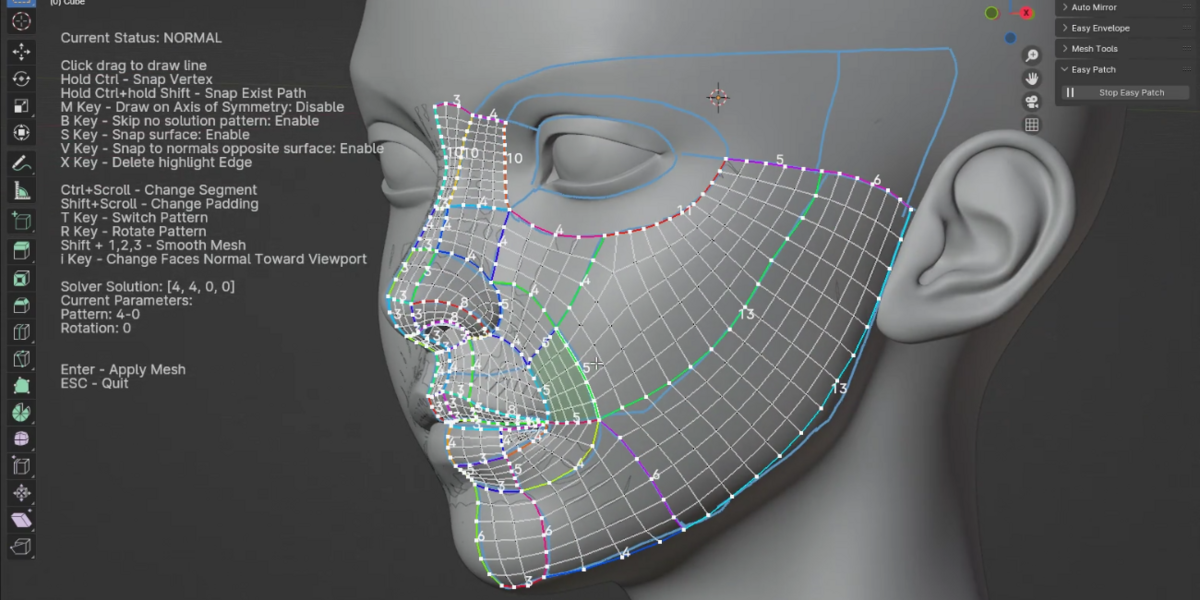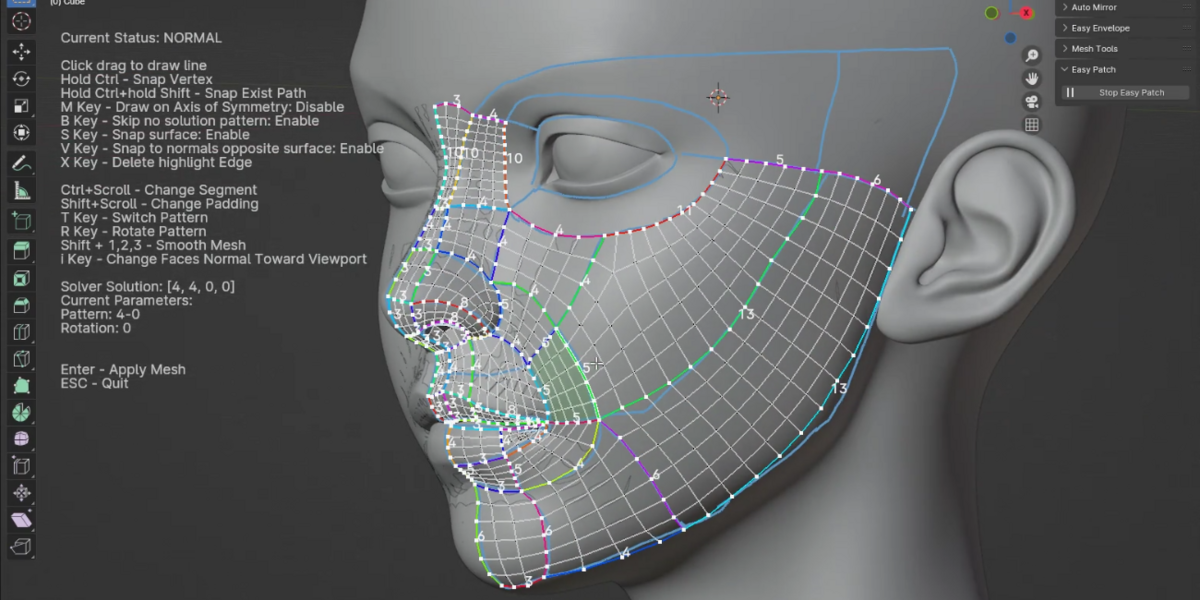
Easy Patch 2 is a Blender add-on for building quad topology inside a patch you define. You draw its boundaries and decide how edge flows meet, which suits retopology work where you want to manage pole placement. Each patch uses two to six boundaries, and the resulting mesh uses N-poles and E-poles.
The add-on works in Mesh Edit Mode. Click its start button to enter drawing mode, then click and drag to draw a boundary. Hold Ctrl to snap to the starting vertex and enter patching mode. Adjust the patch parameters in the UI and press Enter to apply the mesh.
Shape the patch topology
Press T to switch patterns; the product page describes pattern 0 as a generally clean option. You can rotate the pattern and move the pole position. Shift plus 1, 2 or 3 smooths the mesh. Guide mode suggests a feasible arrangement that you can modify. A separate Snap Selected Vertices to Surface button snaps selected mesh to a surface without using a modifier.
When planning boundaries, use one for each edge flow. The developer’s guide suggests separating flows at sharp corners. Its head example treats the nose and philtrum as one flow because there is no clear sharp corner between them. That planning helps the add-on calculate how the flows converge in the patch.
Consider pole placement
Poles help arrange edge flow, but the developer warns that they are not suitable for mesh animation deformation and can cause shading problems. Keep them away from areas that deform. Easy Patch 2 is intended for artists who want to control a retopology patch; it does not automatically retopologize an entire model.
Blender version and documentation
The latest update entry shown is version 2.1.0. The Superhive product listing shows support for Blender 3.3 to 5.2, and its 2.1.0 update note says the release adapted the add-on to Blender 5.0.