A reusable setup for Blender weight painting
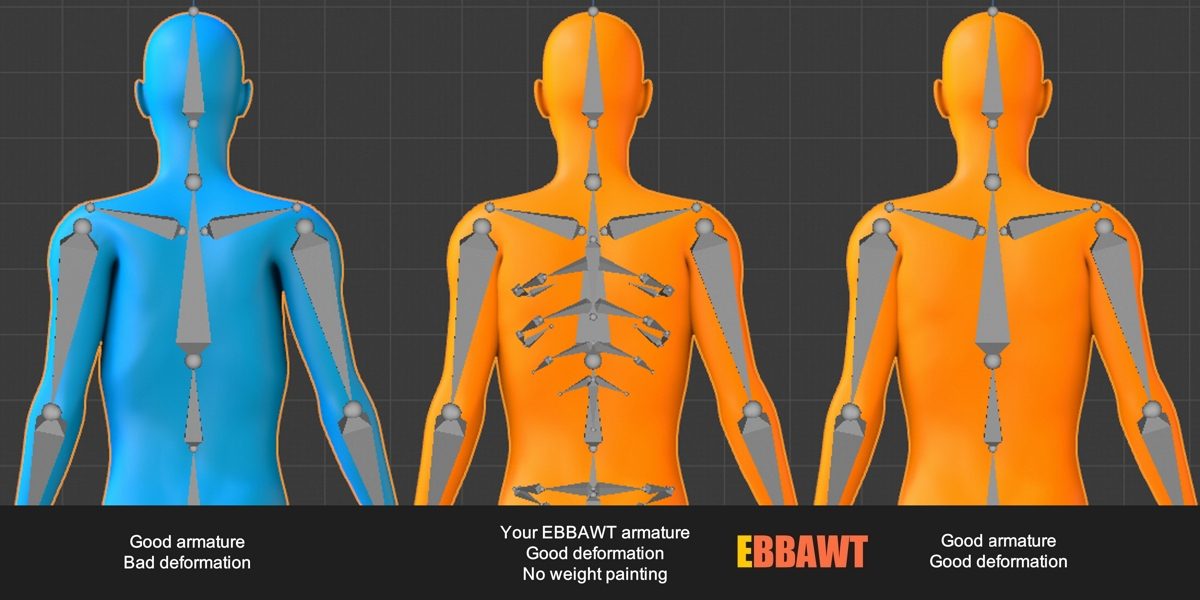
EBBAWT is a Blender add-on for character rigging by Terry Teddy. It lets you prepare a special armature with additional bones, save and adjust that setup, then reuse it when you run “Set parent with automatic weights.” The add-on’s tools can combine the helper bones’ vertex groups with the helped bone’s group and remove the temporary bones.
The added bones help adjust how a mesh deforms around a joint. The manual notes that a bone placed closer to the mesh has more influence, while one farther away has less. This gives riggers a way to tune the automatic weighting setup before reusing it.
Choose a helper-bone method
In Armature Edit Mode, the 2+ bones method combines groups for selected helper bones into the active helped bone’s group. The 1 bone method provides a quicker way to select a prepared set: its control bone is a child of the helped bone and an ancestor of the helped bone’s additional helpers; placing the control bone away from the mesh and other bones makes it easier to select. EBBAWT includes a check button for verifying the 1 bone setup.
Tools for vertex groups and matching deformation
The vertex group mixer is available in Armature Edit Mode and Mesh Object Mode. In Armature Edit Mode, designate the mesh in EBBAWT Preferences if it is not the armature’s only child; 2+ bones mixes selected groups into the active helped bone’s group, while 1 bone uses the control bone’s direct parent’s group. In Mesh Object Mode, the destination is the active vertex group designated in Preferences after Choose/Reset.
Fit to active copies vertex groups from the active mesh to selected objects by proximity and assigns the same Armature modifier, so those objects can follow its deformation. Copy active VG copies groups without proximity matching; the meshes need the same vertex count and vertex indices, and the groups must contain non-zero weights.
Work on a saved copy
The manual recommends saving a copy of the armature and mesh before using EBBAWT tools. Work with the armature in its rest position, keep the Armature modifier enabled and disable the other modifiers in the viewport without removing them. Use Choose/Reset or Discard the selection before tool operations. Temporarily disabling shape keys other than Basis may help in some cases.
Version and documentation
EBBAWT 1.1 is listed for Blender 2.83 through 5.2 under the GPL license. Check the Superhive product listing for the current compatibility details. Its documentation explains the bone methods, vertex group tools, setup precautions, and troubleshooting.