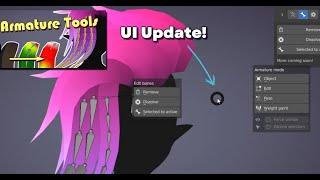
Armature Tools by Carlsu is a Blender add-on for generating and editing weighted bones. It is intended for simple meshes such as hair cards and tails, and can also create bone chains for curves. Curves cannot be weight painted with the add-on.
Generate bone chains from mesh topology
In Edit Mode, chains can start from selected mesh vertices. In Object Mode, Armature Tools can create a chain for each mesh island, using connected edges or average face area. The Edit Mode island option uses only islands touched by selected vertices. For pointed tips, the add-on can detect where each island's chain should start. Generated chains can be reversed or resampled.
Manage weights while editing
Existing mesh weights are preserved when bones are generated. You can add the new weights or replace weights on the affected mesh. Apply Weights separates and applies weights for each island before joining the mesh again. For edits to an existing armature, Remove and Dissolve transfer a bone's weights to its parent. Selected to Active transfers weights from selected elements to the active element.
Curves and mesh utilities
For curves, the add-on creates bone chains and supports Bezier, NURBS and Paths, along with resolution and cyclic options. It does not apply weights to curves. Prepare Mesh removes doubles and sharpens edges that previously overlapped.
Switch between armature modes
Armature Mode finds connected armatures and meshes to make switching between them easier. Its mode controls cover Object, Edit and Pose. The Weight Paint option selects the relevant armatures and meshes and enters Weight Paint with bone selection.
The Superhive listing reports Blender compatibility from 3.3 through 5.2 and a GPL license. It links to the Armature Tools documentation. The listing names Discord as the preferred channel for bug reports and feature requests.