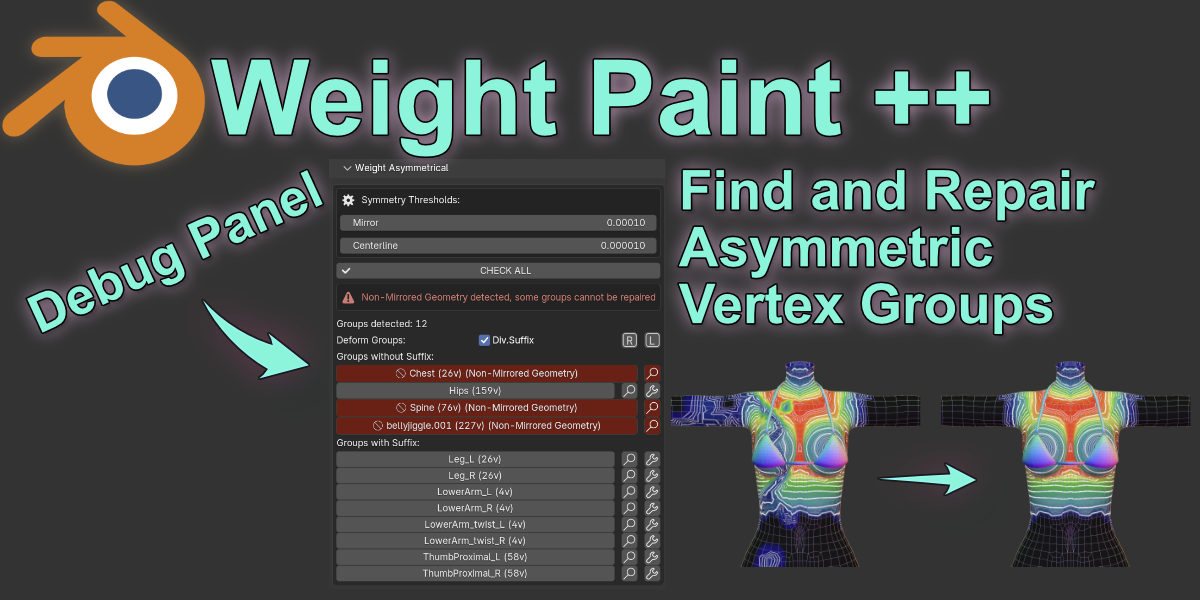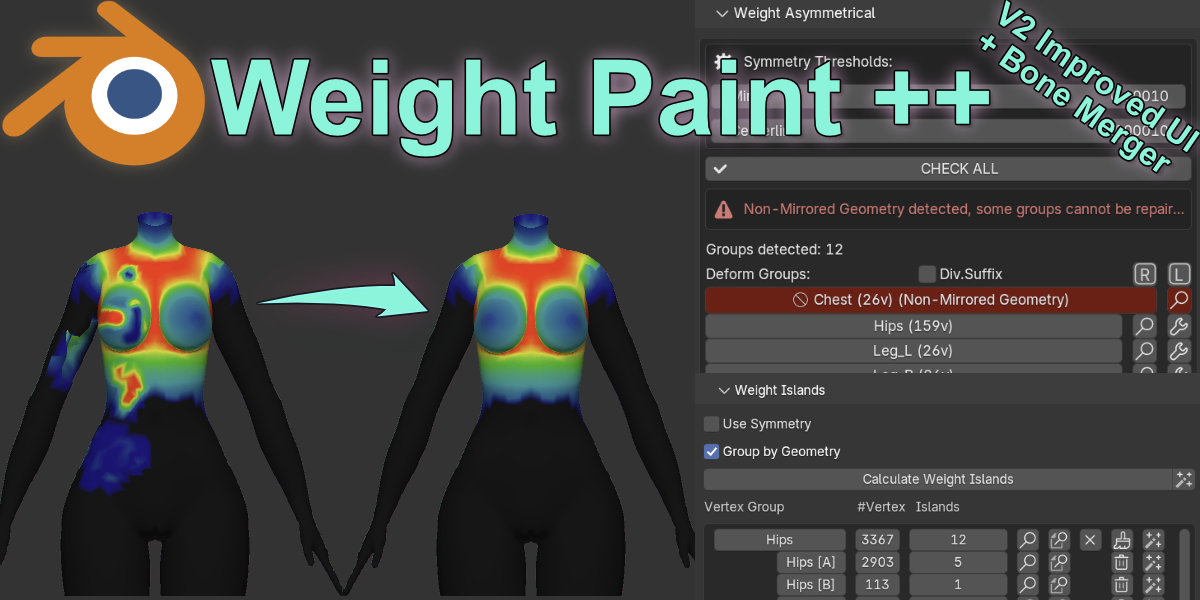
Weight Paint ++ is a Blender add-on by Shugan for finding and repairing vertex-group weight issues on rigged meshes. Its panels check weight symmetry, inspect disconnected weight islands, clean deform groups, and move weights between opposite vertex groups. For the listed Blender version range and dated release notes, see the Superhive product listing .
Check symmetry and weight islands
Use Check All to find asymmetrical weights across vertex groups, then focus on the affected vertices. You can repair symmetry to the left or right for a selected group, or repair all asymmetric groups in that direction. The mesh itself must be perfectly symmetrical for this repair to work; the tool does not fix asymmetrical geometry.
The Weight Islands panel calculates discontinuous weights across vertex groups. Version 0.2.0 added this panel with disconnected-geometry repair tools. It can focus on the smallest island or the next island, and lets you mark vertices as intentional, removing that vertex group from the list.
Clean deform groups and move weights
Weight Tools can list deform groups that exceed a chosen influence limit. The limit tool reduces the number of deform weights on a vertex by removing the lowest weights. Other cleanup options remove zero-weight vertices from deform groups or remove groups with no positive weights.
Weight Transfer Bones L<>R transfers weight from the opposite vertex group into the selected group while preserving the source weight. Weight Copy L<>R copies weights from the positive X side to the negative X side, or in the other direction; weights on center vertices stay unchanged. The release notes also list a Bone Merger panel and a Copy Weight from Bone tool.
Version and installation
The marketplace lists Blender versions 3.3–5.1. The version 0.2.2 update note, dated April 7, 2026, says compatibility was tested with Blender 5.1. Check the developer’s wiki for current documentation and version details before installing on another release.
The published installation directions use Blender Preferences: open the Add-ons tab, choose Install, select the add-on ZIP file, and enable the add-on after installation. The directions for Blender 4.2 specify choosing Install from Disk from the Add-ons menu.