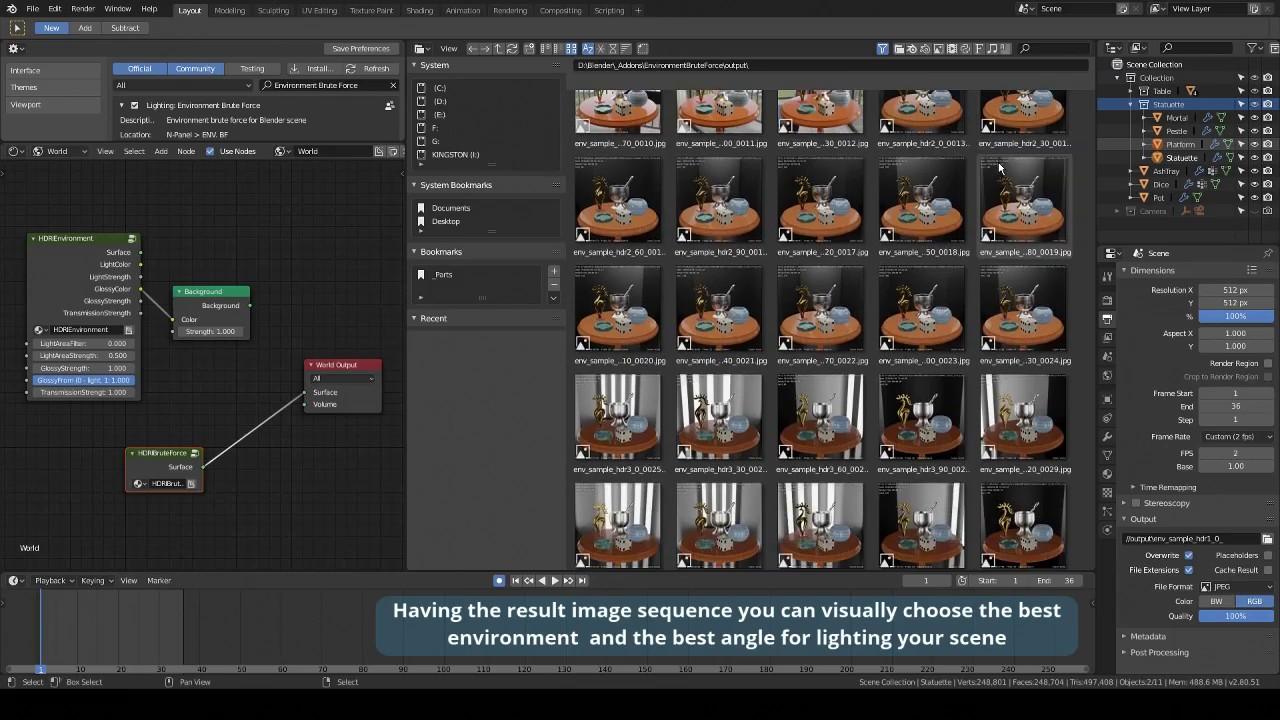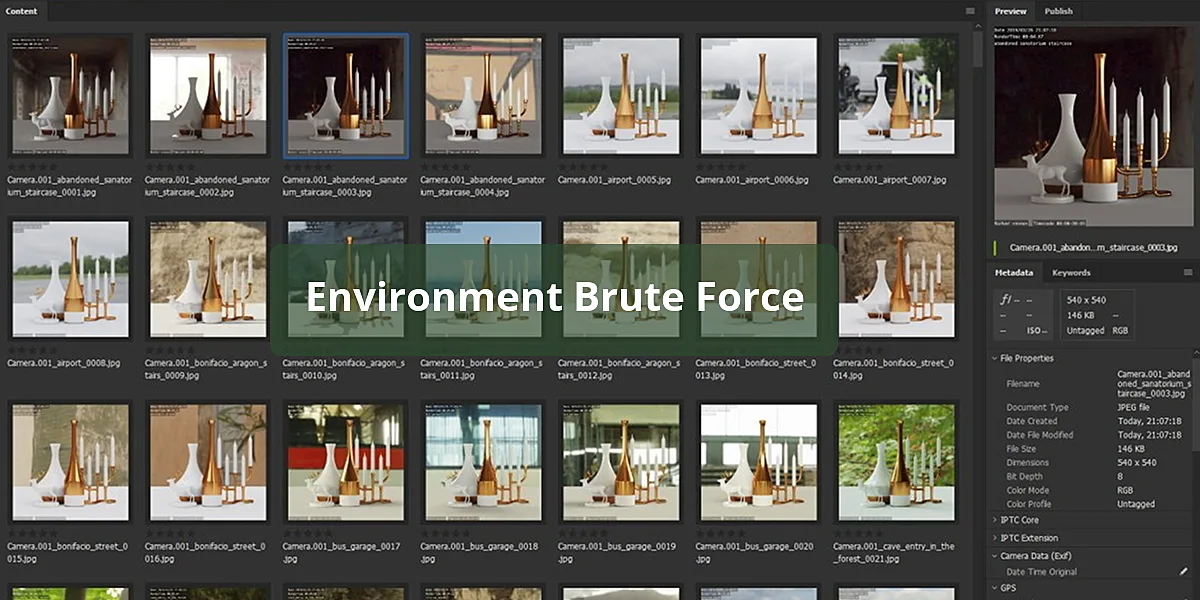
Environment Brute Force is a Blender add-on for comparing how different environment images light a scene. It applies images from a chosen directory in sequence and rotates each one through a full 360 degrees across its assigned frames. The rendered frames let you review lighting options before choosing a setup for a final render. See the product listing and documentation.
How the lighting sweep works
Choose a directory of environment images, set the number of frames for each image, and enable brute forcing. As the animation plays, the add-on applies each image in turn and changes its rotation over that image’s frame range. Render the animation with Ctrl + F12 to create an image sequence showing the scene under different environments and rotation angles.
Find a frame for the final render
Each output filename includes the environment image name and its current rotation angle. Use those labels to find the frame with the lighting you prefer and identify the environment and angle used for it.
Setup and Blender compatibility
- Before installing, check version support: the documentation describes the add-on only for Blender 2.8 and 2.9 and says earlier versions are unsupported; the product listing names Blender 2.80, 2.81, 2.82, 2.83, and 2.90. Then install and activate the add-on.
- Enable brute forcing in its panel.
- Select the directory containing the environment images.
- Set the number of frames per image, then recalculate the total frame count.
- Play the animation to review the sweep or render the sequence.
The add-on preferences include an option to recalculate the total frame count automatically after you specify the image directory. The documentation does not list compatibility with later releases, so check with the developer before using one.