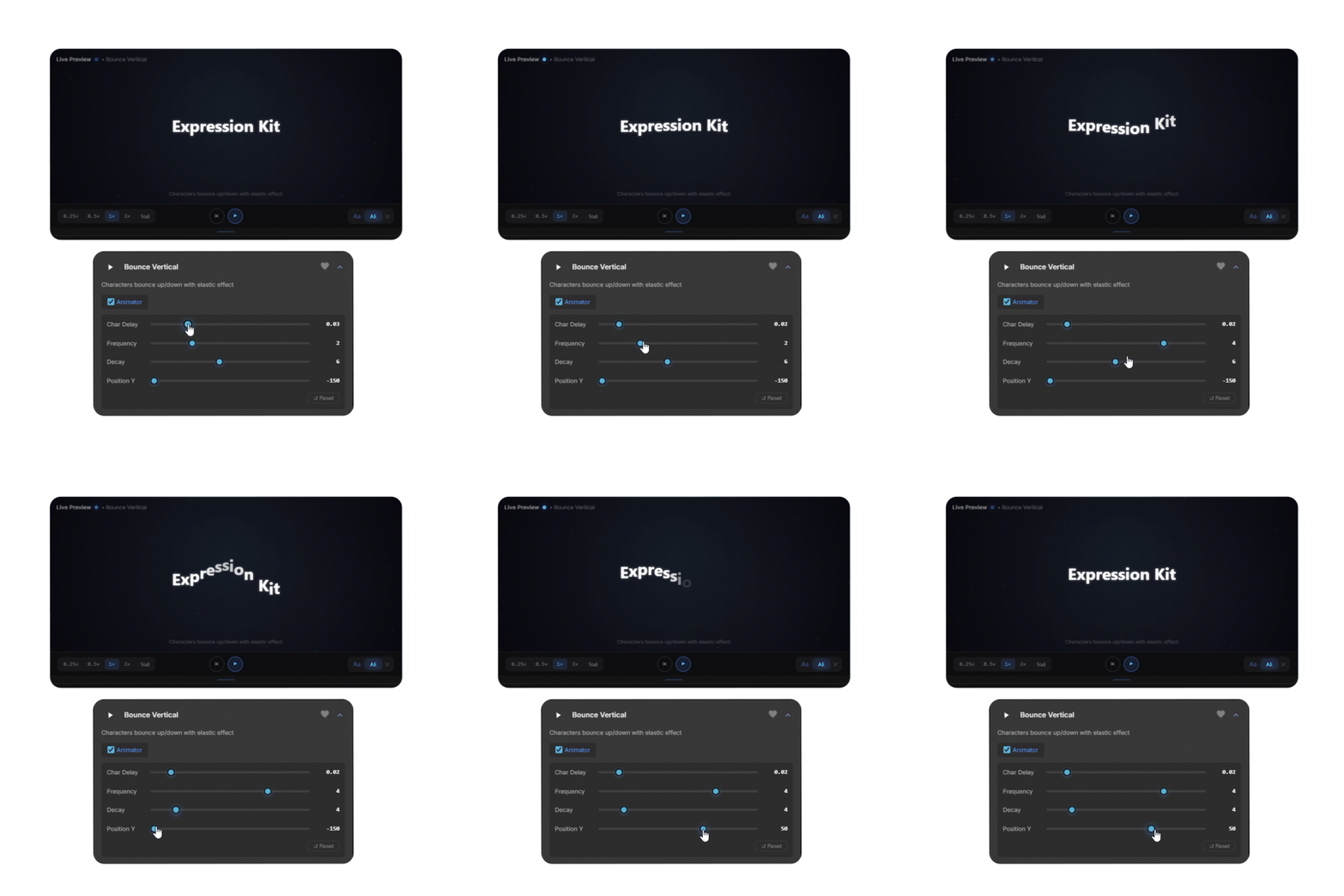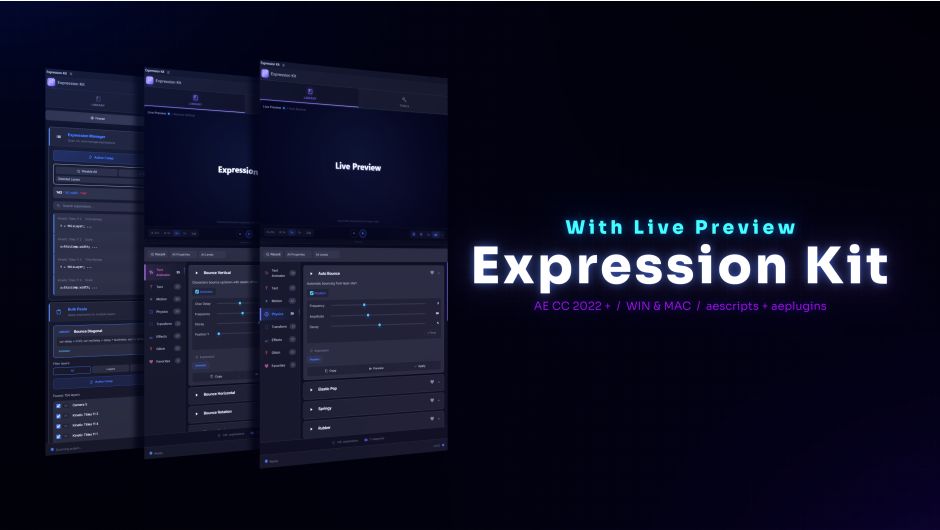
Expression Kit is a CEP panel for browsing and applying ready-made expressions in After Effects. Its library contains 140 expressions across seven categories. You can use the presets without writing code, then edit and save expression code in the panel when you need to.
Preview and choose expressions
Browse by category or filter by property type and difficulty. Select an expression to preview it, switch between fast and slow playback, and adjust its parameters while watching the result update. The resizable preview panel lets you check an animation before applying it to a layer.
The library includes character-based text animation, text-driven effects, physics expressions for gravity, bounce and elasticity, and motion expressions for position, velocity and direction.
Manage expressions across a project
- Stagger adds an adjustable frame delay between selected layers for sequential animation.
- Freeze holds an applied expression at a chosen frame.
- Expression Manager scans project expressions and shows whether each is valid, in error or disabled. It can enable or disable expressions, bulk-paste expressions to all or selected layers, and filter layers by type, including text, null and shape.
Favorites and recent expressions help you return to items in the library.
Compatibility
Expression Kit is a CEP extension for After Effects 2022 and later on Windows and macOS. It suits motion designers who want to preview and adjust expression presets, apply them across layers, or manage expressions in an existing project.