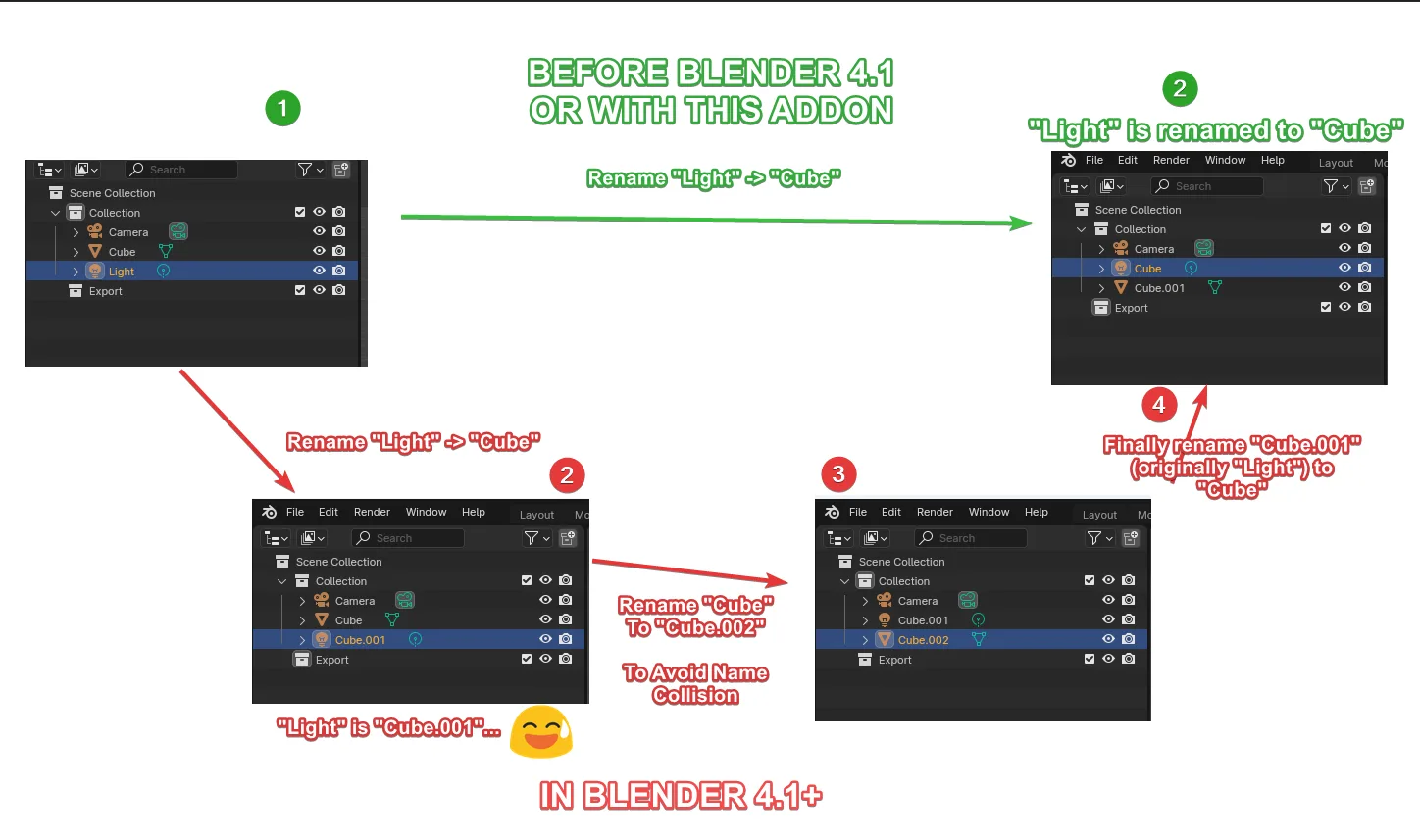
Fix Renaming Objects In Blender 4.1+ restores Blender's earlier name-swapping behavior through F2. In Blender 4.1, the default behavior changed: renaming an ID to a name already used by an ID of the same type may give the renamed ID a numeric suffix such as Cube.001. With the add-on's name swapping, the selected ID keeps the requested name and the previous name holder receives a suffix.
Where F2 name swapping works
Use F2 on an object selected in the viewport or an ID selected in the Outliner Blender File view. The add-on also supports renaming materials and meshes with name swapping. It notifies you when another object's name changes. See the Superhive product listing for the feature details.
Outliner double-click remains unchanged
Double-clicking an object name in the Outliner still renames it without swapping. The developer says this behavior is not exposed to Blender's Python API, so use F2 when you want a name swap.
Supported versions, license, and price
The Superhive listing names Blender 4.1 and 4.2 as supported versions and gives the license as MIT. The listings disagree about price: AnyPlugins labels it free, while the Superhive page displays $2. Check the listing you plan to use for its price before downloading.