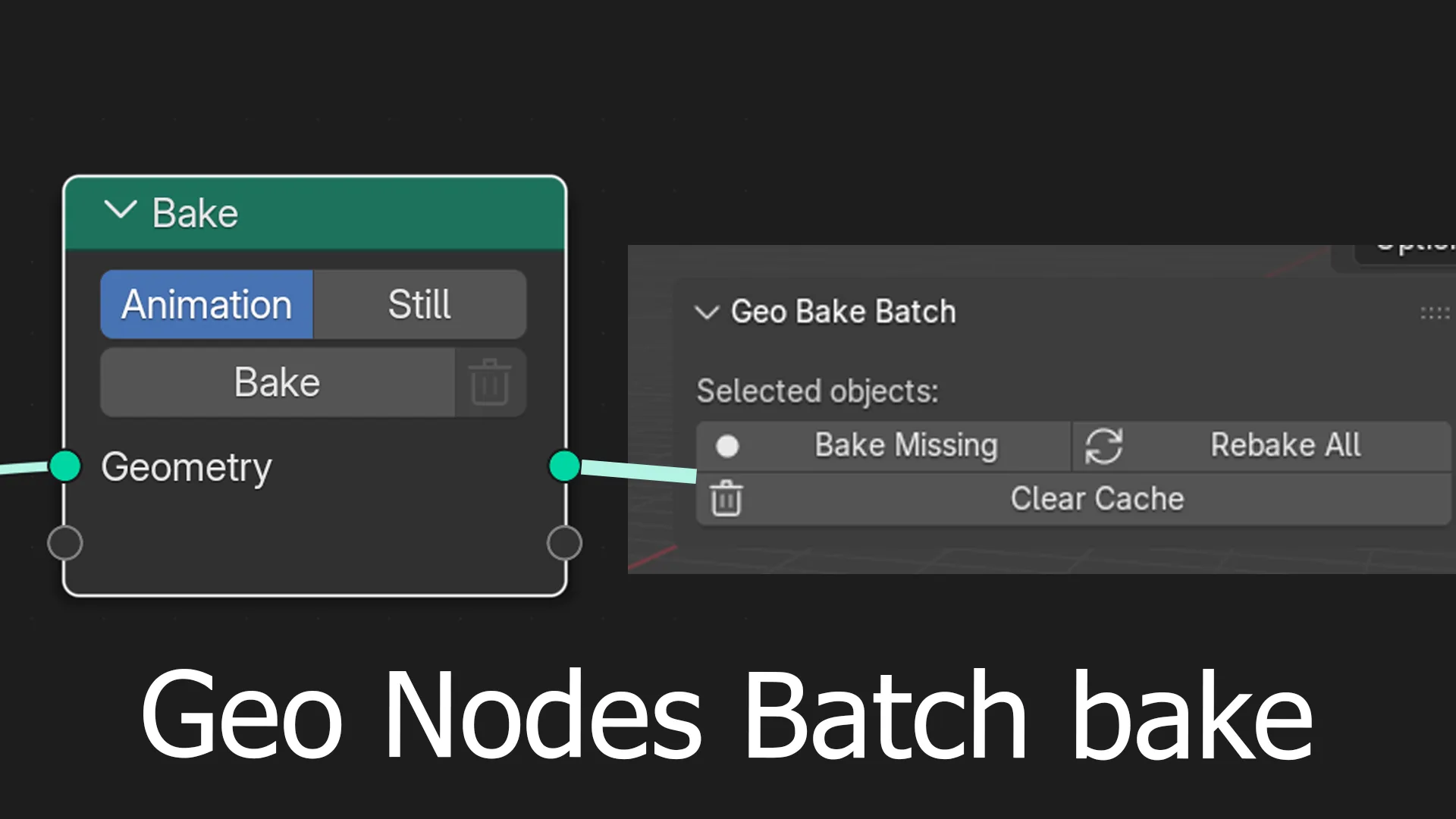
Geo Bake Batch is a Blender add-on for running Geometry Nodes bake actions across selected objects. Its three operations let you bake missing caches, rebake existing caches, or clear cached data from one panel. The cataloged release is version 0.0.1, with Blender 4.2.0 listed as the minimum version.
Choose a cache action
- Bake Missing runs baking for cache entries that do not have cached data. Entries that already have data are skipped.
- Rebake All deletes existing cache data and runs baking again across the selected objects.
- Clear Cache deletes Geometry Nodes cache data without starting a replacement bake.
Save the .blend file before running any action; Geo Bake Batch refuses to run on unsaved files. Use Bake Missing when some selected objects have already been baked and you want to fill the gaps. Choose Rebake All when the selected caches need to be generated again. Clear Cache removes stored bake data when you no longer need it. Check that the selected objects are the ones you intend to affect.
Run Geo Bake Batch on selected objects
In the 3D View, open the N-panel and select the Geo Bake Batch tab. For Bake Missing and Rebake All, each Geometry Nodes modifier to be baked must already contain a connected and properly configured Bake node. Select the objects to process, then choose an action. The add-on works through Geometry Nodes modifiers and their bake entries on selected editable objects, so the selection controls which caches the operation reaches. This is useful when several objects need the same kind of bake maintenance.
Version and license
The Blender Extensions catalog record lists Geo Bake Batch 0.0.1, maintained by Artyom-Pankratov, with Blender 4.2.0 as its minimum version and a GPL-3.0-or-later license. Check the Blender Extensions listing for the release available to install. The developer repository provides the project source.