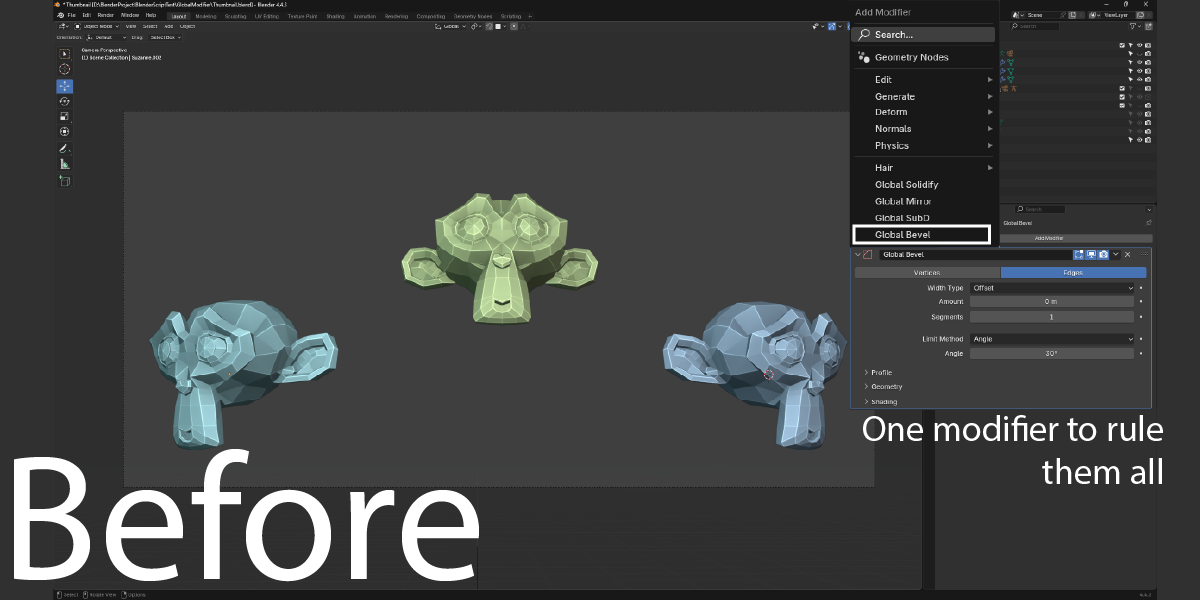
Global Bevel is a Blender modifier add-on that keeps bevel settings in sync across objects carrying its modifier. Change a setting on one Global Bevel modifier and the others update to match, which can save repeated adjustments in a scene with many related parts.
Which bevel settings sync?
The product listing describes synchronization for width and segments, the limit method, profile type and value, inner and outer miters, Harden Normals, and material index.
How to add Global Bevel
- In Blender, add Global Bevel from Add Modifier > Generate on each object that should share the settings.
- Adjust the bevel properties on any one of those Global Bevel modifiers.
- Continue editing from any participating modifier; the product listing says the others update to match.
Objects without a Global Bevel modifier are outside the sync group described by the developer. The add-on is suited to hard-surface scenes where panels, plates, or parts need the same edge treatment, as well as architectural scenes with repeated beams or window frames and product assemblies with multiple components.
Compatibility and license
The product listing records Blender versions 3.0 through 4.5, the Blender-Internal, Cycles, and Eevee render engines, and a GPL license. Its documentation page links to a video about the modifier and its installation. Check the developer's listing for compatibility details beyond the versions it specifies.