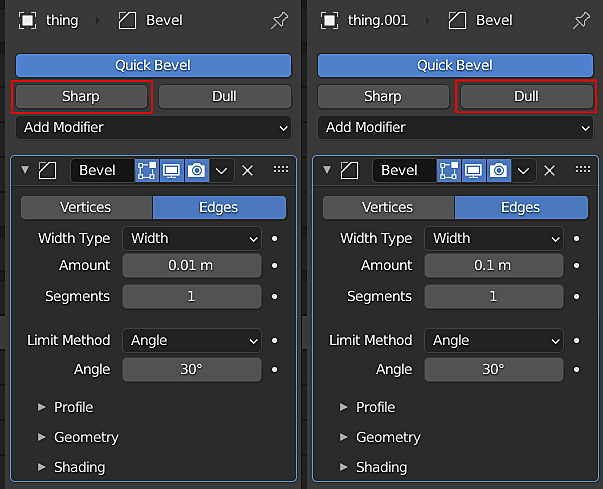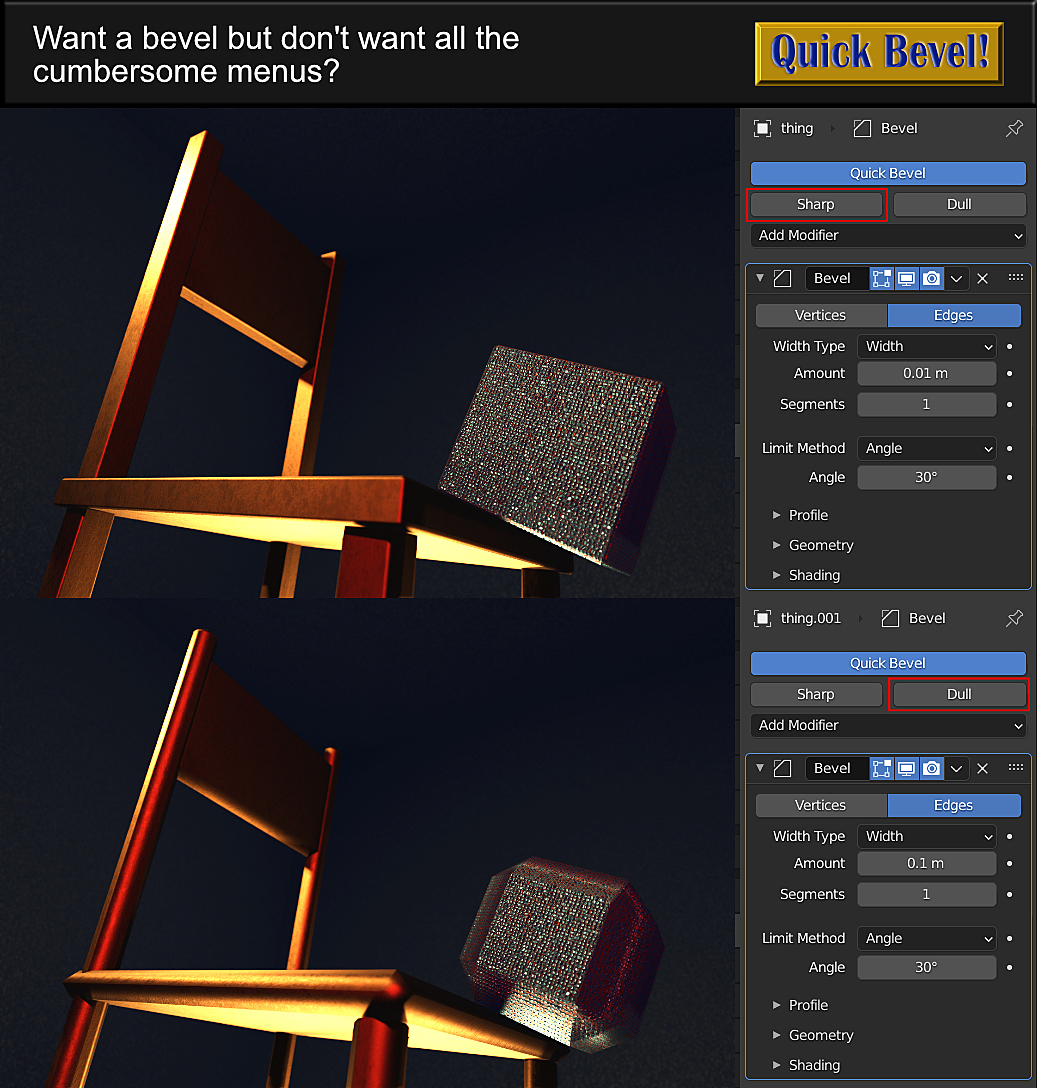
Quick Bevel is a Blender add-on by Vaguely Butter for applying bevels during modeling. Its buttons in Blender’s Modifiers tab add either a sharp or a dull bevel. After you click a button, auto-smooth and harden normals are enabled for the object, according to the product documentation.
How the buttons work
The add-on groups the bevel and those two options into one button press. That can shorten a repeated setup when you want one of the two available bevel results without navigating separate menus. The documentation does not specify adjustable bevel parameters.
Blender versions and license
The Superhive listing names Blender 2.9, 2.91, 2.92 and 2.93, and identifies the add-on as GPL licensed. The listed versions do not establish compatibility with newer Blender releases, so check the developer’s listing before installing on a newer build.
Who it may suit
Quick Bevel may suit Blender users who apply bevels often and want separate sharp and dull choices with auto-smooth and harden normals enabled as part of the action. If your workflow depends on specific bevel settings, review the documentation and demo before relying on it.