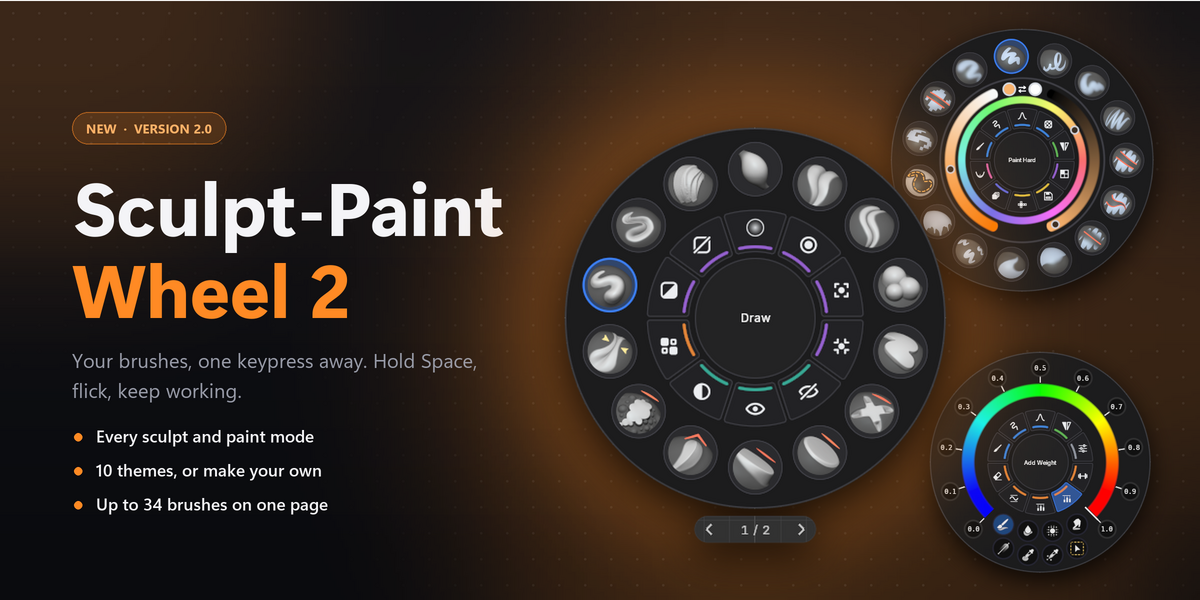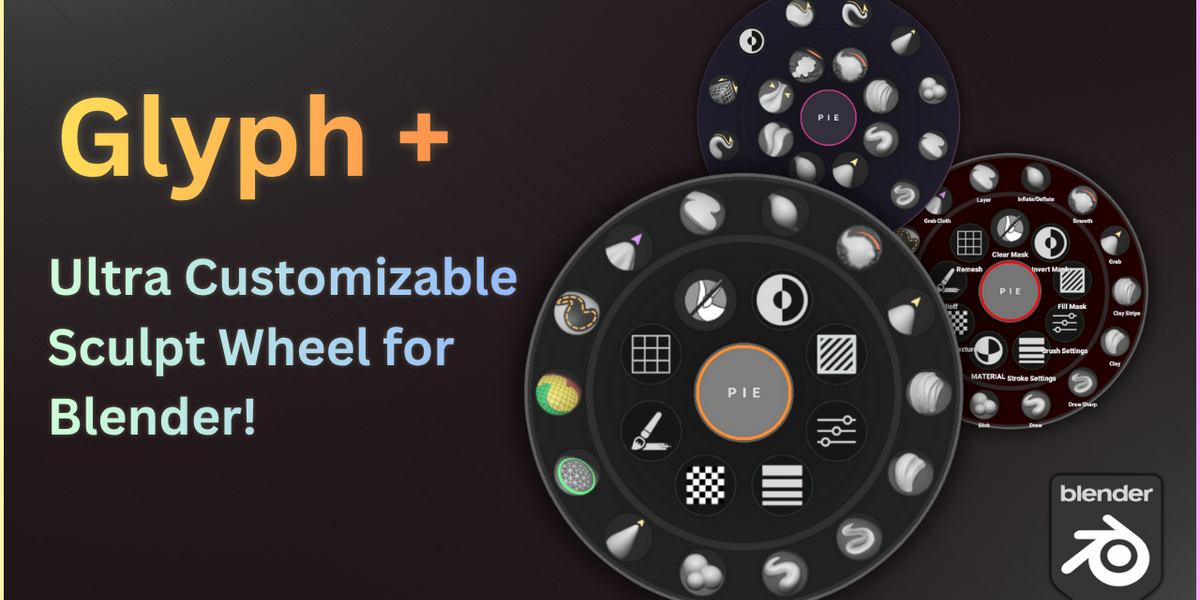
Glyph is a Blender add-on presented as a sculpt and paint wheel. The Superhive listing names it “Glyph | Sculpt & Paint Wheel Pro” and tags it for sculpting, pie menus, and sculpt wheels. Those details identify its intended workflow and menu style. The captured listing does not describe the individual commands in the wheel or how its options are configured.
What the listing tells you about Glyph
Glyph is listed as an add-on and marked compatible with Blender Extensions. If you are considering it for a particular workflow, check the product documentation and the demo video to see which actions the wheel includes and how you open or configure it.
Blender version, render engines, and license
Superhive lists Blender versions 4.5 to 5.2. The same listing warns that the add-on may be incompatible with Blender Alpha versions because it is not designed for them. Check your Blender version before installing, and treat that Alpha warning separately from the listed version range.
The listing's “Render Engine Used” field names Cycles and Eevee. It also identifies the license as GPL. If render-engine behavior or license terms affect your project, review the product documentation and the license details on the Superhive product page.
What to check before installing
Glyph may suit a Blender artist looking for a sculpt and paint wheel, but the listing alone does not establish whether its menu matches a specific task. Before installing, use the documentation or demo to check which commands appear, how the wheel is opened, and whether its options can be adjusted to your preferences. Confirm that your Blender version falls within the listed 4.5 to 5.2 range, especially if you use an Alpha build.
The Superhive listing reports more than 100 sales and seven ratings. Those figures describe the marketplace listing and do not show how Glyph performs in a particular project. Check the current product page for up-to-date details, price, and availability.