Gobolab Pro is a Blender addon for shaping light with gobos: patterns placed in front of a light source. It includes static and animated presets, procedural animation controls, custom image or video import, and the ability to layer multiple gobos on one light. The product listing describes support for both EEVEE and Cycles.
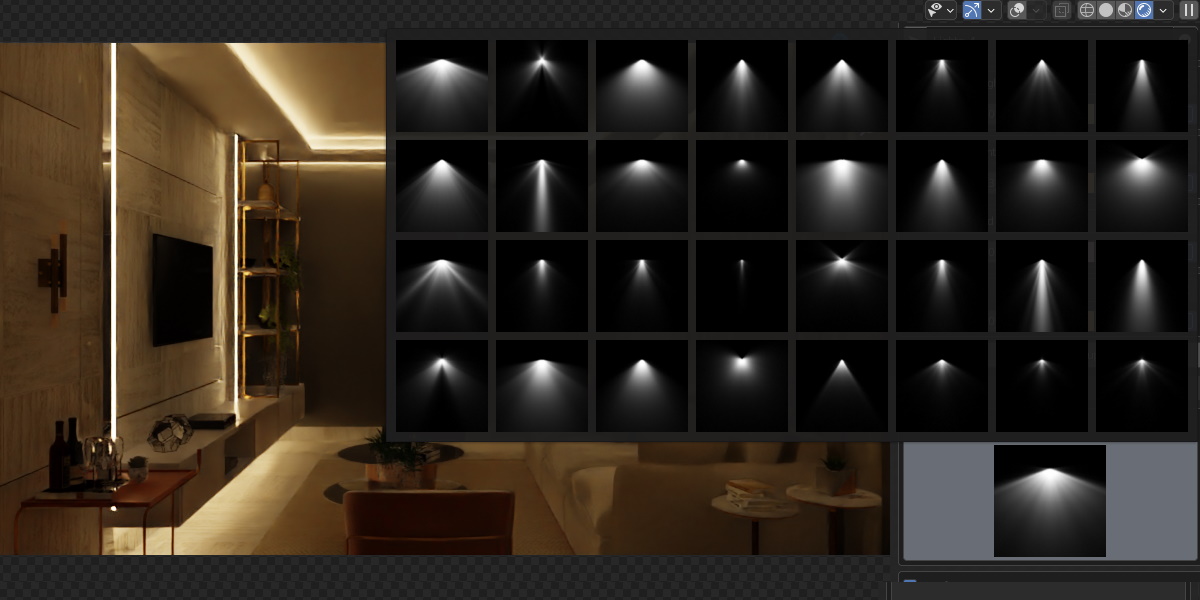
Browse static and animated presets
The library covers several kinds of scene lighting. Animated preset categories include clouds, colors, dust particles, foliage and trees, people, rain, and smoke. Static categories include caustics, nature, people, clouds, patterns and abstract designs, vehicles, windows, animals, and fans. The listing also describes procedural water caustics and abstract designs.
This range can help when a scene calls for a window pattern, foliage shadows, rain, or another shaped-light effect. The selected gobo is applied to a chosen light through the addon's preview workflow.
Adjust and animate a gobo
After choosing a gobo, you can adjust its transformations, color values, blur, and image extension behavior. Procedural animation presets such as Breeze, Strong Wind, Raindrops, and Storm can animate static gobos. The listing says speed and duration are adjustable, so the movement can be tuned to the scene.
You can also import your own images or video as custom gobos. This gives you a way to use a pattern that is not in the preset library.
Layer patterns on one light
Gobolab Pro can mix multiple gobos on a single light source. The product page gives an example of animated rain layered over a static window pattern, with a person’s silhouette added to the scene. Each gobo has its own sharpness control, which the listing describes as a way to simulate how far that gobo sits from the camera.
Typical workflow
- Select a light in the Blender scene.
- Choose EEVEE or Cycles.
- Browse the preview window and select a gobo.
- Generate it, then adjust its settings or animation.
- Use the plus control to add and mix more gobos, or import a custom design.
The Superhive listing names Blender 4.0, 4.1, 4.2, and 4.3; the captured details do not confirm later versions. It identifies the license as GPL and says the addon can be used in personal and commercial projects. Check the Gobolab Pro product listing for current compatibility and license details. Its documentation page says the addon documentation is in the download section.