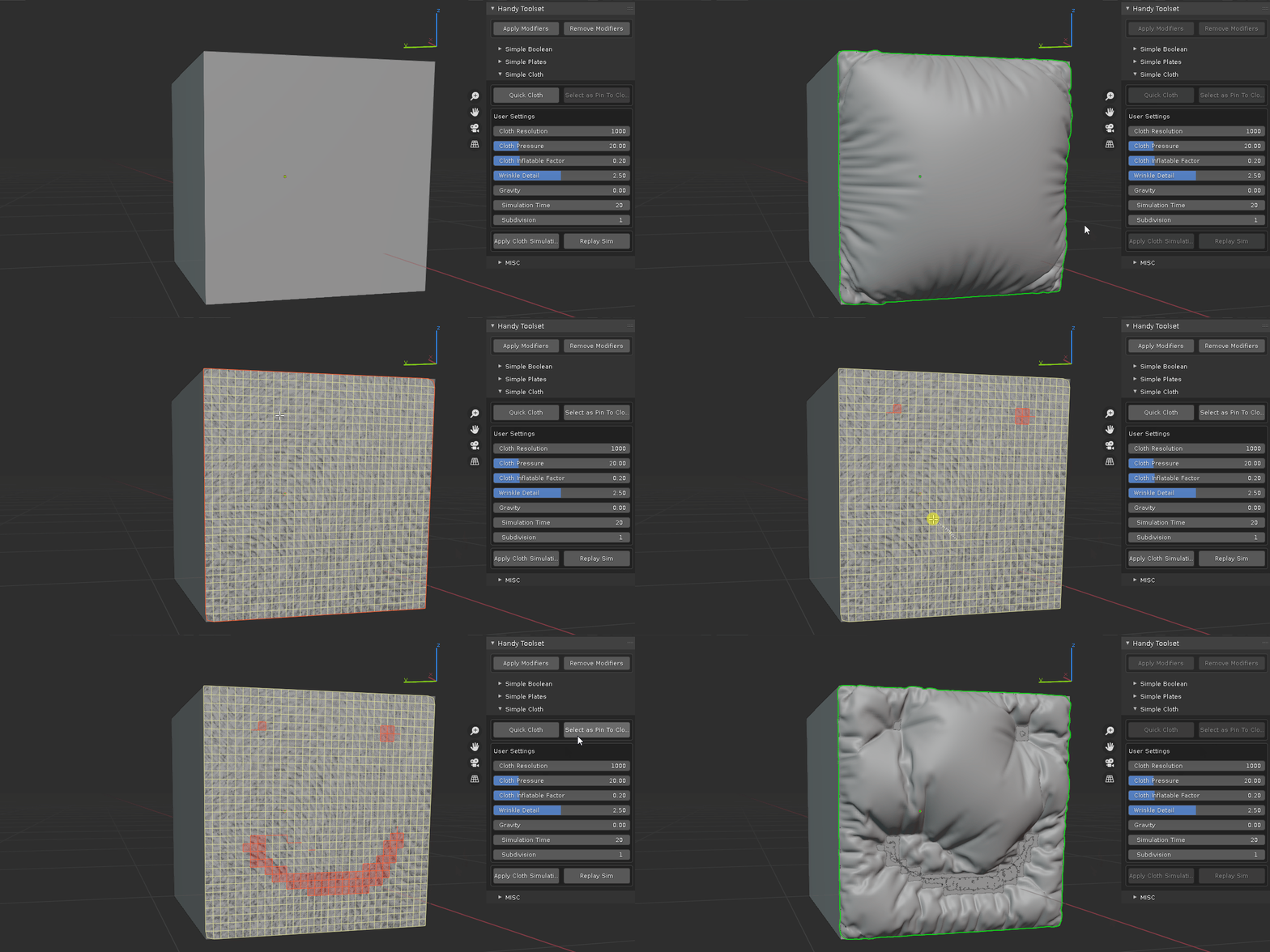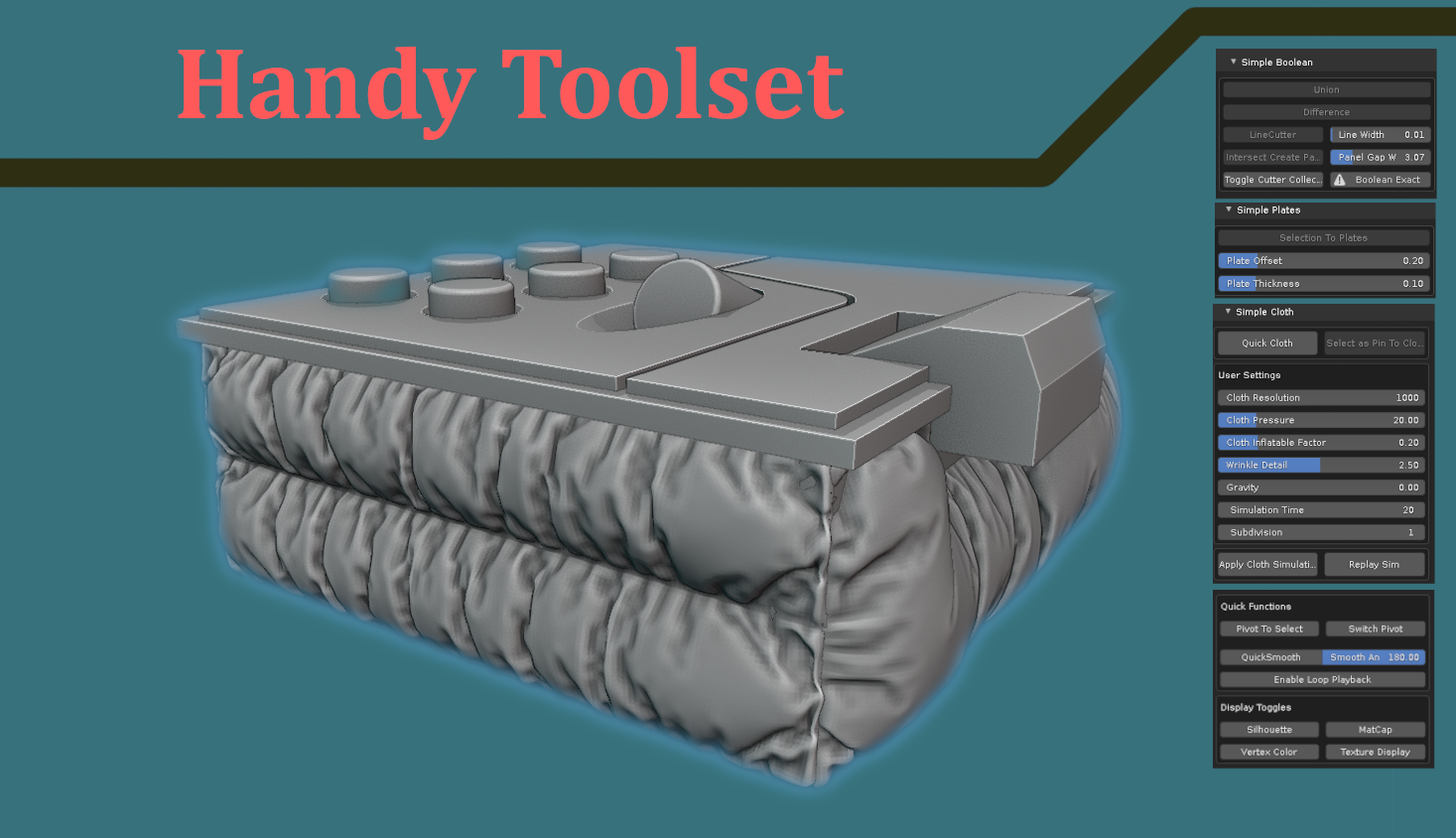
Handy Toolset by young is a Blender add-on with operators for hard-surface modeling, panel work, cloth, retopology, and viewport adjustments. It brings several separate modeling tasks into one toolset: Quick Cloth turns a selected face or object into simulated cloth, Simple Plate turns a selected face or object into a thick plate, and the boolean and bevel tools handle cuts, edge treatment, and modifier setup. The Superhive listing describes the add-on and its version history.
Boolean and bevel workflows
The simple boolean operators support a modal mode and a pie menu. The Bevel Operator changes with the current selection and mode. In Object Mode, it adds a bevel modifier using the Angle method and can move an existing bevel modifier to the end of the stack. In Edit Mode, selected edges can be beveled directly. Selecting a flat face on a cutter bevels outward onto the base object.
After a difference or union boolean, selecting the base and cutter lets the operator replace the Boolean modifier with a Geometry Nodes setup for a mesh-fusion effect. Intersection Density adjusts the connecting ring topology, and the bevel modifier below it controls the shape. The developer notes that stretched faces can cause shading artifacts in the generated connection. Sliding a nearby vertex so it merges, or applying the modifiers and merging vertices by hand, can address them. A simple boolean demonstration is linked from the product listing.
Panel creation and retopology
Selection to Multi-Panels turns selected faces into panels using existing or user-defined internal edges as regions. It can also generate internal lines from the mesh topology, with controls for ratio, seed, and panel size. The listing suggests a ratio around 0.8 for displaying large panels. Add knife cuts to the mesh when you want more varied sub-panels. Intersect Panel can create smaller details such as buttons, while Simple Plate turns a selected face or object into a thick plate.
The minimalist retopology panel includes tools for moving and smoothing vertices. Its smoothing operation snaps the retopology mesh to the target surface. The move-vertex operator can select the vertex nearest the cursor when none is selected, then move it with the mouse.
Other mesh and viewport helpers
Stickywrap shrinkwraps the opening of one mesh onto another surface and blends the normals. Custom Separate Faces keeps normal information when separating faces. Other utilities set a custom orientation or pivot, toggle silhouette, matcap, vertex-color, and texture display, and remove empty collections.
Version notes
The Superhive listing shows Blender versions 2.93 to 5.3 and says version 1.6 added Blender 5.0 compatibility. It identifies the license as GPL. Quick Smooth is no longer available after Blender 4.1; the listing points to Blender's Object menu command, Shade Smooth by Angle, for that task. Check the current listing for package and version details before installing.