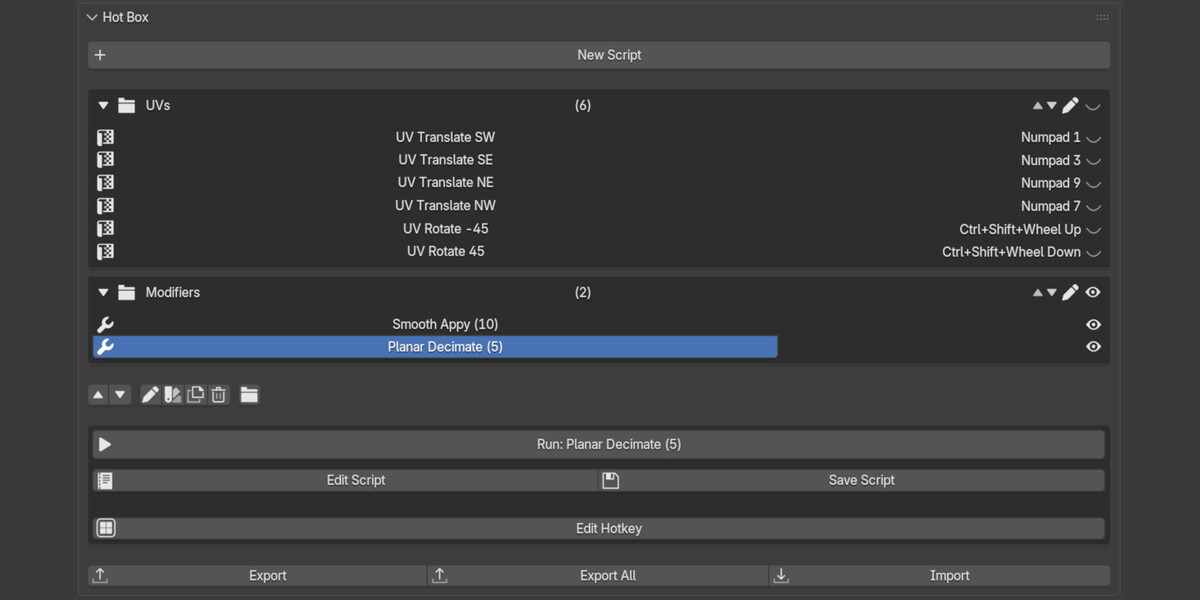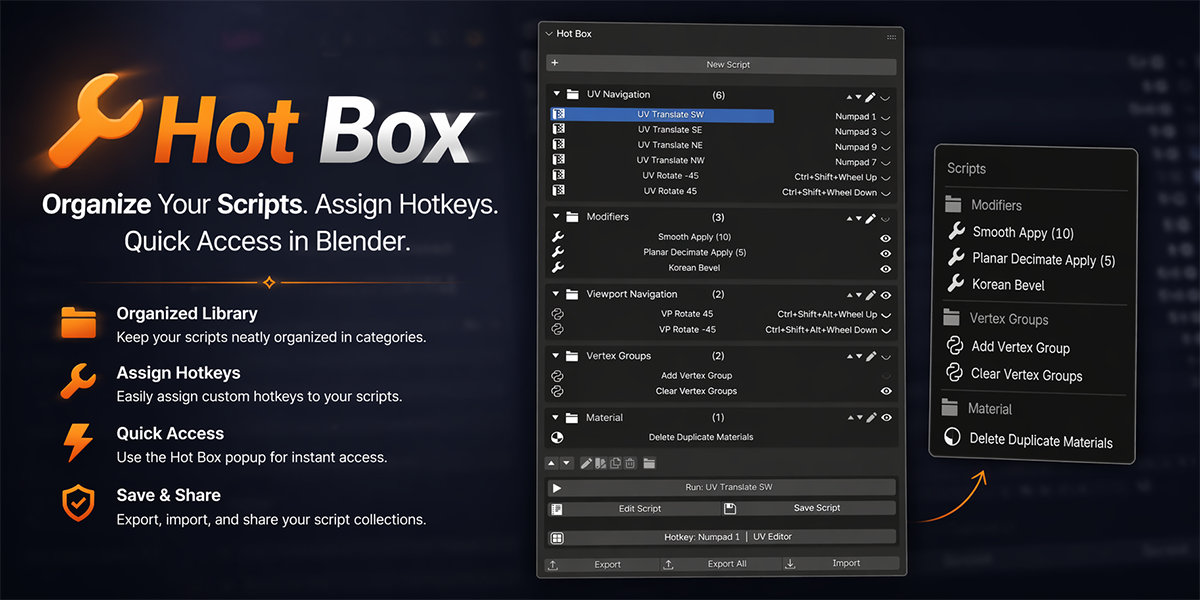
Hot Box is a Blender add-on for organizing custom Python scripts and macros. Bind tools to hotkeys or open them from a popup menu that can be called from any Blender workspace. It gives a growing collection of scripts one place for access and arrangement.
Organize scripts and choose how to open them
Hot Box lets you arrange tools into folders, edit their names, control which ones appear in the menu, and customize the layout. You can edit each script directly in Blender's script editor. Use a hotkey for a tool you call often, or keep it in the popup menu with related scripts.
Back up or share a tool setup
The add-on can export and import its tools, hotkeys, and quick-menu layout as a JSON file. Export a setup to keep a backup or share it with someone else; import the file to load that arrangement again.
Create custom scripts with an AI prompt
The developer provides a prompt template for people who do not write Python. It asks an AI tool to create a Blender operator with adjustable properties and a popup dialog or redo panel. The requested script keeps its logic in execute() and reads adjustable values through self.
The template also covers a Blender-specific detail: Hot Box runs scripts through exec inside its own operator, which blocks child invokes. To defer the popup invocation, the prompt asks for bpy.app.timers.register() with a temp_override(window=...). It also requests an unregister/register guard so the operator class can be registered on repeat runs.
- Define the tool as a
bpy.types.Operatorand setbl_options = {'REGISTER', 'UNDO'}. - Expose adjustable values with
bpy.propsand usecontext.window_manager.invoke_props_dialog(self)when the user should set values before execution. - Use a unique bl_idname in the
hotbox.*namespace, as the template specifies.
See the Hot Box product listing for the prompt details and the linked tutorial video.