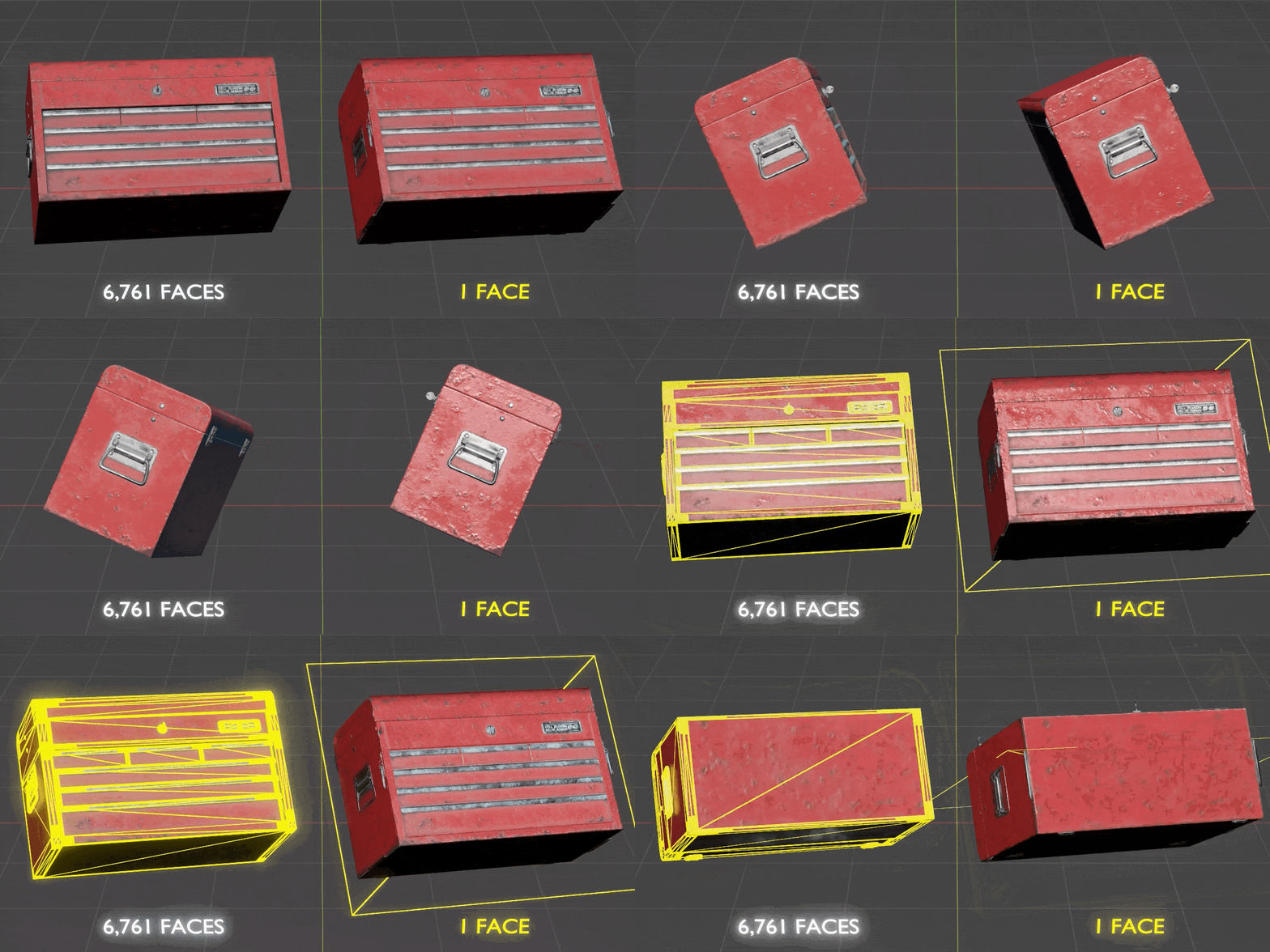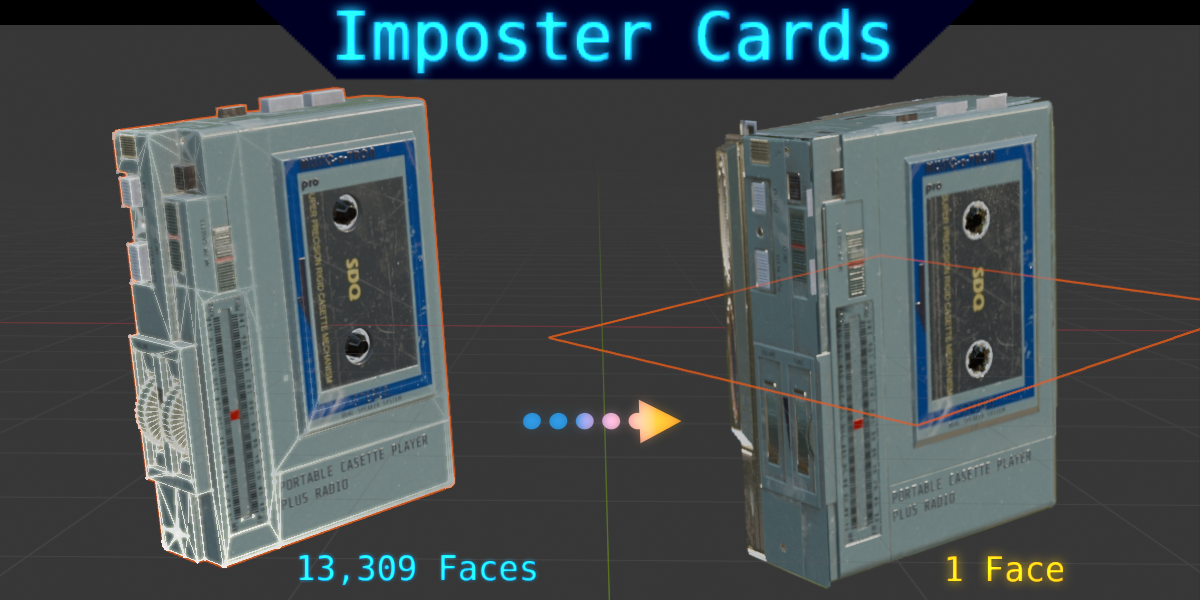
Imposter Cards is a Blender add-on by Feral 3D that turns selected meshes into camera-facing billboard proxies. It renders six views of each mesh and stores them in a texture atlas; a shader uses those views to approximate the object on a plane. This gives you a way to use a lighter proxy when a detailed model is farther from the camera. The product listing describes support for both EEVEE and Cycles.
Generate cards from selected meshes
Select your objects in Blender’s 3D View and run Generate Imposter Cards. The add-on packs diffuse, normal, roughness, metallic, and displacement information into a shared atlas and material. Save the Blender file before generating: the add-on uses its location to determine where to store textures, by default; you can choose a custom directory after saving. The documentation describes the generation controls and texture paths.
Choose how the proxy behaves
Generate mode creates an imposter object alongside the original mesh. In Dynamic mode, the imposter appears when the camera-to-object distance is equal to or greater than the object’s imp_threshold value; the original mesh remains visible below this threshold. You can adjust the threshold and edit the card’s depth in the Imposter Editor.
Shader complexity has low, medium, and high settings. Texture resolution ranges from 256 × 256 to 4096 × 4096; lower resolutions reduce detail and use less texture memory. For objects that need more depth in reflections, clipping, or shadows, the tri-planar option adds two planes to the card. Optional ambient occlusion and emission passes provide extra shading information. The listing also describes multiple slices with parallax for organic shapes, with that slice feature currently available in Blender.
Export and compatibility
The product information lists one-click export options for Unity and Godot. The listing’s Details section reports Blender 4.2–5.2 compatibility and EEVEE and Cycles support. Check the current listing for the release and export options that match your Blender version, since compatibility details can change. The product FAQ also describes updating generated imposters after changing their source meshes.
A billboard approximates the source mesh using rendered views on planes, so inspect the result from the camera angles and lighting conditions used in your scene.