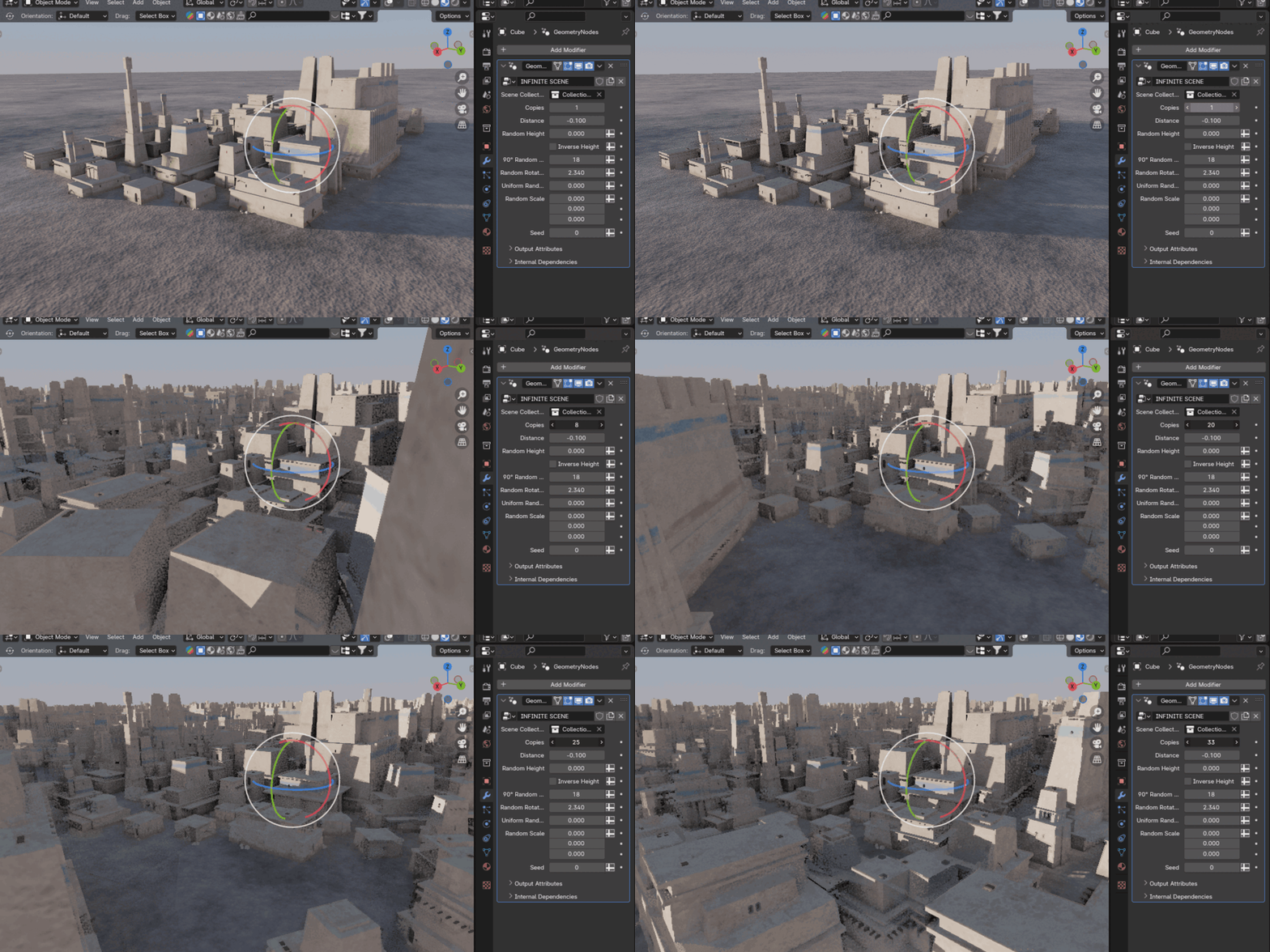
Infinite Scenes Add-On by Blender Easy expands small Blender scenes into larger environments using instancing. The product is aimed at scenes such as cities, terrain, and procedural landscapes. Its workflow starts with a mesh object as the base, then uses a target collection and spacing controls to shape the layout.
Blender Easy describes the instancing approach as a way to scale scenes without increasing memory use or slowing the viewport. The product listing does not provide benchmark results, so treat that as the developer’s performance claim rather than an independently measured result.
Randomization and layout controls
The add-on’s controls let you vary several properties of the generated arrangement:
- Rotation: Snap random rotations to 90-degree intervals or use free rotation.
- Scale: Apply random scaling uniformly or adjust it per axis.
- Height: Use random or inverse height sliders to add vertical variation.
- Grid and spacing: Choose custom spacing or a square-grid layout.
These controls suit environment work built from repeated mesh elements when you want variation in orientation, size, or height while adjusting how objects are spaced.
Set up Infinite Scenes in Blender
- Confirm that your Blender version is within the listed 4.5 through 5.1 range, then install
infinite_scene.zipthrough Blender Preferences. - Select a mesh object to use as the base.
- Open the Infinite Scene tab in the Sidebar, also called the N-Panel, and click Initialize Scene.
- Choose the target collection from the picker.
- Adjust the randomization and spacing controls for the arrangement.
The documented workflow depends on a selected mesh and a target collection. Check that setup against your scene before choosing the add-on.
Compatibility and license
The Blender Easy product listing gives a Blender version range of 4.5 through 5.1 and names Cycles and Eevee as supported render engines. It lists the license as MIT and includes product updates and 12 months of support from Blender Easy. Check the current listing for the latest compatibility and support details.