Link Tools is a Blender add-on by Lightbluespaces for finding duplicate meshes and deciding how to handle them. Its menu can merge duplicates into one mesh, group selected objects under an empty, or link their object data as instances. Instancing can reduce repeated mesh data in large scenes, where separate copies may use more memory and affect performance.
Find and handle duplicate meshes
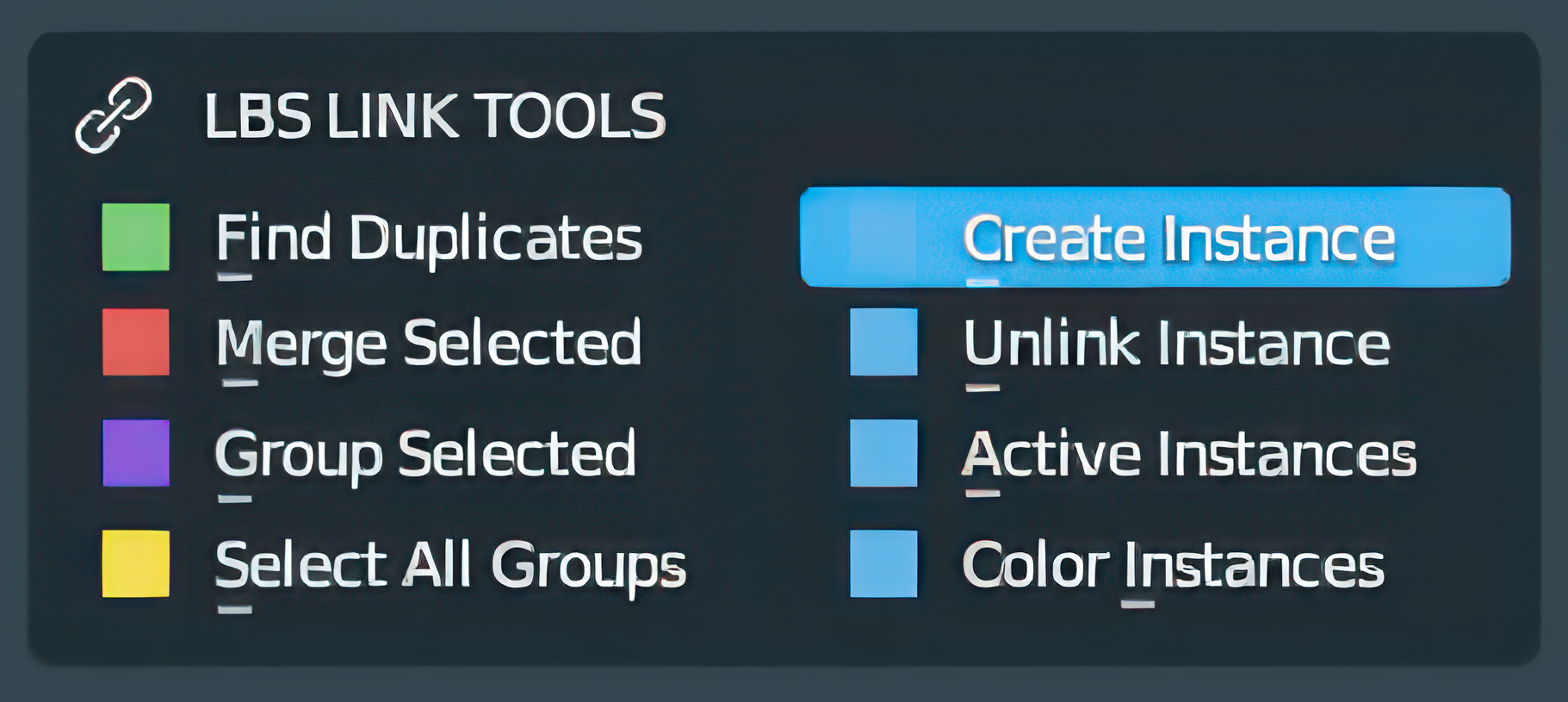
Press Y to open the Link Tools menu. Select a mesh to make it active, then choose Find Duplicates to select its duplicates. From there, choose the operation that fits the scene: combine the selected meshes, group them, or create linked instances.
Merge, group, or instance
Merge Selected combines the selected duplicates and places an origin at the center of the resulting geometry. Group Selected creates a parented group using a plain axis empty; Select All Groups selects those group empties again.
Create Instance links the active mesh's data to selected meshes through pop-up options. Unlink Instance reverses that link for selected meshes. Active Instances selects instances linked to the active mesh. Color Instances applies random material colors to instances in the scene, which can help distinguish them visually.
Version and compatibility
Version 1.1.0 was updated for Blender 4.1. Its listed fixes address cubes not being selected by Find Duplicates, Color Instances affecting meshes that were not instanced, and Active Instances selecting only the active mesh instead of multiple instances and their children. The Lightbluespaces listing on Superhive names Blender 4.1, 4.0, and versions 3.6 through 3.0. Check that listing for current compatibility details before installing.