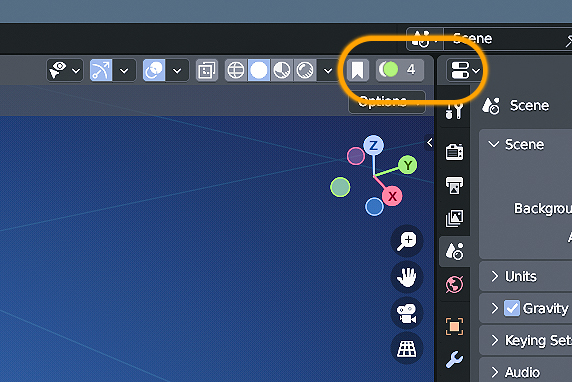
Qol Tools: Link Widget adds a small, always-present control at the top of the Blender screen. It shows whether the active object is an instance and how many instances of it exist. The product listing describes it as a way to keep instance controls visible while working with larger scenes.
See and manage instances from the widget
Blender uses the word “linked” for both instance relationships and links to external files. Link Widget focuses on instances: its indicator reports the active object's instance status, while clicks with or without modifier keys run actions on related objects.
- A single click disconnects all the instances and makes them independent objects.
- Shift-click makes all selected objects instances of the active object.
- Alt-click selects all instances connected to the active object.
- Ctrl-click selects every object in the scene that is an instance, including instances that are not connected to the active object.
Indicator appearance and availability
The add-on's preferences include an option to use a monochromatic indicator instead of the green icon. The product listing describes the widget as having zero overheads; that is the developer's description, rather than a measured performance result.
The listing's description calls Link Widget a Blender 4.2 Extension format add-on, while its details list Extension Type as N/A and names Blender 4.2, 4.1, 4.0, and 3.6 through 3.0 in its Blender version details. It lists the GPL license and also includes Link Widget in the QOL Tools: Full Collection package. Check the current product listing for availability and terms.