Keymesh is a Blender add-on for stop-motion animation made by sculpting frame by frame. It stores different versions of an object's data and lets you place them across the timeline, so each frame can show a deliberately changed shape. The Blender Extensions listing also describes frame-by-frame modeling, grooming, and painting alongside sculpting.
Working with object versions
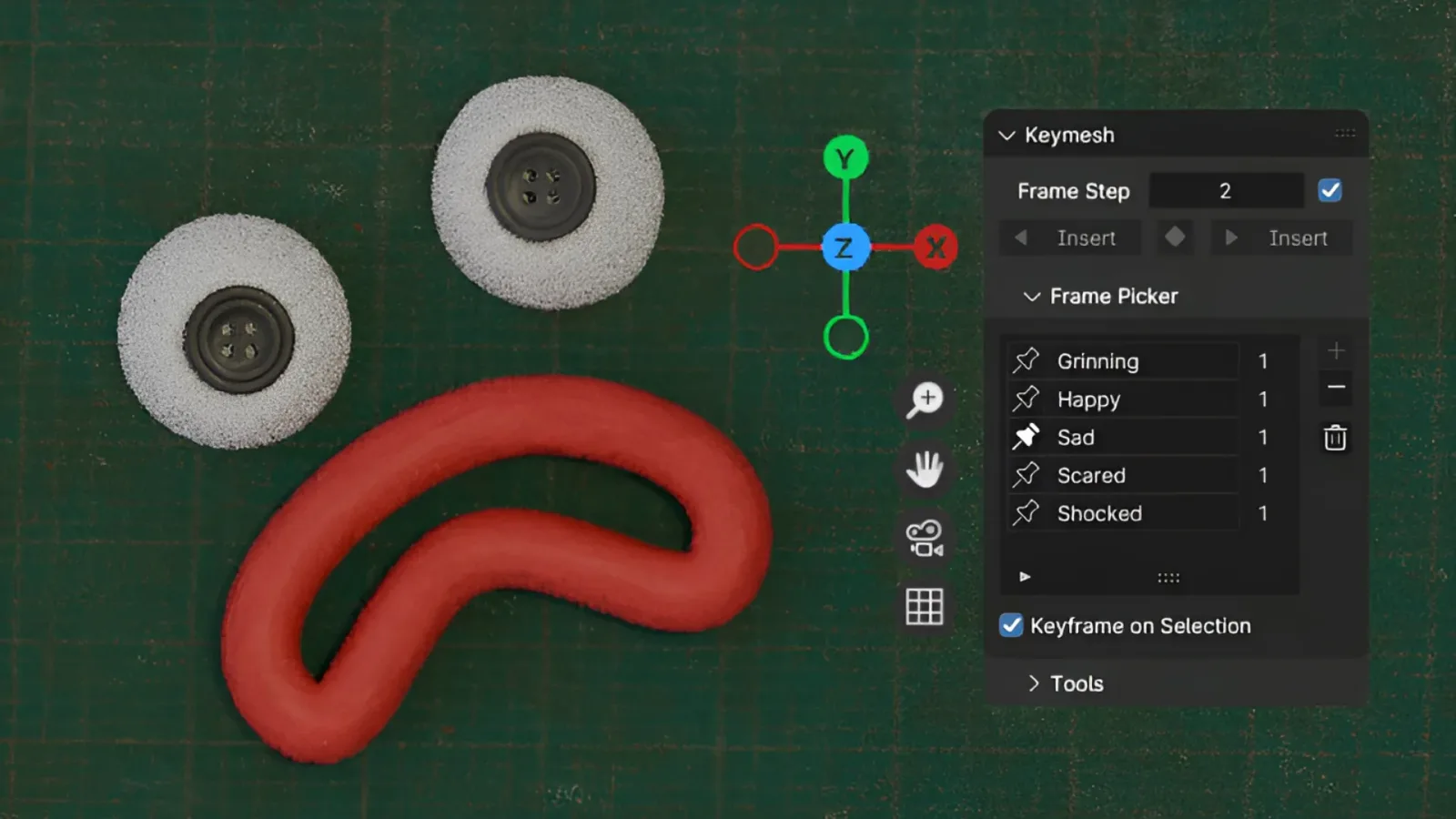
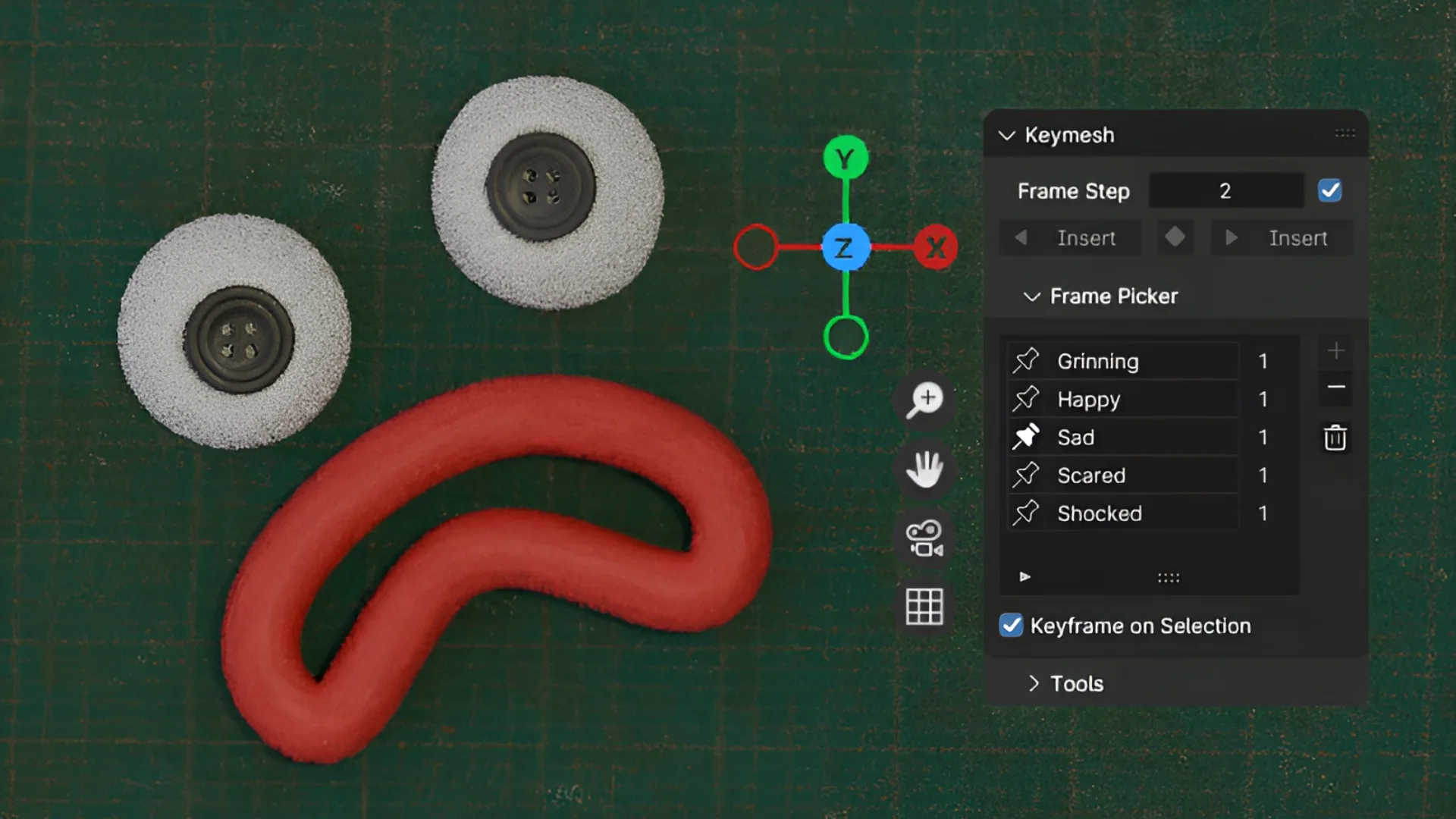
Keymesh's Frame Picker lists an object's saved blocks, lets you organize them and add keyframes, and shows how often each block is used. The timeline can hold different sculpt layers or model variants, so you can scrub between them even when using Keymesh for versioning rather than animation. When appending or linking Keymesh objects, disable Instance Object Data in Blender's File Browser. Linked objects disable all Keymesh operators except previewing; after making a library override and assigning a local action, you can animate existing blocks on the timeline. You cannot edit or create blocks in the linked scene. Make new blocks in the original file and refresh the linked scene to make them available.
When Keymesh fits
Keymesh suits stop-motion-style animation where object data changes in distinct steps. Its Convert to Separate Objects operator can bake blocks into separate objects with animated visibility, so a render farm can render the result without Keymesh installed. The 3D-printing operator creates an object for each animated frame and lines them up for export as replacement parts. Shape Keys to Keymesh destructively converts shape-key animation into Keymesh frames and removes the shape keys.
Version and compatibility
The Blender Extensions catalog lists version 2.3.2, maintainer nickberckley, and Blender 4.2.0 as the minimum version. It lists the license as GPL-3.0-or-later and the tags Animation, Sculpt, and Mesh. The permission note covers storing generated pose preview images or loading them from disk. Check the official version history for release details before installing.