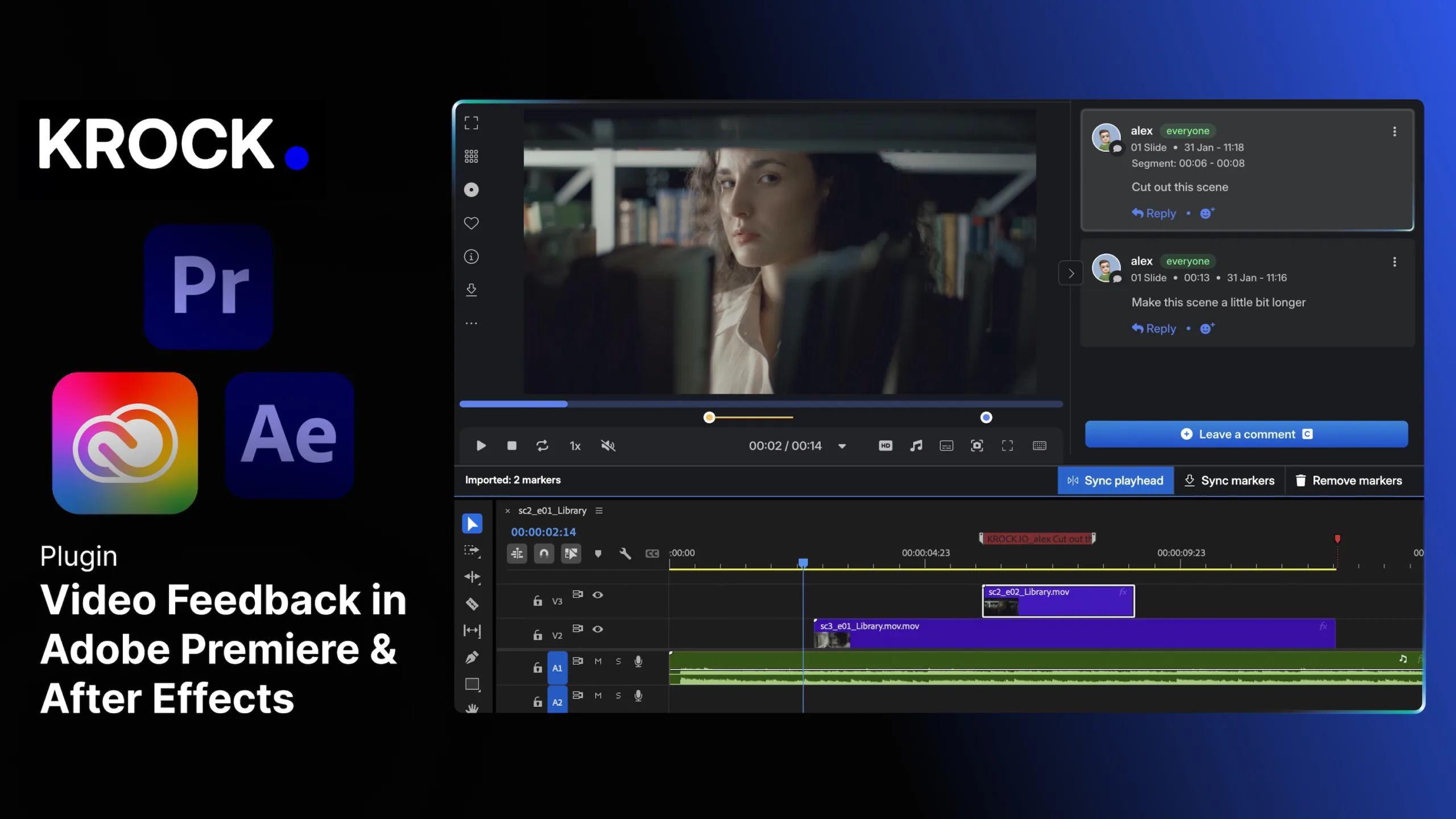
Krock.io's Adobe extension brings project feedback into Premiere Pro and After Effects. It suits editors who review comments in Krock while working on a cut or composition and need to locate the requested changes on the timeline.
Work from comments on the timeline
Open the Krock.io panel to view and manage client and team comments. Sync the playhead to a comment to jump to its feedback point, or import Krock comments as timeline markers. After making revisions, remove the markers with the one-click option.
Install the extension
- In Adobe Creative Cloud, search the marketplace for Krock.io and install it.
- Open Premiere Pro or After Effects.
- Choose
Window > Extensions > Krock.ioto launch the panel.
Compatibility
Krock's integration guide names Premiere Pro and After Effects but does not list minimum Adobe versions or operating-system requirements. Check the current Adobe Exchange listing against your setup before installing.