Review work from the editing app
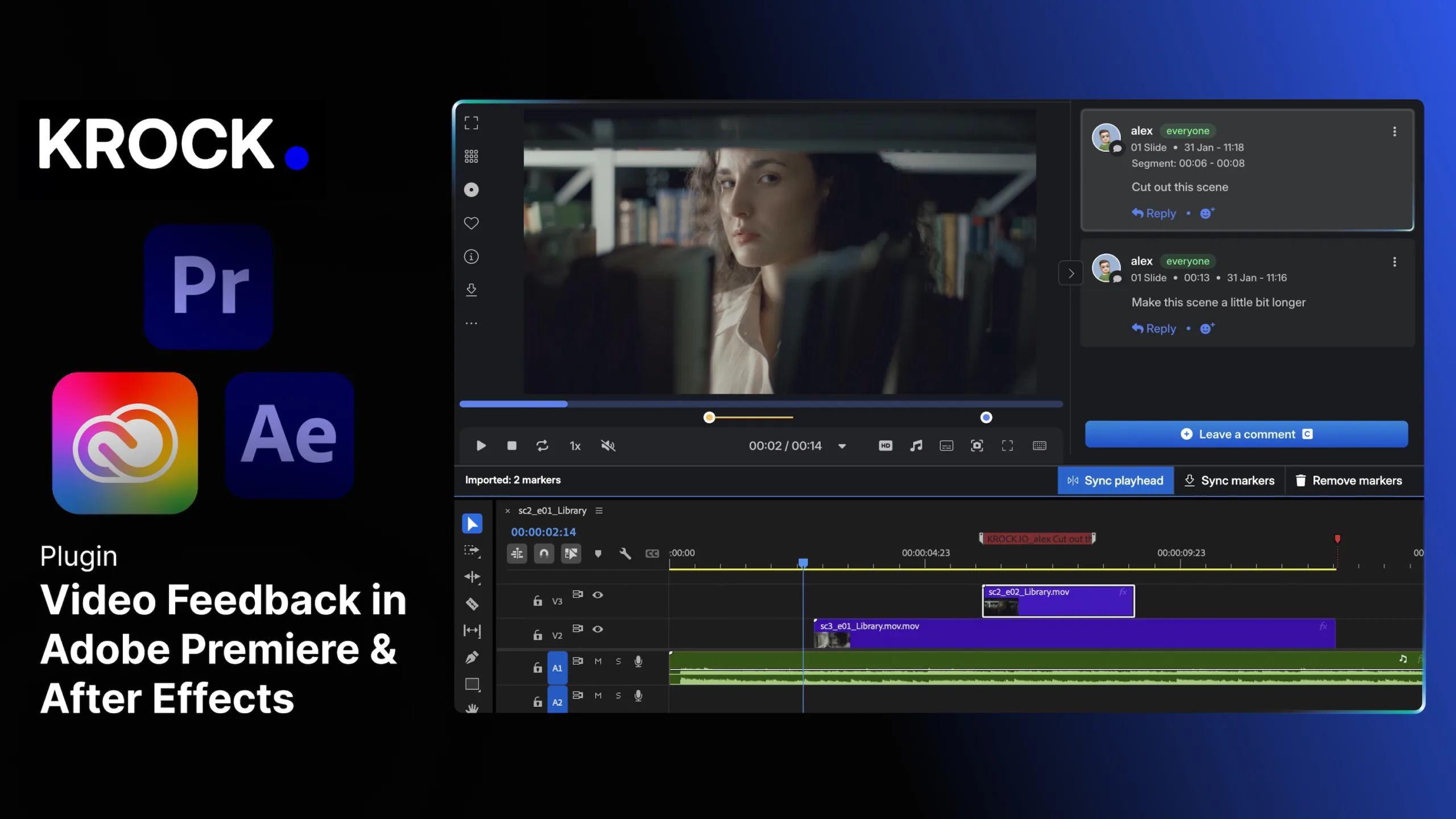
Dropbox Replay is a review and approval service for creative media. Its extensions bring review tasks into Adobe Premiere Pro and Adobe After Effects, so editors can send sequences or compositions to Replay, collect feedback, and return comments to the editing timeline. Replay tracks file versions with their comments and markups. It suits post-production teams that need feedback tied to specific frames and want to keep revisions together.
Reviewers can leave frame-level comments and on-screen annotations in a browser without a Dropbox account. Replay also supports live review sessions for video and audio. The editing still happens in Premiere Pro or After Effects; Replay handles review and approval.
Premiere Pro and After Effects workflows
In Premiere Pro, add files from Dropbox, a local drive, or Google Drive, or upload the active sequence. For a later cut, add a new version to the Replay file. You can import Replay comments as timeline markers and add comments in the Replay panel. When adding a new version, select Import markers as comments to send only new markers added in Premiere Pro to Replay; comments imported from Replay are not sent back, even if edited. When you upload an active sequence, Adobe Media Encoder opens to compress it for upload. Comment imports into Premiere Pro apply to the current file version.
In After Effects, upload an active composition or compositions from the render queue. Render queued compositions before uploading them. For an active composition, choose the output settings and whether to upload the work area or the entire composition. Replay comments can be imported as After Effects markers and automatically synced when Auto sync comments as markers is enabled. When adding a new version, select Import markers as comments to send only new markers added in After Effects to Replay; comments imported from Replay are not sent back, even if edited. Comment imports apply to the current file version.
Compatibility and access
Dropbox's setup guides cover extensions for Premiere Pro and After Effects but do not state minimum host-app versions. Install the extension through Adobe Exchange, restart the editing app, and sign in to Dropbox from Premiere Pro or After Effects. Replay's browser service runs on desktop Windows or Mac in Chrome, Firefox, or Safari; Dropbox recommends Chrome. Replay cannot be used when external sharing is disabled for the Dropbox account or team.
Dropbox Replay is available to Dropbox users with plan-based limits. The paid Replay Add-On is available on Plus, Professional, Essentials, Standard, Business, Advanced, Business Plus, and Enterprise plans. It adds features such as password-protected links, video transcription and captions, large file transfers, and archiving to Dropbox.