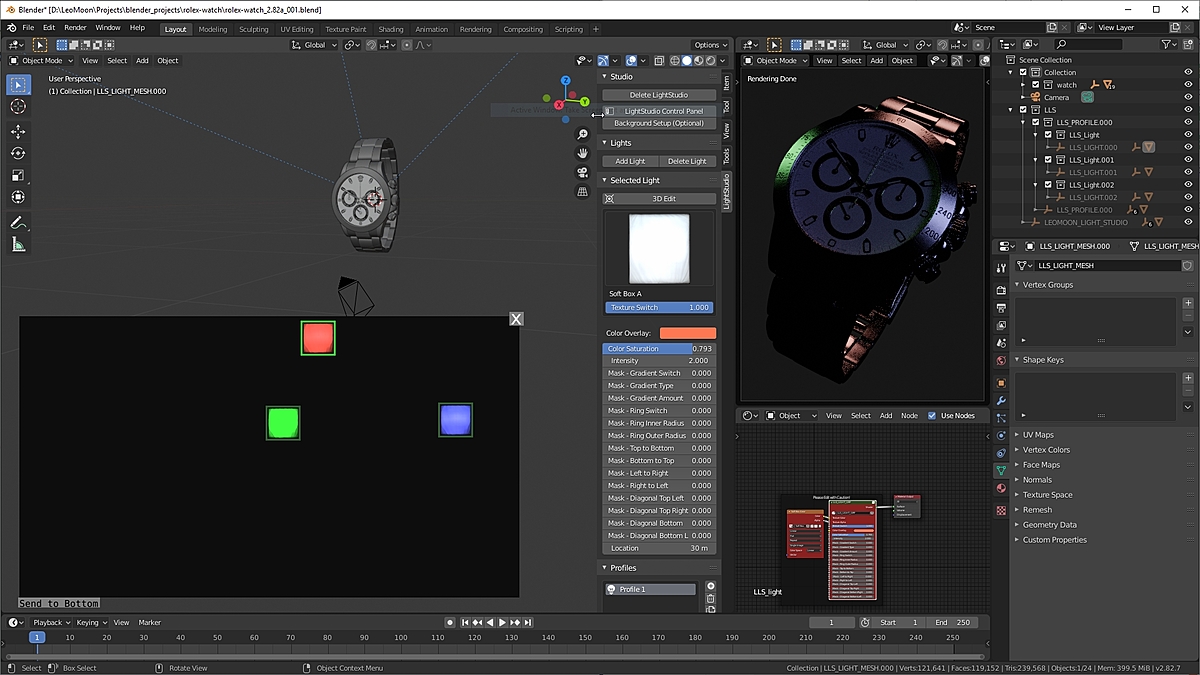
Leomoon Lightstudio is a free, open-source lighting add-on for Blender. It lets you arrange lights around an object, save lighting setups as profiles, switch between them, or use Multi Profile Mode to enable several at once and animate profile visibility. This manual approach suits product rendering when you want to adjust individual lights and reuse your own studio layouts.
Shape and reuse lighting profiles
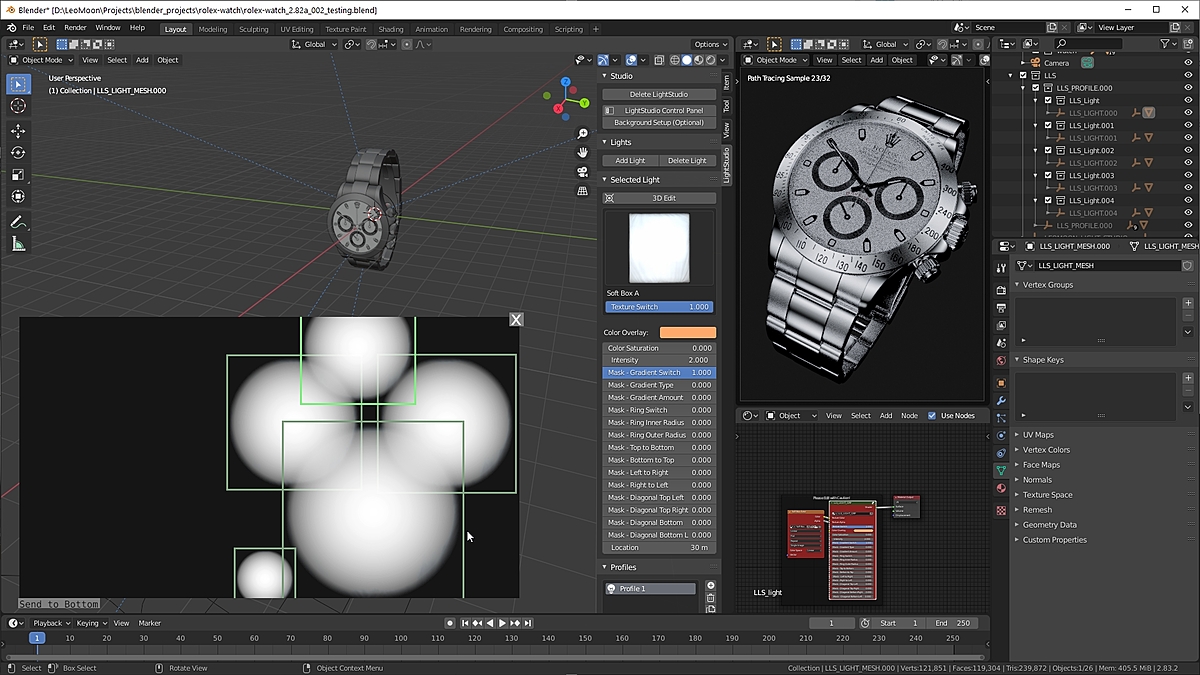
The LightStudio Control Panel lets you manipulate lights in a 2D view that maps to positions in 3D space. Double-click a light to toggle it, or right-click to isolate it. Each light has its own options, can use a different texture, and can be animated. The add-on includes 15 HDR light textures.
You can import and export light profiles between projects, assign lights to render layers, and export lights as EXR HDRIs. Light Linking and Shadow Linking target assignments are scene-local, so they are not included when you export a profile.
Check render-engine support
The product listing names both Cycles and EEVEE. The developer documentation specifies that Basic lights, which use Blender area lights, work in EEVEE; advanced mesh lights use Cycles-only light behavior. Check the current documentation if your setup depends on a particular light type or Blender release.
Price and installation
The developer describes Leomoon Lightstudio as free and open-source under the GPL. The Superhive listing offers an optional $25 purchase to fund bug fixes, interface improvements, and new features.
For Blender 5.1 and later, download the installable ZIP from the developer's Releases page. The repository's Code menu ZIP contains source files and is not packaged for installation. In Blender, open Edit > Preferences > Get Extensions, choose Install from Disk from the dropdown beside the Repositories selector, and select the downloaded ZIP. The LightStudio tab appears in the N panel. See the developer repository for current instructions. The Superhive product listing states a Blender compatibility range from 3.2 to 5.2.