Light-X Pro is a Blender add-on by Zyblen for managing scene lighting, light links, cameras, and render settings from panels in the 3D Viewport sidebar. Its tools bring common scene controls together, especially useful when a project has many lights, collections, or cameras.
Manage lights across a scene
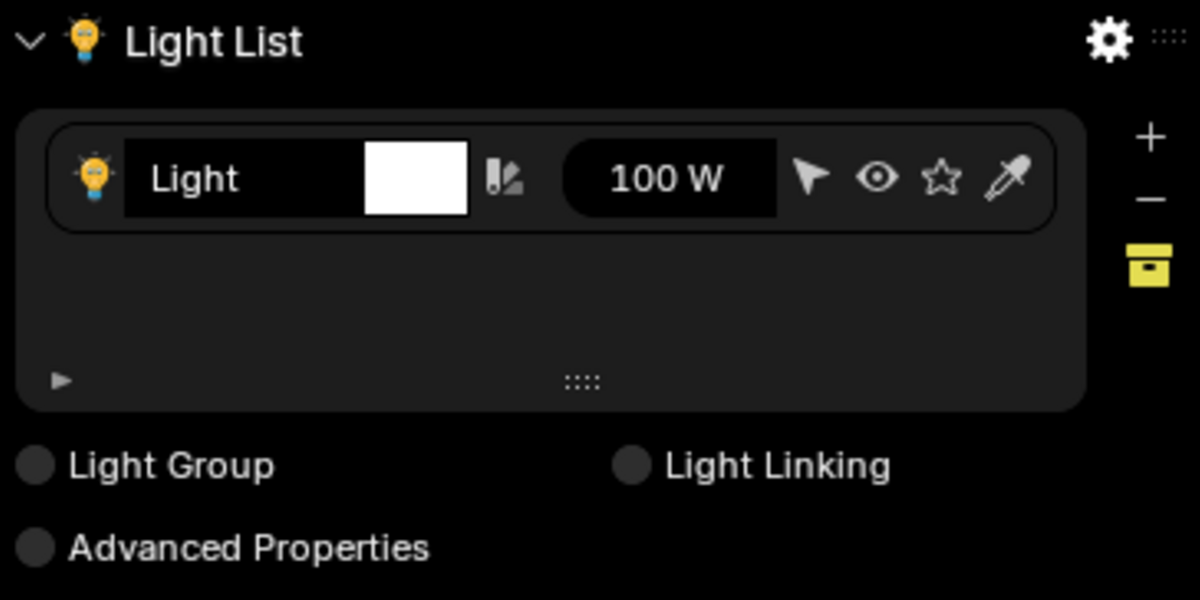
The Light List shows lights and collections in one interactive view. Expand a collection to inspect its lights, or filter the list to work with individual lights or grouped collections. You can adjust energy and color, solo a light or collection, and toggle visibility. Search by name, tags, or collection, and use collection-level actions to manage visibility, selection, and movement.
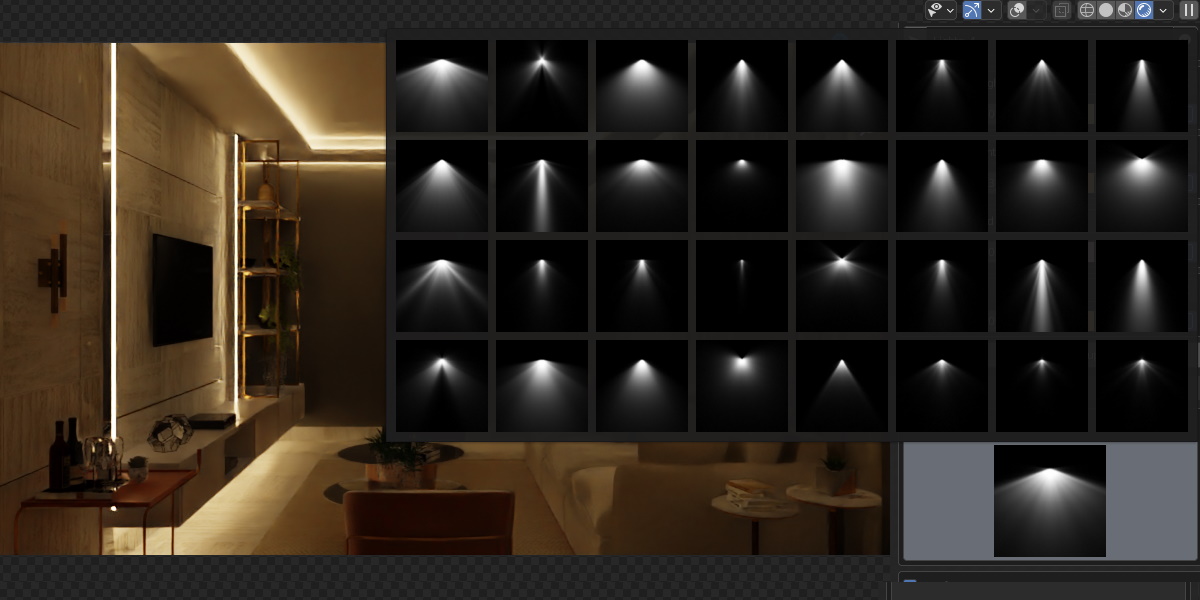
For shaping light, Light-X Pro supports IES textures and spotlight gobos with adjustable strength and scale. It also exposes light-specific settings such as radius, shape, angle, and blend, plus shadow controls for Eevee and Cycles. A random color generator helps explore variations during setup.
Work with groups and linked objects
Create light groups and assign selected lights to them. Group controls let you adjust energy and color, solo or hide the group, and add or remove lights. The light-linking panel lists receiver objects so you can create links, toggle receivers, or remove them from the interface.
Manage cameras and render settings
The camera tools organize cameras individually or by collection. The panel includes lens and perspective controls, depth-of-field settings, display options, camera creation from the current view, tracking tools, and batch renaming. Camera Switch lets you assign cameras to frames and navigate to a switch from its list.
Other panels cover camera effects such as glare, color balance, exposure, sun beams, and vignette controls. Render settings include engine, device for Cycles, resolution, frame rate, output, color management, and world controls. The product listing also describes studio setup and emission-material tools.
Compatibility and installation
Superhive's listing shows Blender versions 4.0 to 5.2. Its documentation describes installation for Blender 4.0 or newer and places the add-on in View3D > Sidebar > Light-X Pro. The listing reports GPL licensing. Check the current listing and add-on metadata for compatibility and terms before installing.
Sources: Light-X Pro product listing and product documentation.