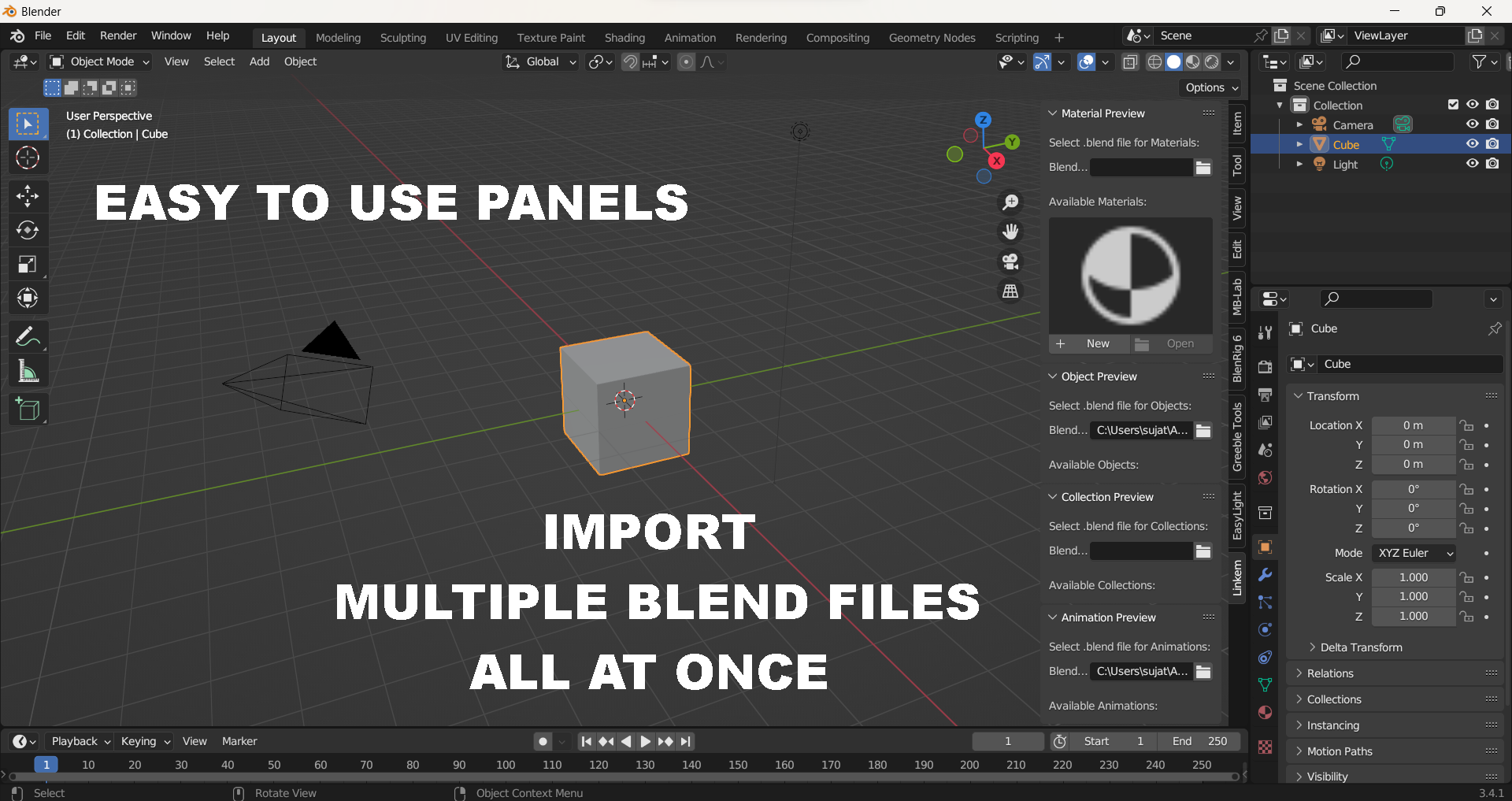
Linkem is a Blender add-on for reusing assets stored in separate .blend files. Its product listing describes workflows for materials, objects, collections, animations, brushes, and complete scenes. Panels inside Blender let users preview or select some assets before assigning, spawning, linking, or importing them into a project.
The Superhive listing for Linkem names the supported asset types and describes the add-on’s main operations.
How Linkem handles assets
- The Material Preview Panel previews and assigns materials from another
.blendfile. - The Object Preview Panel lets users select and spawn objects from separate files.
- Collections can be linked and managed from external files.
- The Animation Preview Panel selects and applies animations.
- The Brush List Panel helps users manage and select brushes from other files.
- Entire scenes can be imported and spawned from separate
.blendfiles.
These operations are not described identically for every asset type: the listing uses terms such as “assign,” “spawn,” “link,” and “import.” It does not spell out every detail of how source-file changes affect each asset in an existing project. If that distinction matters to your workflow, check the product details and test with a copy of your file first.
Who may find it useful
Linkem is most relevant when materials, objects, collections, animation data, brushes, or scenes are kept in separate .blend files and need to be reused in a working project. Its panels group those tasks by asset type, so the listed workflow is focused on cross-file reuse rather than general-purpose modeling or animation tools.
Version, license, and availability
The Superhive listing identifies Blender 3.0 and says Linkem was built and tested with Blender 3.0 and beyond. The supplied details do not name an upper version limit or a current compatibility matrix, so confirm support for the Blender release you use before relying on it. The product listing labels the license MIT, while the version 1.0.0 documentation says GNU GPL 3.0; confirm which license applies to your download. AnyPlugins lists Linkem as free; check the product listing for current download terms and release details.