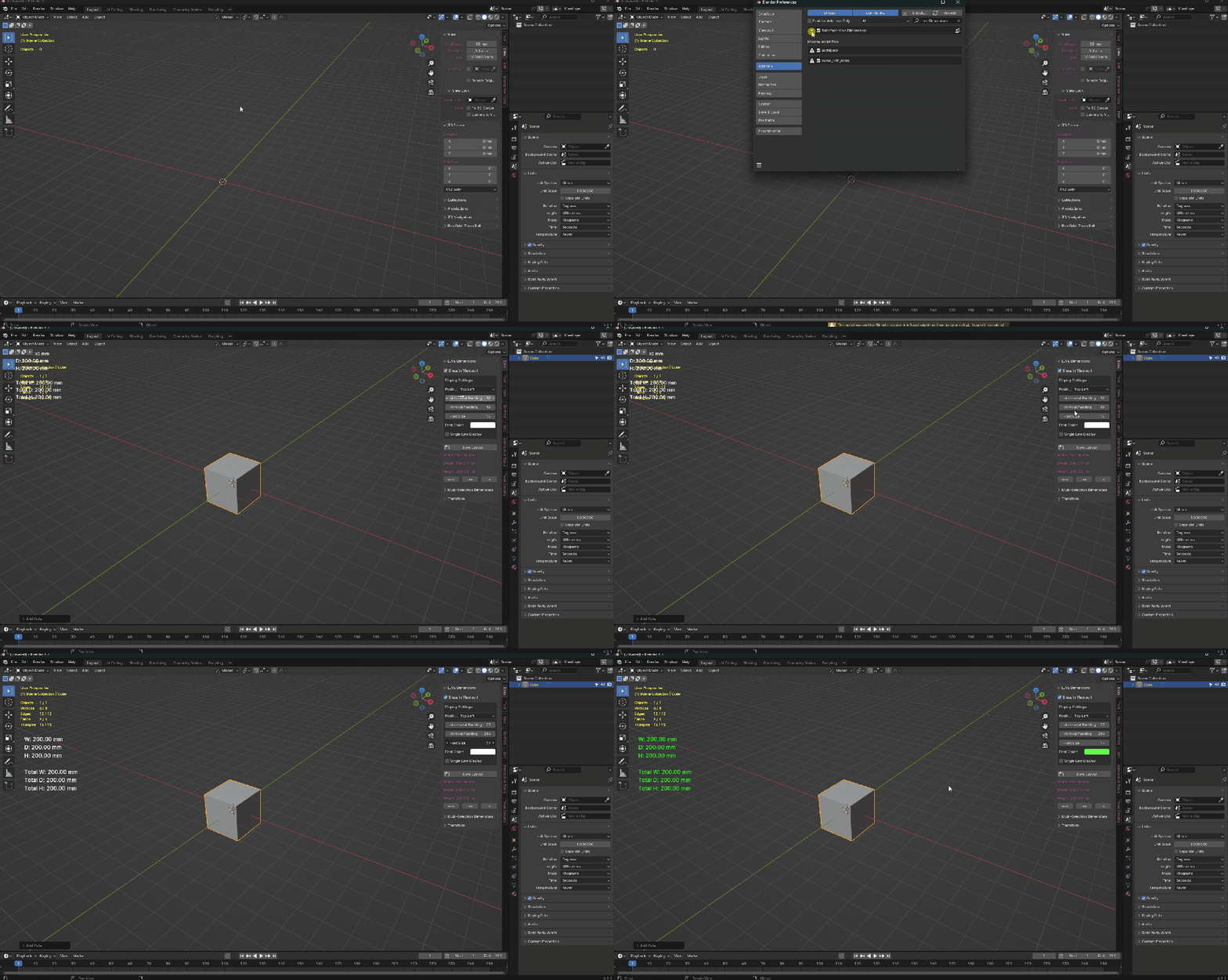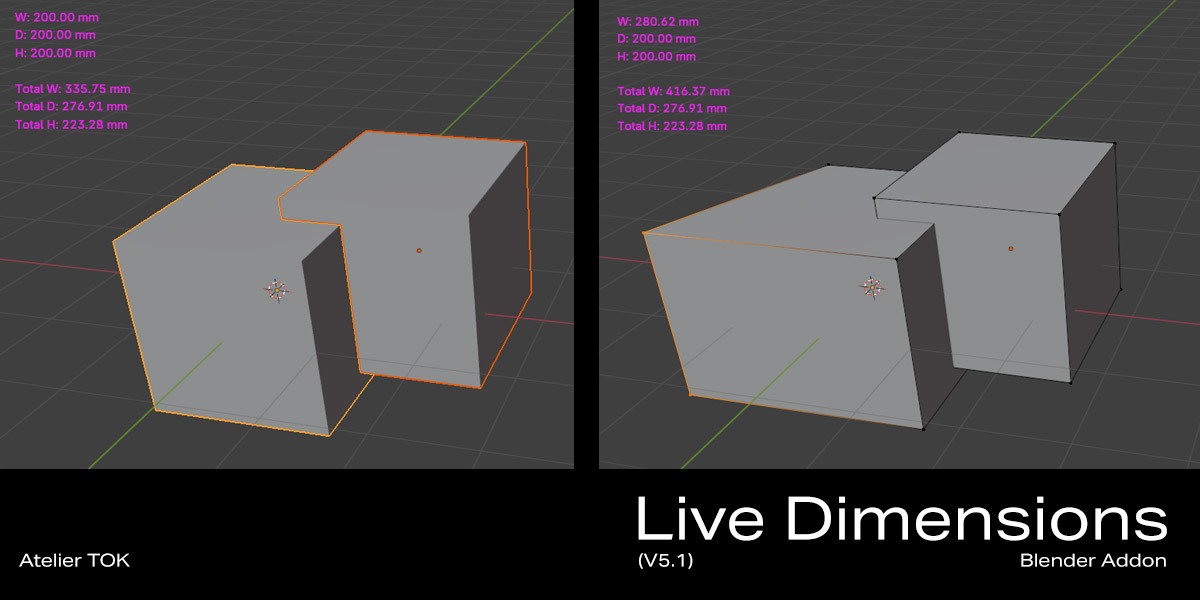
Live Dimensions is a Blender add-on by atelier ToK that displays object dimensions while you work. You can read them in the 3D Viewport sidebar or show them directly in the viewport, including while editing, without switching modes. The add-on also converts measurements between millimetres, centimetres and metres.
Read dimensions for your selection
In Edit Mode, Live Dimensions calculates measurements from the current selection. If nothing is selected, it shows dimensions for the whole mesh. It can display dimensions for multiple selected objects. The version history also records support for plane and Bezier objects.
To open the panel, show the 3D Viewport sidebar with N and select the Item tab. Enable the viewport display with the Show in viewport checkbox. You can choose one of four corner positions, adjust edge padding, font size and font colour, then save the layout.
Install the add-on
- Download the live_dimensions.zip file from the developer's listing.
- In Blender, open Edit > Preferences > Add-ons and choose Install.
- Select the ZIP file, confirm the installation and enable 3D View: Live Dimensions.
- In the 3D Viewport, open the sidebar and find the LIVE Dimensions panel under Item.
Check Blender compatibility
The Superhive listing currently identifies Blender versions 3.6 through 5.1. Older feature text on that page lists support through Blender 4.4.3, while its version history records fixes for Blender 4.5: version 4.2 addressed a dependency-graph handler issue, and version 5.1 fixed an Edit Mode problem reported by users. Check the current listing for your Blender release before installing.
The add-on is aimed at people who need measurements while editing, including architects and 3D printing enthusiasts. The listing identifies the license as GPL. For installation problems or bug reports, it directs users to contact atelier ToK.