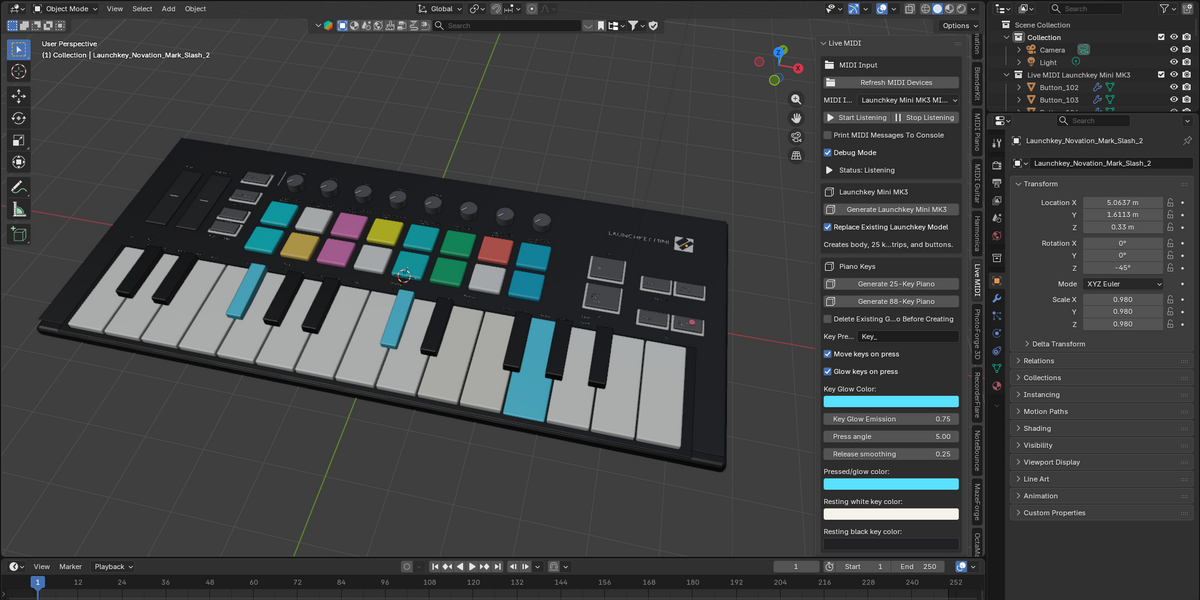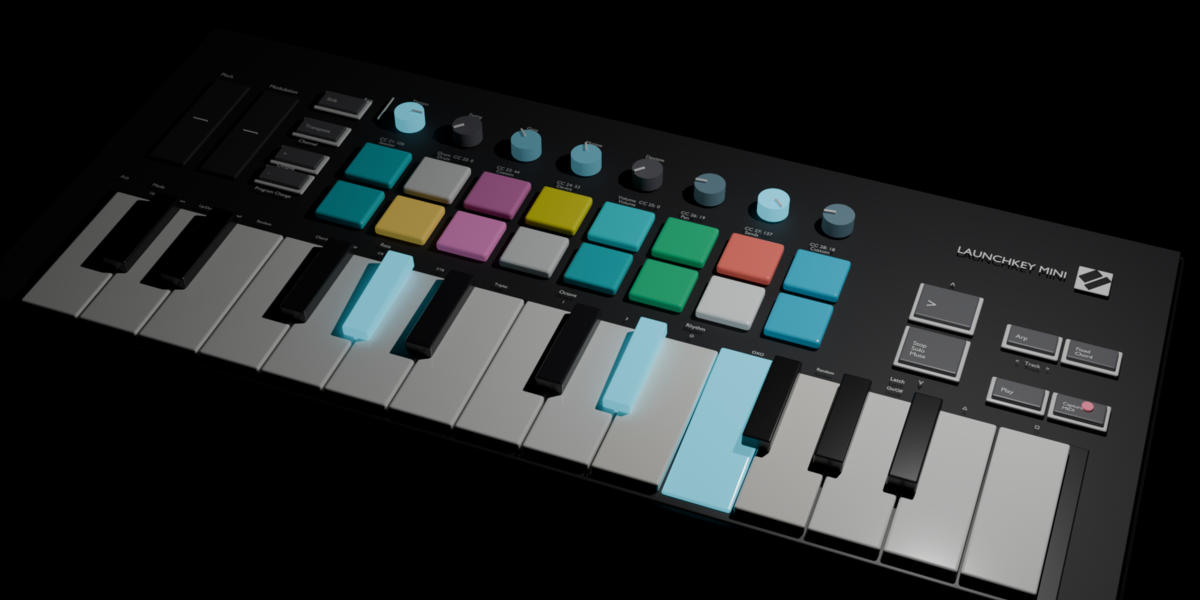
Live MIDI Visualizer, also called MIDIFlare Live, is a Blender add-on that turns incoming MIDI messages into viewport feedback. A key press can move or glow a matching key object, a drum pad can light up, and a knob can rotate according to a MIDI CC value. It is intended for controller demos, music scenes, educational videos, audiovisual experiments, and live performance visuals. See the product listing and documentation for current details.
How MIDI input appears in Blender
The add-on handles note_on messages for keys, pads, and note-based buttons; note_off messages for key and pad release; and control_change messages for knobs, sliders, and CC-based buttons. It can generate a visual MIDI controller layout inside Blender and includes a debug display for incoming messages.
Set up a live MIDI input
- Install and enable the add-on in Blender.
- Connect a MIDI controller and confirm the operating system detects it.
- Open the Live MIDI panel, refresh the device list, and select the MIDI input.
- Start listening, then play keys, pads, knobs, or buttons to see the corresponding viewport feedback.
Compatibility and limits
The product listing gives a Blender version range of 3.6 through 5.1 and identifies the license as GPL. It also lists 12 months of support from Egon Castle and product updates. Some setups may require MIDI Python dependencies in Blender's Python environment. The add-on visualizes MIDI input; it does not analyze audio or convert MP3 or WAV files into MIDI notes.