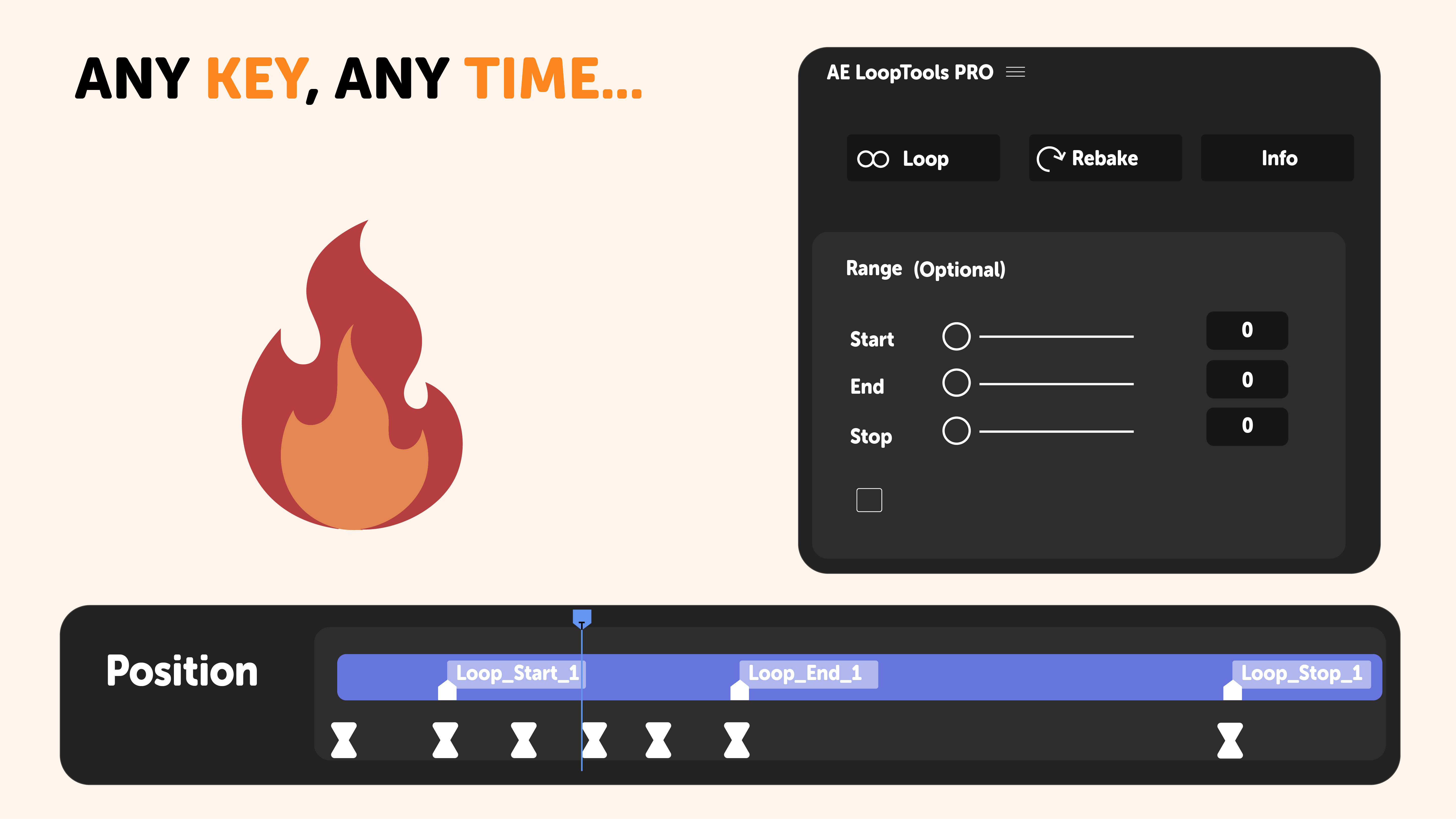
Loop Tools Pro is an After Effects script for building animation loops from layer keyframes. It leaves the original keyframes in place and applies an expression driven by LOOP_START and LOOP_END markers, so you can adjust loop timing without copying cycles across the timeline.
Set a range and sequence cycles
Select the keyframes for a loop and let the script detect their range, or set the start and end frames with the UI sliders. On one layer, you can sequence loop segments so an animation repeats, pauses for another action, then starts a later loop. Multi-layer support is marked as new in v5.0; it lets you apply loops, rebake keyframes, or delete expressions across dozens of selected layers.
Continue animating after a loop
Smart Rebake calculates the pose at the loop's cut point and creates a stop keyframe. This lets animation continue from that point when the loop ends. When you want to reset the setup, Delete Loops removes the script-generated markers and expressions.
Supported properties and After Effects versions
Loop Tools Pro works with Position, Scale, Rotation, Opacity, Path, and other properties. It lists compatibility from After Effects 2026 back through CS6. The v1.0.0 release notes say the script uses matchNames for compatibility across After Effects language versions from CS6 onward.
License
A free trial is available from the product listing. The EULA permits one copy on one computer and one archival copy on a storage medium other than a hard drive, used only for reinstallation. Multiple copy use or installation beyond the archival copy, and use by multiple users, require appropriate licensing for each copy and user.