Luminar Lights is a Blender add-on for controlling scene lights with photometric units, real-world fixture measurements, and color temperatures. The developer, ArtTizan, describes it as a set of tools shaped by needs encountered while lighting scenes in Blender.
Set light energy with photometric units
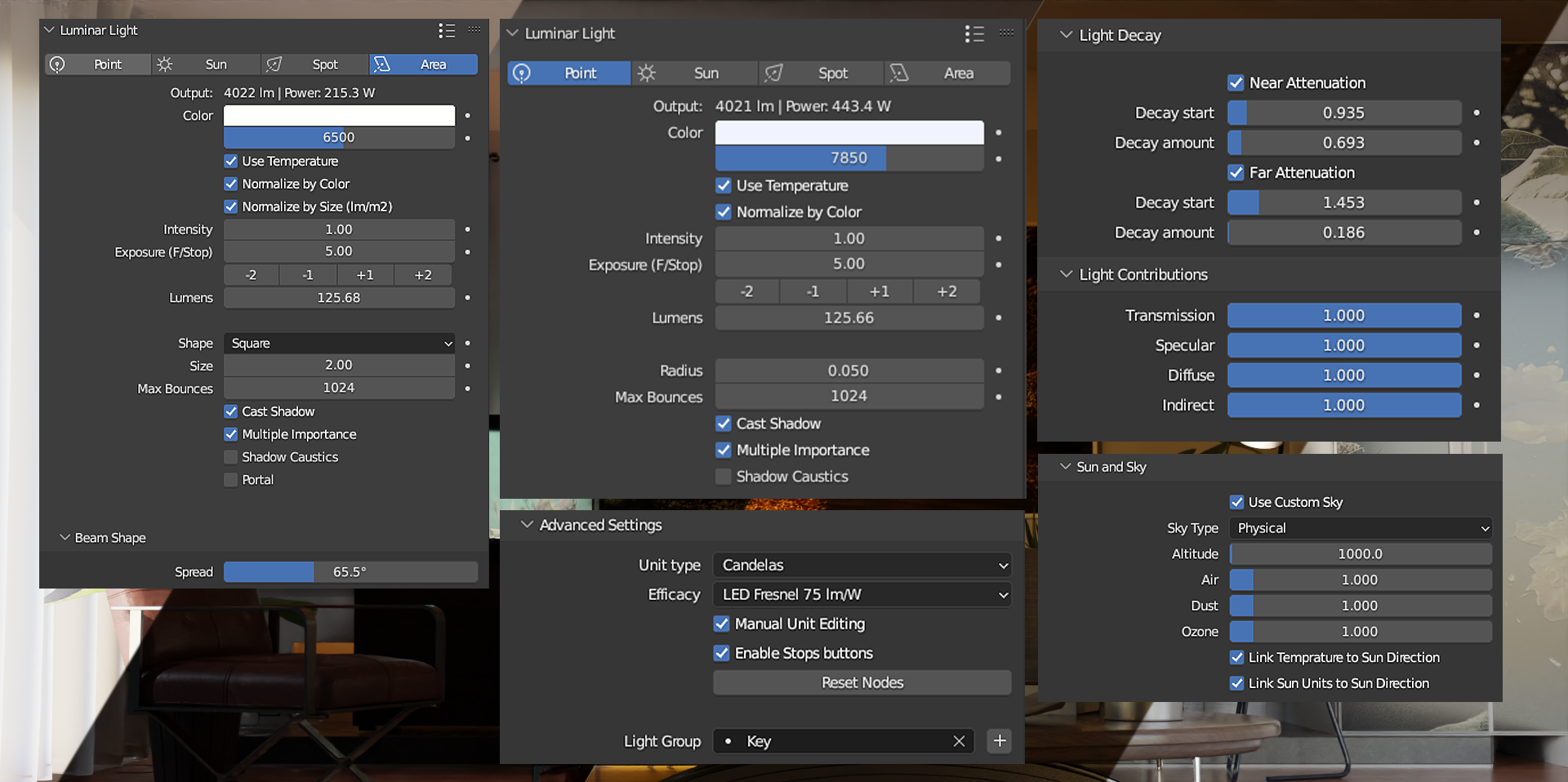
The add-on supports Lumens (lm), Candelas (cd), and Lux (lx). Its global light-energy calculation is intended to maintain output when you switch between units. You can choose a preset luminous efficacy or enter a custom value, then use Kelvin color temperature controls to set a light's color.
For area lights, Size Normalization helps preserve brightness as the light changes size. Color Normalization adjusts apparent brightness across colors.
Adjust intensity and exposure
Luminar Lights pairs a Base Energy Unit with linear intensity and photographic F/stop controls. Spread and Spot Size also work with photographic units.
Create sun, sky, and reusable lighting setups
The Sun and Sky tools link a custom sun to a Simple or Physical sky type. Exposure buttons in the Advanced Sun settings help set scene exposure for the sun. Presets cover common lighting situations, including indoor, practical, spot, and sun lights. You can also save your own fixture specifications as presets for use in other scenes.
Shape how light affects a scene
Light Decay and Light Contributions node systems give you controls for where light starts and stops affecting a scene and how it contributes. The developer says these tools can help manage fireflies from bouncing rays without changing render settings for the whole scene. Light AOV and Light Linking controls are also included in the light panel.
Check the render engine and Blender version
The product listing says Light Decay, Light Contributions, Light AOVs, and Light Linking are available only in Cycles. The listing limits Light Linking to Blender 3.6.0 Alpha and says broader support depended on a further Blender release, but does not establish whether that change occurred. The Superhive listing names Blender 3.4, 3.5, and 3.6 as compatible versions. The catalog record does not give a current add-on version, so check the latest listing and documentation before installing it with a newer Blender release.