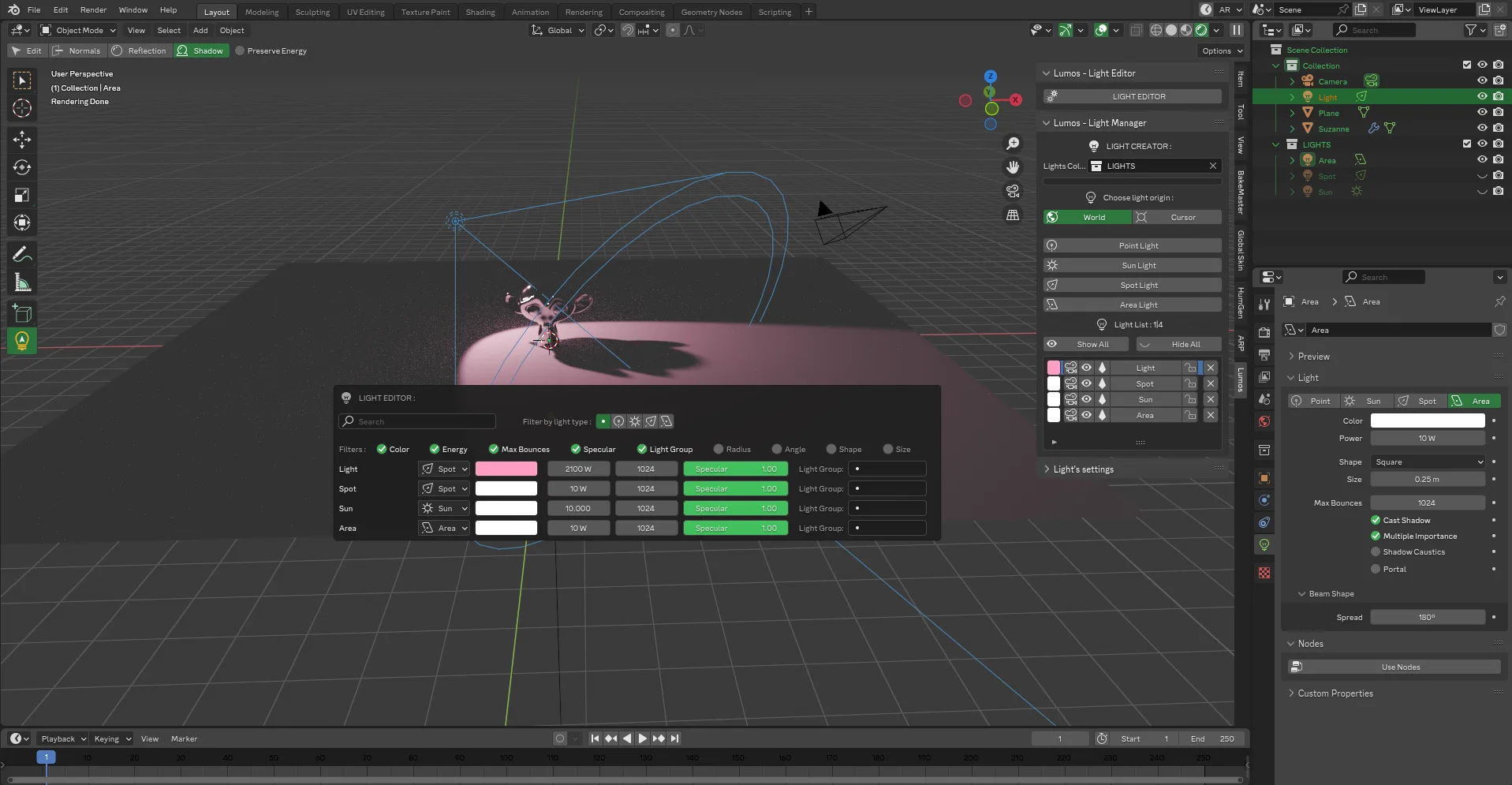
Lumos is a Blender add-on for managing lights from the 3D View. It adds light editing and interactive placement tools for scene lighting. The Blender Extensions listing identifies Eqkoss as maintainer, lists version 3.2.2, sets Blender 4.2.0 as the minimum version, and names GPL-3.0-or-later as its license.
Manage lights from the 3D View
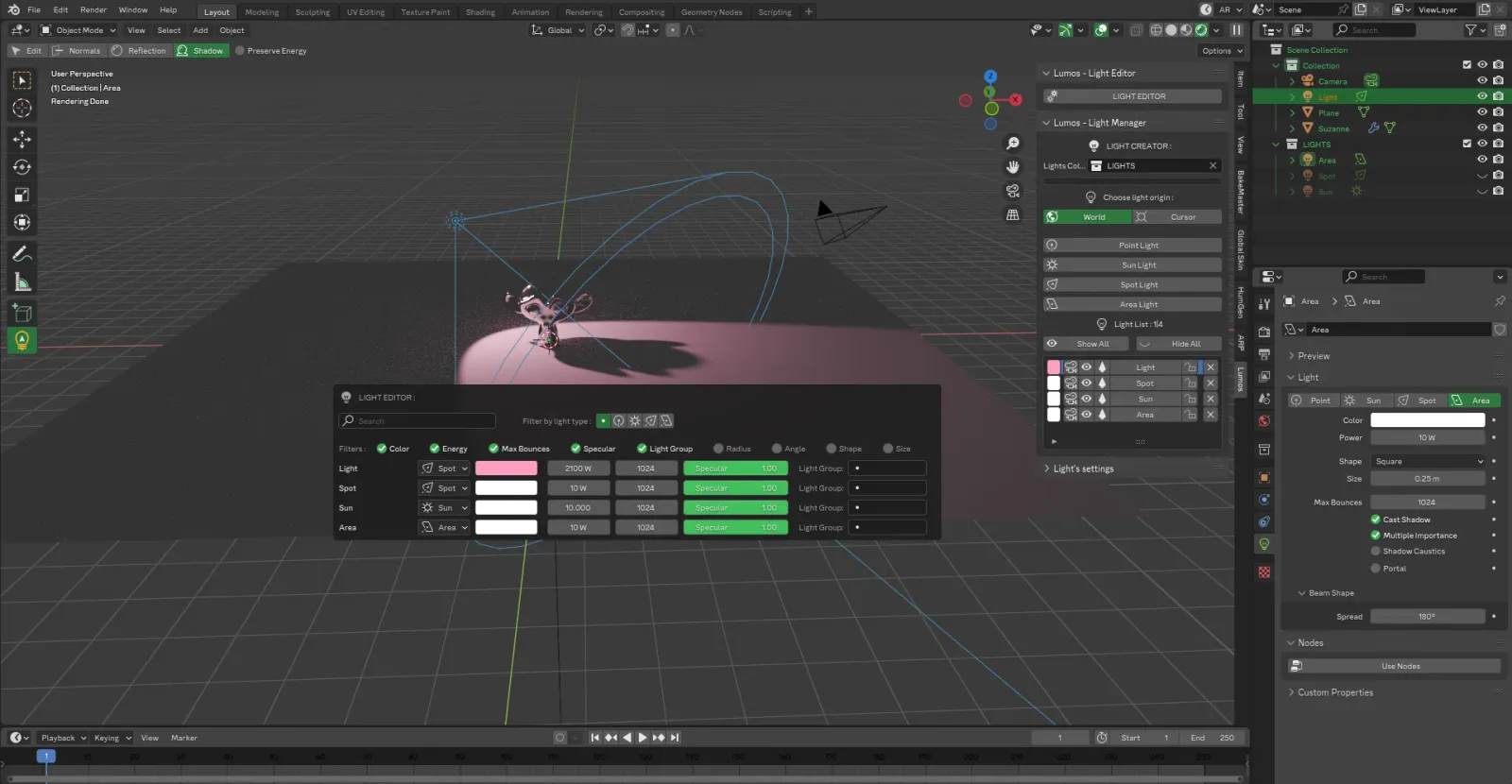
The Light Panel Editor lists the lights in a scene and lets you edit them. The Light Manager in the N-panel creates a light in a chosen collection, at the world position or 3D cursor. For a selected light, it also provides show, hide, isolate, lock, look-through, and delete actions.
Place and edit lights interactively
The Light Edit Tool adjusts energy, forward position along the local Z axis, color, hue, and value. Its Normals, Reflection, and Shadow modes guide light placement using a surface normal, reflected direction, or cast shadow. A Preserve Energy option is intended to keep light intensity consistent as its distance changes.
The feature overview lists Ctrl+quote for the Light Panel Editor, Shift+quote for the Light Manager, and L with a light selected for the Light Edit Tool. It notes that on French AZERTY keyboards, the quote key corresponds to the squared (²) key.
Compatibility and license
The catalog record lists version 3.2.2, Blender 4.2.0 as the minimum version, and GPL-3.0-or-later. Check the version history for release details before installing.