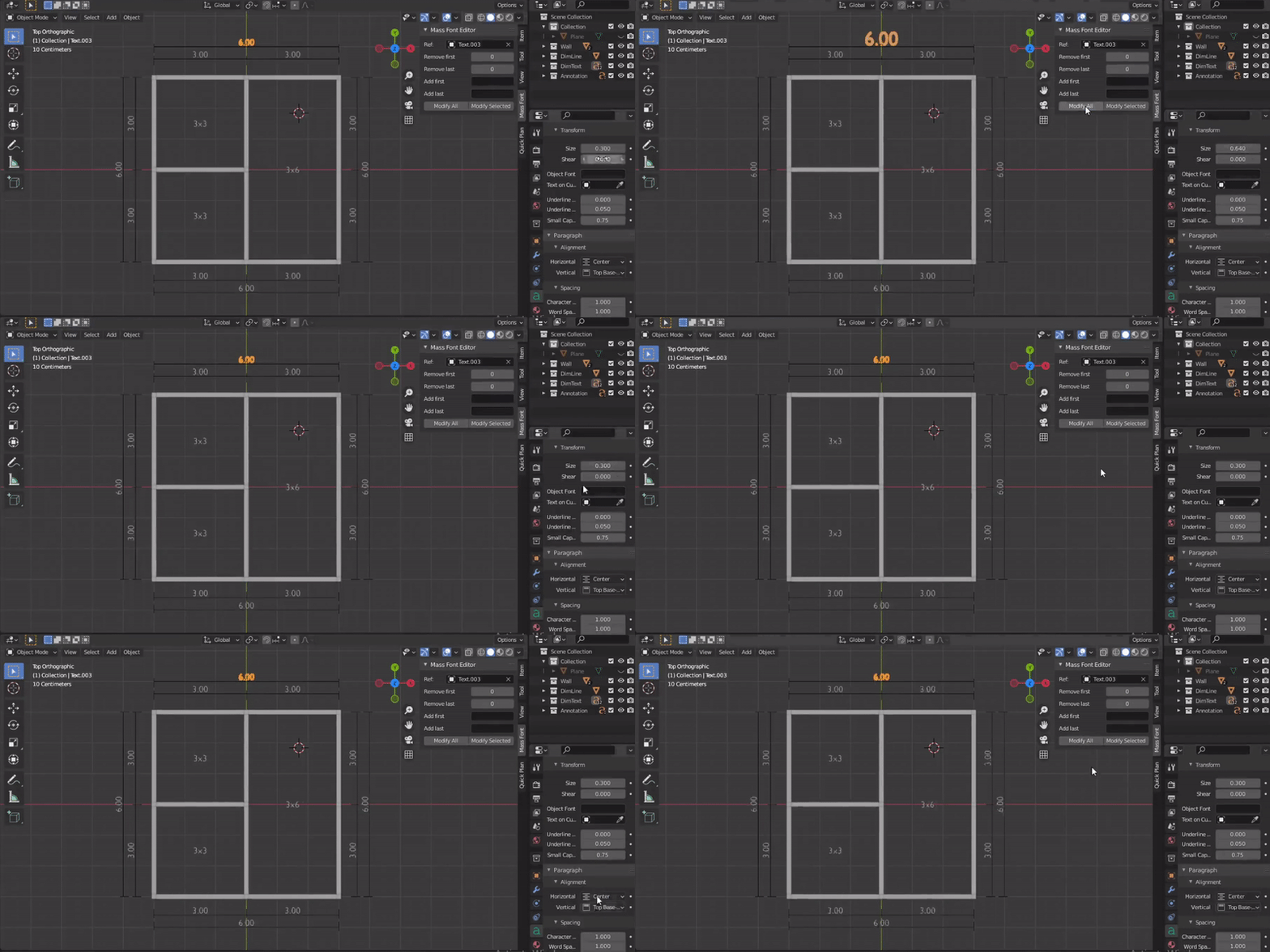
Mass Text Editor is a Blender add-on by Douripo for editing multiple text objects in a scene. It handles two recurring jobs: adding prefixes or suffixes to text, and applying text properties such as font and size based on a reference object.
Batch edits for Blender text objects
You can add a prefix or suffix to selected text objects or to all text in the scene. Choosing the scope lets you update only the objects you intend to change, or apply the same text adjustment across the scene.
For shared styling, choose a reference object and use it to modify properties such as font and text size across other text objects. This can help when a scene has many labels, titles, or signs that need a consistent type treatment.
When batch text edits help
Mass Text Editor is aimed at Blender projects with enough text objects that repeated manual edits become tedious. Its controls focus on batch text changes, so it may suit scene labels that need a common prefix or several text objects that should follow one reference object's font and size.
Compatibility and documentation
The Superhive product description lists Blender 2.93, versions 3.0 through 3.6, and versions 4.0 through 4.2. The listing's separate version field also includes 2.9, 2.91, and 2.92; see the FAQ below if you use one of those older releases. The publisher's documentation provides installation instructions. Superhive describes the license as Royalty Free.