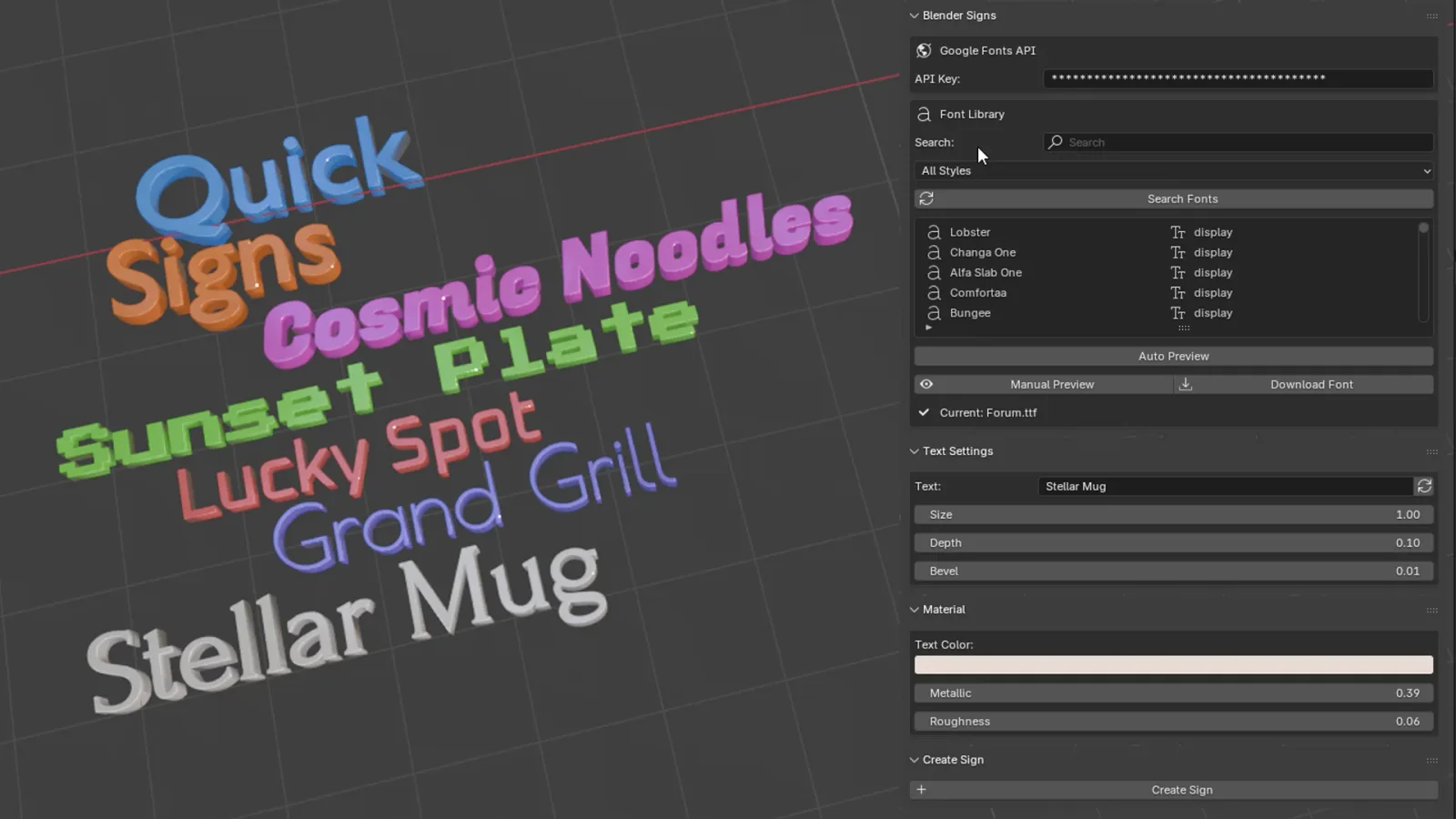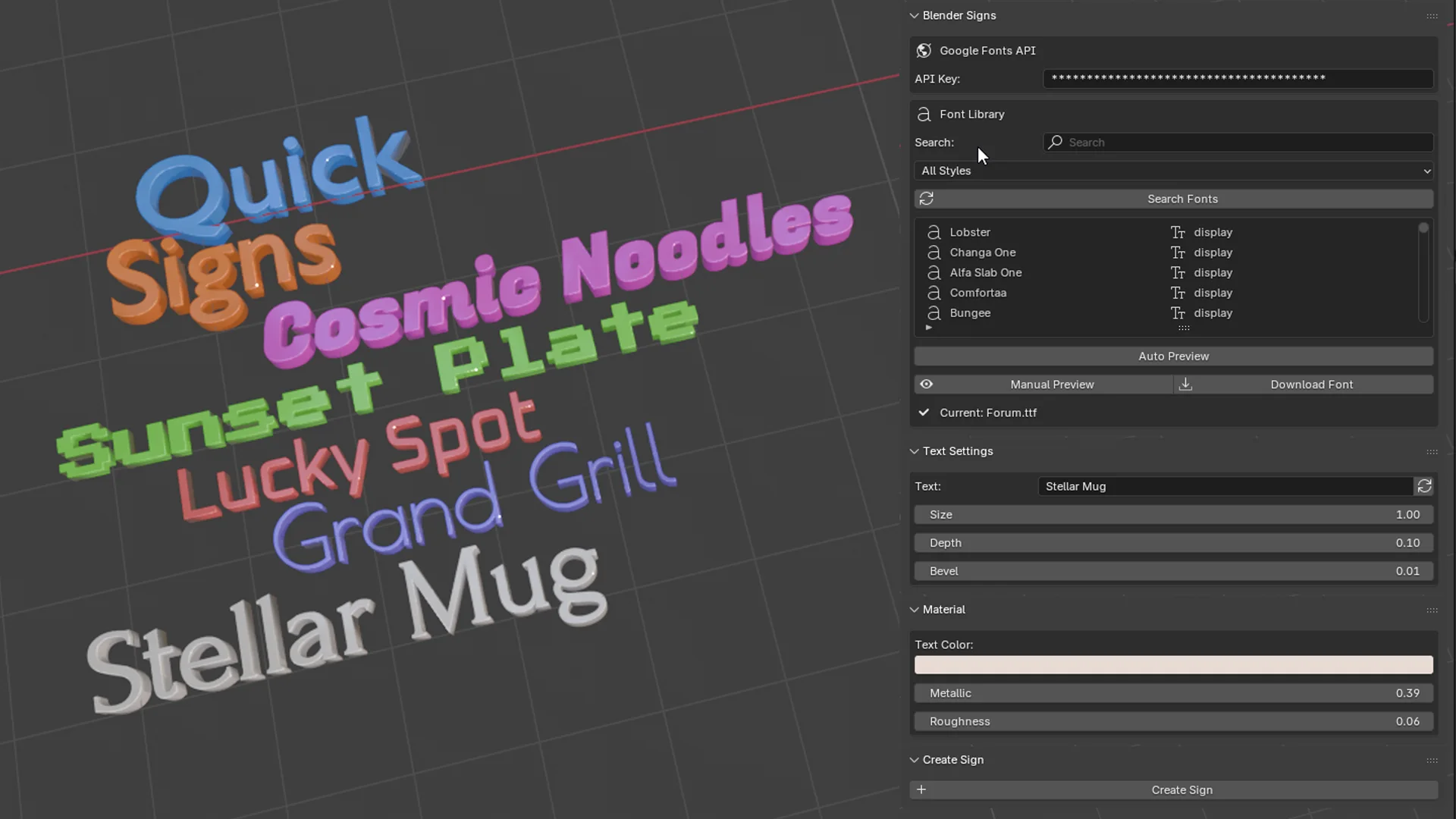
QuickSigns is a Blender add-on for creating 3D text signs. Its Google Fonts integration lets you search, preview and download fonts, then adjust the sign’s text, depth, bevel and materials before creating it. The 1.0.1 release by Marin-Brouwers supports Blender 4.2 or later.
Create and style text signs
The font browser provides access to more than 1,000 Google Fonts, with filters for Serif, Sans Serif, Handwritten, Display/Vintage and Monospace styles. A live preview updates as you browse. Enter your own wording or use the random name generator to make an example name.
Before creating the sign, adjust text size, extrusion depth and bevel. The material controls cover color, metallic and roughness properties. QuickSigns is intended for storefront signs, logos, title cards, decorative text and other 3D text objects in Blender.
Typical workflow
- Prepare a free Google Fonts API key and enable online access in Blender.
- Search for a font by name or browse by style, then preview and download it.
- Enter your text or generate an example name.
- Set the size, extrusion depth, bevel and material properties.
- Create the sign in Blender.
Requirements and online access
QuickSigns requires Blender 4.2 or later and a free Google Fonts API key. In the Google Cloud Console, create or select a project, enable the Google Fonts Developer API, and create an API key. Restricting the key to that API is recommended by the extension listing.
Version 1.0.1 checks Blender’s “Allow Online Access” preference for internet-connected operations. Font searches and downloads, along with previews when the font is not cached locally, require online access. If online access is disabled, those operations stop with an error. Find the setting under Edit > Preferences > System > Network. The Blender manual explains installing extensions; QuickSigns is also available from its Blender Extensions listing.
License
The listing identifies QuickSigns as GNU General Public License v3.0 or later. Check the official listing for the current release and license details.