MAT Helper is a Blender add-on for technical artists and modders working with UModel (UE Viewer) exports. It reads a .mat or .json configuration file and imports the referenced images from a folder you choose. Its documented job is to turn that export into Blender material nodes, including a Principled BSDF setup. The Blender Extensions record lists Blender 4.2.0 as the minimum version for release 1.2.3.
Set up an import
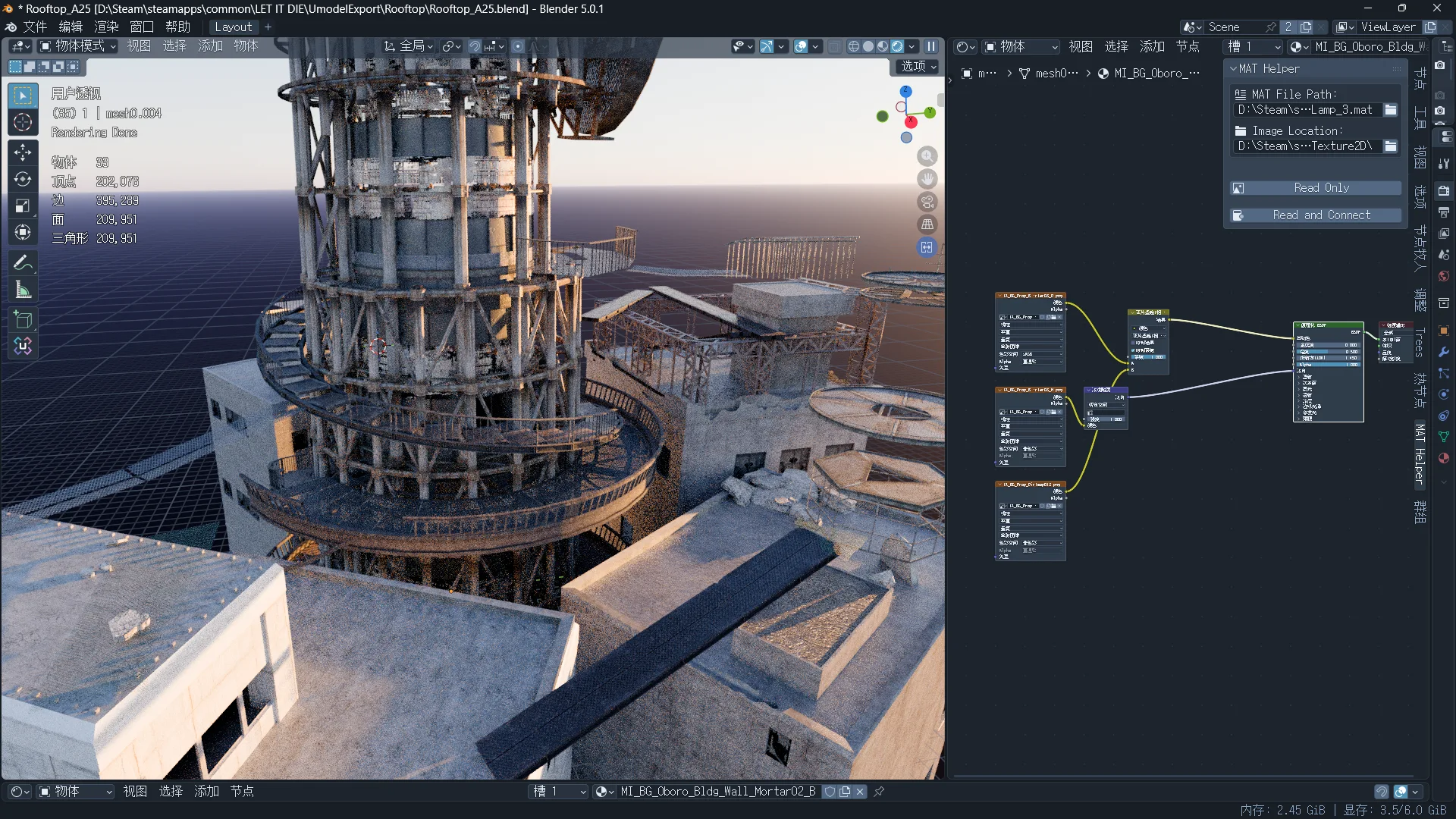
In Blender’s Shader Editor, open the sidebar (N-panel) and choose the MAT Helper tab. Select the export configuration and the folder containing its textures. The developer recommends keeping the configuration and texture files in one directory to help with automatic detection.
Choose Read and Connect to build a linked shader setup, or Read Only to import the nodes without the full connections. The workflow starts from a UModel configuration that describes the texture set, rather than requiring you to place each image into the material by hand.
How the texture maps connect
- Diffuse maps connect to Base Color and use the sRGB color space.
- Metallic maps connect to Metallic.
- Normal maps get a Normal Map node connected to Normal.
- Specular maps pass through an Invert node and connect to Roughness.
Normal, metallic, and specular images use the Non-Color color space. Generated nodes keep their original texture filenames as labels and are arranged vertically in the Shader Editor, so the imported setup remains readable.
The developer README documents the controls and map behavior; the Blender Extensions listing has the package record.