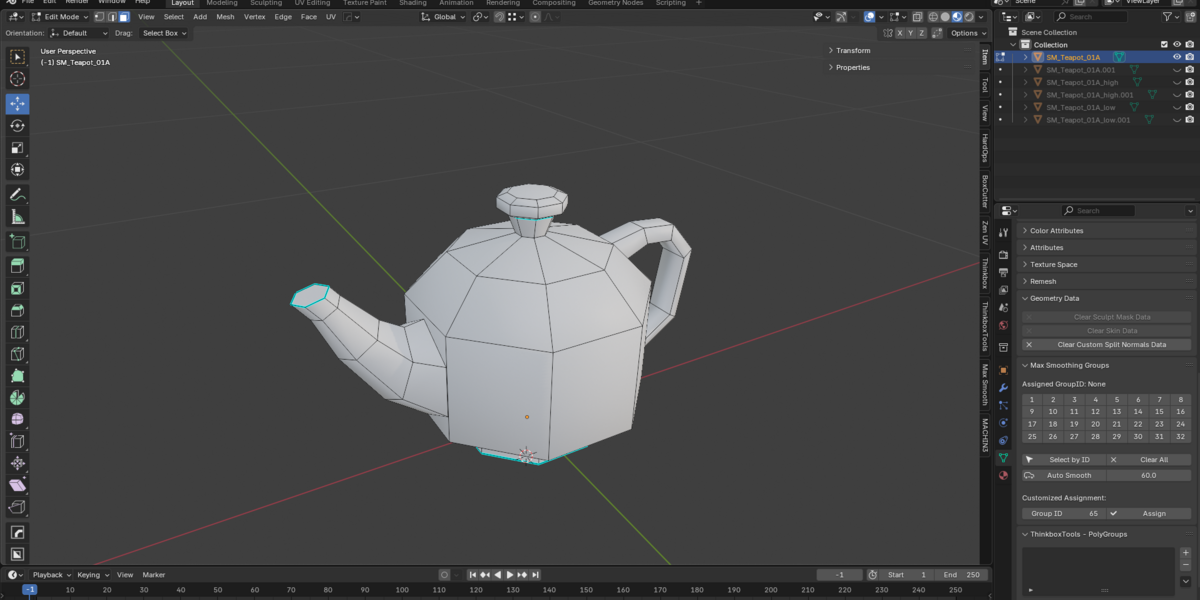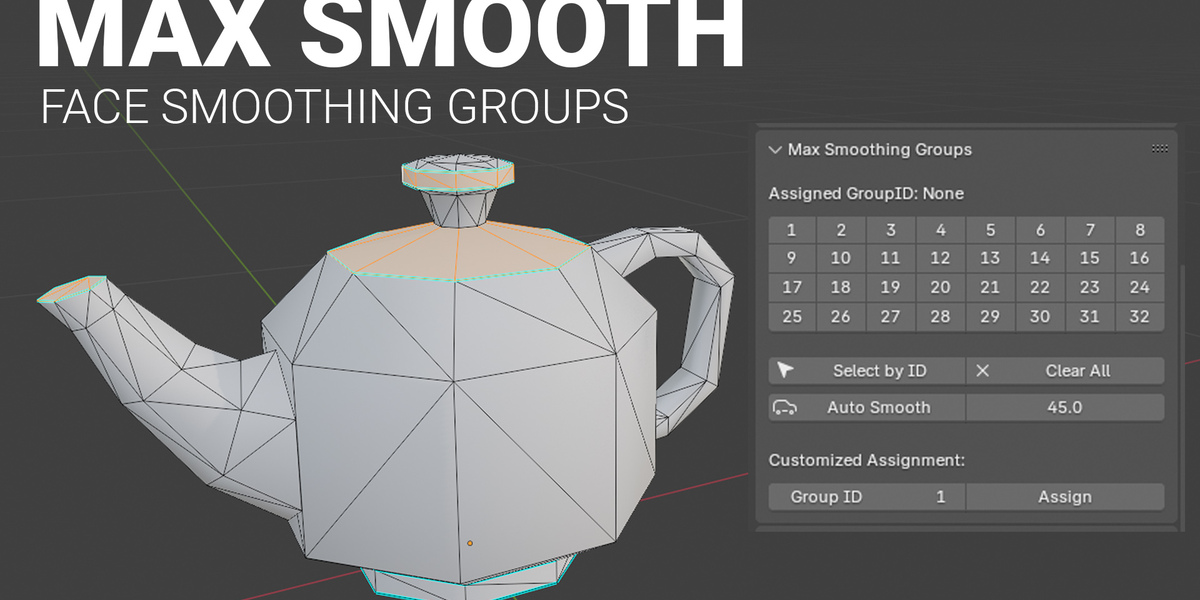
Max Smoothing Groups is a Blender add-on from Thinkbox Production for controlling mesh shading with numbered face groups. Instead of manually selecting and marking individual edges as sharp, you assign faces to groups and Blender handles edge sharpness and vertex normals between differing groups. The Superhive product listing describes it as a familiar smoothing-group workflow for Blender.
How the face-group workflow works
The assignments define shading boundaries without destructive topology changes. Quick Select selects faces in a group, and Clear removes assignments as the mesh evolves.
The panel resembles smoothing-group systems used in other 3D packages.
Hard-surface and game-art uses
The product is aimed at hard-surface shading for mechanical parts, weapons, and architectural models. Thinkbox also describes it for game-art pipelines where vertex-normal control matters during high-to-low baking in Marmoset Toolbag and texturing in Substance Painter.
Blender compatibility and license
The listing marks Max Smoothing Groups as Blender Extension compatible and lists Blender versions 4.2 through 5.1, the Cycles and Eevee render engines, and a GPL license. Check the catalog listing for current compatibility and license details. A demo video is also available.