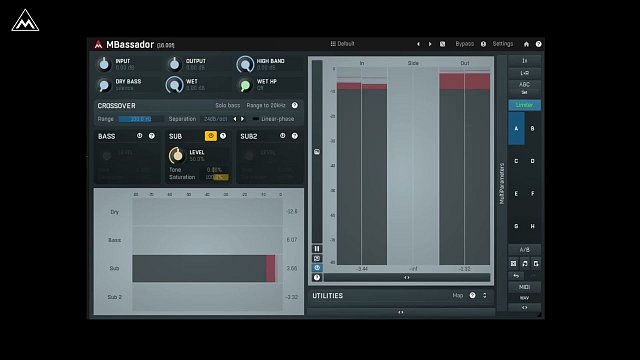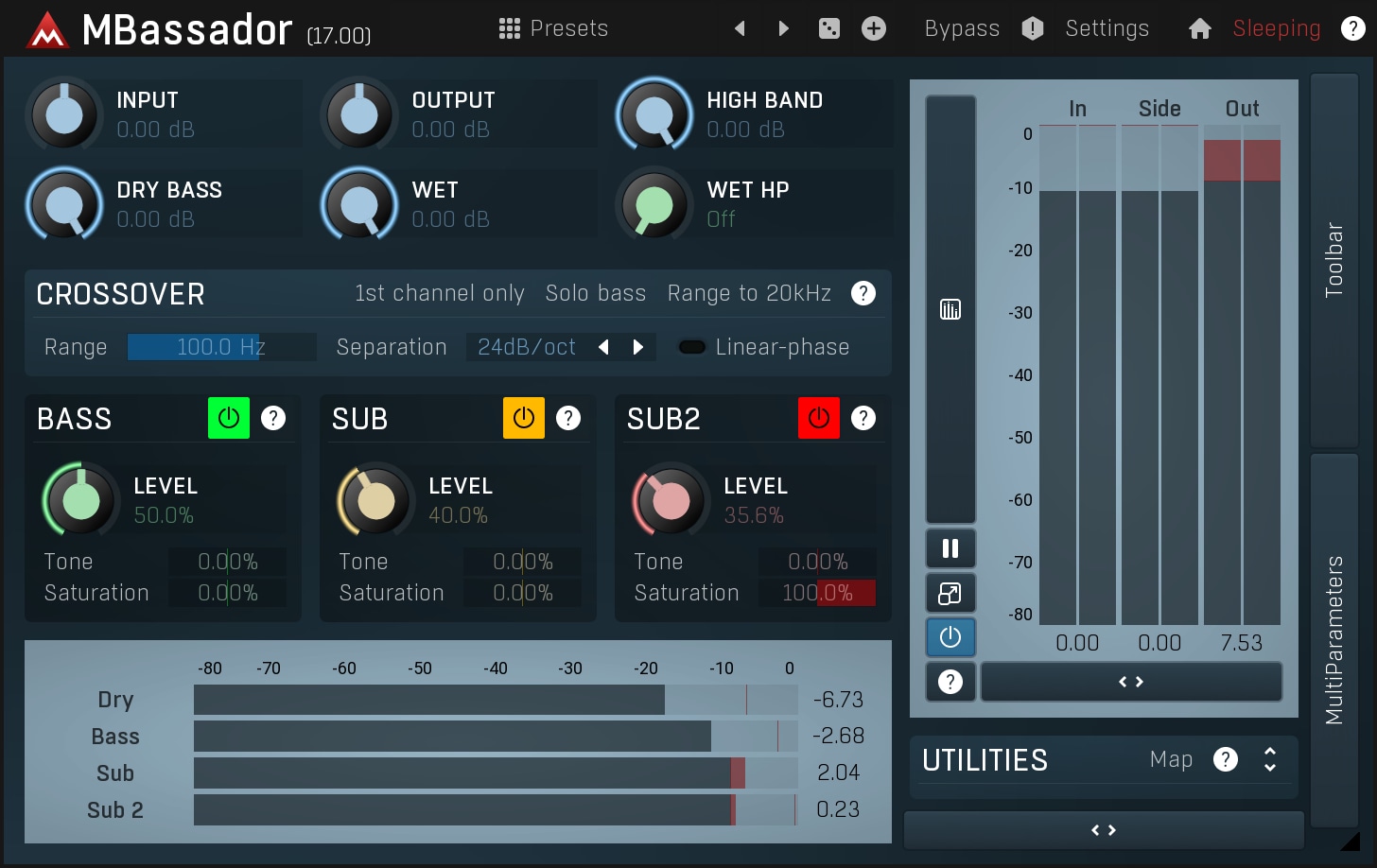
MBassador processes audio with an adjustable crossover, then enhances the bass and can generate sub-bass from it. It suits producers and mix engineers who want more audible bass harmonics on small speakers, or added low-frequency weight on bass and percussion tracks. Its three processing sections have separate controls, so you can blend the original bass with the enhanced and synthesized signals.
Three ways to shape the low end
The crossover separates the bass region for processing while the rest of the signal stays outside those bass modules. A separate High band control adjusts frequencies above the crossover.
- Bass enhancer: Resynthesizes the existing bass and adds higher harmonics. Those harmonics can help bass remain audible on playback systems that reproduce deep frequencies poorly. Level, Tone and Saturation shape the added signal.
- Sub generator: Creates a signal an octave below the lowest note in the input. It can add low-frequency content to bass or drums. The developer's manual says it works best with monophonic or percussive bass; more complex material can produce disharmonic results.
- Sub2 generator: Creates a signal two octaves below the lowest note. With a 100 Hz input, for example, Sub2 produces 25 Hz, which may be felt more than heard; its higher harmonics can still be heard. It also has separate Level, Tone and Saturation controls.
Set the crossover before blending
Start by setting Range, the crossover frequency, so the bass band contains a clear, simple signal. The documented range is 20 to 200 Hz, with a default of 100 Hz. Use Solo bass to hear what the plugin is feeding into its generators. If Range is too low, there may be too little signal to process; if it is too high, the bass band can become complex and the generated sound may turn disharmonic.
Once the bass band is clean, bring up the individual module levels to taste. Dry bass controls the original low band, Wet controls the synthesized signals together, and Wet HP can filter excess ultra-low content from the generated signal. The MBassador manual describes these controls and the crossover in detail.
For comparisons, MBassador has A-H settings, A/B switching and morphing among the first four settings. Automatic gain compensation can help keep preset or setting comparisons at a similar loudness. The plugin also includes a safety limiter for peaks above 0 dB; the manual advises enabling it when needed because limiting changes the output and uses additional processing. When enabled, the linear-phase option avoids phase shift but adds latency, which may make it unsuitable for live use.
Compatibility and licensing
MeldaProduction lists 64-bit support for Windows 10 and 11 with VST, VST3 or AAX hosts, and for macOS 10.14 or newer with VST, VST3, AU or AAX hosts. The listed processors are Intel or AMD with SSE2 on Windows, and Intel, AMD or Apple Silicon on macOS. Linux is not directly supported; MeldaProduction says Wine may work if the .wine/drive_c/windows/Fonts/ directory contains Microsoft True Type Fonts before installation. Check the current MBassador support page and system requirements for compatibility details.
The developer says activation uses license files, with no dongle or internet connection required. The license is tied to the user and can be used on all of that user's computers; purchases include free lifetime updates. The product page links to a trial download.