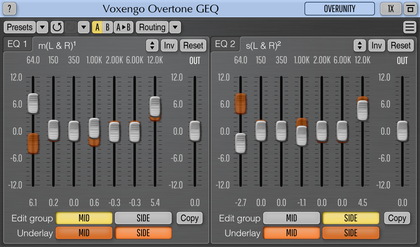
Voxengo Overtone GEQ is a free seven-band graphic equalizer with harmonic enhancement. It is intended for quick tonal adjustments with added harmonic coloration, particularly on mixes and submixes. Voxengo also lists voice streaming and surround sound among its applications, though multichannel support depends on the host. The plugin can use comparatively high CPU resources.
Shape EQ and compare channel groups
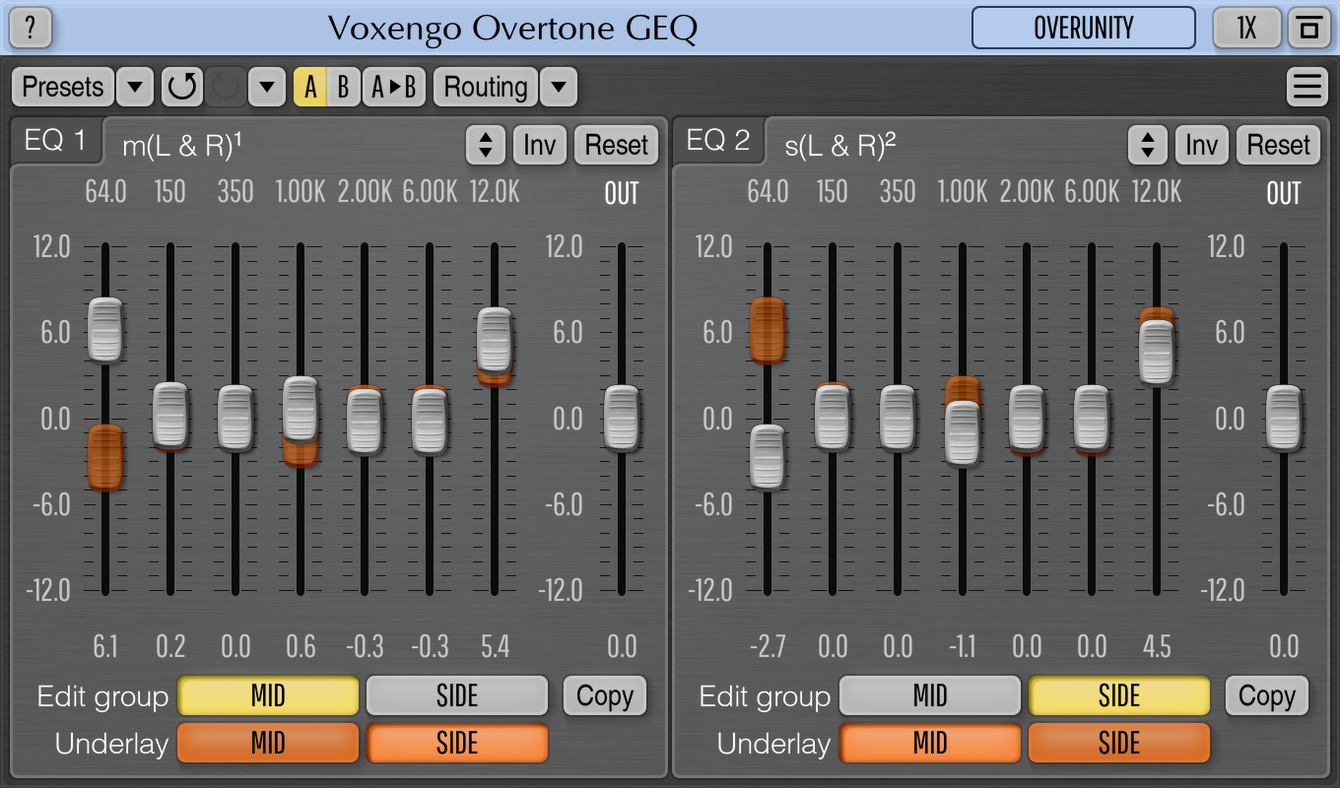
Each of its two graphic EQ views has seven bands with a ±12 dB range per band. The guide describes editing a channel group in one panel while using an underlay to view another group’s curve. You can copy EQ settings between groups, and the two panels are useful for dual-mono equalizing because both curves remain available without switching groups.
Each EQ band has a corresponding harmonic-enhancement module, so the plugin adds harmonic coloration alongside its graphic EQ. It also lists zero processing latency.
Route mono, stereo, mid-side, or multichannel audio
Internal routing, channel grouping, and mid-side processing let you work with different channel layouts in a compatible host. Voxengo lists support for up to eight input/output channels, with the actual channel count depending on the host. The product page also names 5.1 and 7.1 surround equalization as supported applications when the host provides the necessary channels.
Compatibility and licensing
The product page lists VST, VST3, AudioUnit, and AAX hosts. Mac downloads include AU, AAX, and VST3 formats; Windows downloads include VST, VST3, and AAX. Voxengo lists 32- and 64-bit Windows XP, Vista, 7, 8, 10, and later versions unless announced unsupported. It lists 64-bit Mac OS 10.12 and later under the same condition, with native Apple Silicon support. Its stated minimum hardware requirement is a 2.5 GHz dual-core processor and 4 GB of system RAM.
Voxengo labels Overtone GEQ as free. The product page does not state commercial-use or redistribution terms.