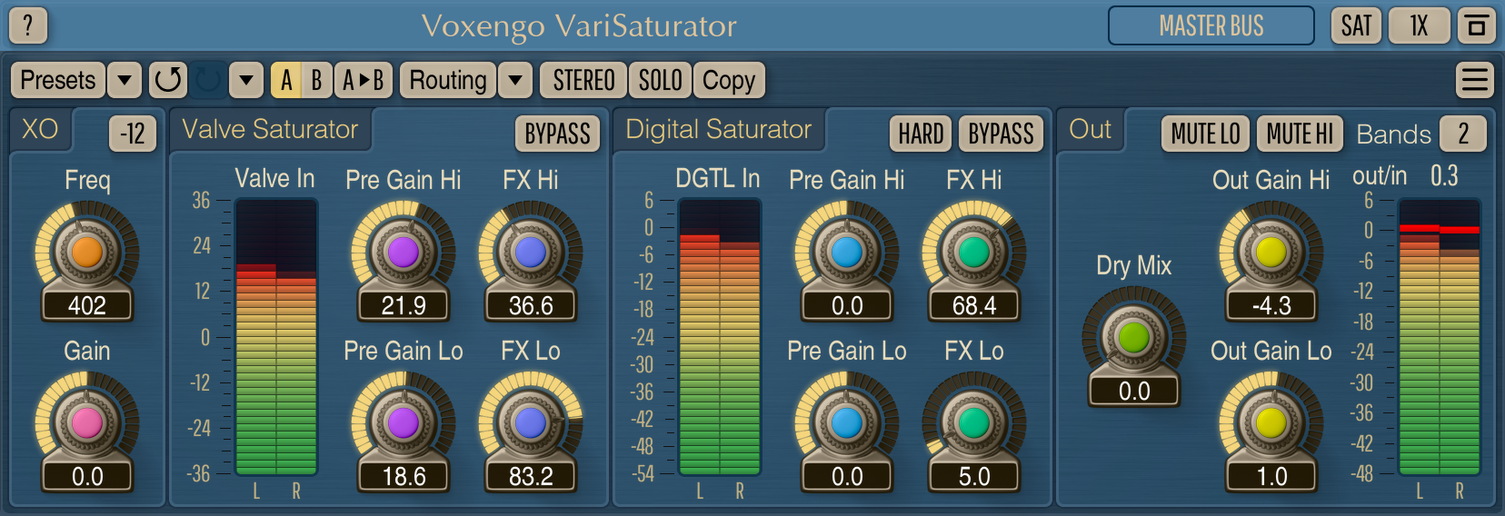
Voxengo VariSaturator applies two saturation stages in sequence: an asymmetric valve stage and a digital waveshaper with feedback. It can add harmonic coloration or raise track loudness without increasing peaks at the same rate. Use it on individual tracks, submixes, or a full mix when you want more saturation control than a single broadband stage provides.
Choose the saturation stages
The valve stage models a double-valve amplifier cascade and produces even harmonics. The digital stage uses symmetric waveshaping and feedback to produce odd harmonics. Each has Pre Gain and FX controls. The digital stage also has Soft and Hard modes; Soft is generally smoother and less distorted than Hard. Keep its input meter out of the red because peaks above 0 dBFS are cut off and can cause unpleasant distortion. If the valve stage raises the signal, lower the digital stage's Pre Gain first. Use each stage's bypass switch to audition it separately before combining the stages.
The stages can run in two-band or broadband mode. In two-band mode, a crossover separates lower and higher frequencies so you can set different saturation for each. For example, you can drive bass while keeping the high band lighter, or saturate the highs while leaving the bass less affected. The guide notes that separating bands can reduce intermodulation distortion compared with saturating the full spectrum together.
Shape the crossover and output
You can set the crossover frequency and choose a slope of -6, -12, or -24 dB per octave. Steeper slopes can make the saturation result clearer, with more phase-shift coloration as a tradeoff. Crossover gain adjusts the level around the split point. Strong two-band saturation can create a bump near that point, so check the combined output and adjust crossover gain or output gain if needed.
The Dry Mix control blends the original signal with the processed signal. One useful approach is to set a stronger saturation amount, then bring in dry signal to find the balance. Two-band processing gives more control over frequency ranges but takes more adjustment than broadband mode; summing the bands can raise output peaks. A separate Sat switch enables saturation after output gain for console-like clipping.
Use it on tracks or a mix bus
Applying VariSaturator to individual instruments can let you push them harder while producing less intermodulation distortion than applying the same overdrive to a complete mix. On a full mix, place VariSaturator before a brick-wall limiter for a final loudness boost. VariSaturator does not provide brick-wall limiting, so it should not replace that final peak-control stage.
Other documented features include stereo and multi-channel processing, mid-side processing, internal channel routing, channel grouping, up to 8x oversampling, and zero processing latency. The overview lists mono, 5.1, and 7.1 use cases.
Compatibility and demo limits
Voxengo provides AU, AAX, and VST3 builds for Mac, and VST, VST3, and AAX builds for Windows. Its compatibility page lists macOS 10.12 and later, native Apple Silicon support, and 32- and 64-bit Windows. The plug-in requires a host that supports its format; Voxengo also lists a 2.5 GHz dual-core or faster processor and at least 4 GB of system RAM as requirements.
The demo mutes processing briefly every 45 seconds. Voxengo says demo authorization uses a product key, without a dongle, challenge-response process, or internet connection. Voxengo's product page does not list a price; check the current purchase terms before buying.