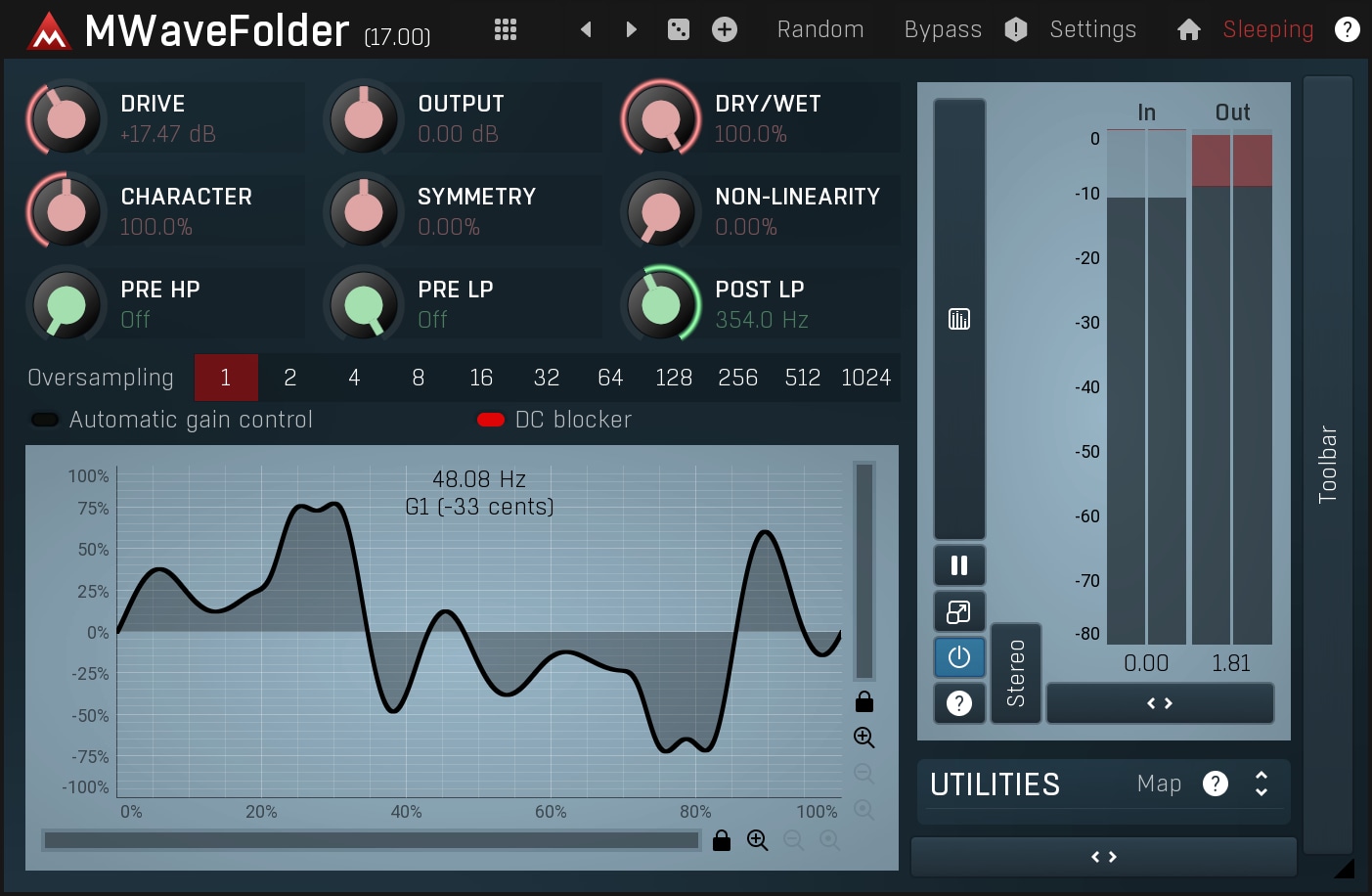
MWaveFolder is MeldaProduction’s analog-inspired distortion effect. Its documented range runs from mild harmonic enhancement to heavily reshaped sound, making it a fit for producers who want to change a track’s timbre with nonlinear processing.
Shape the distortion
Drive sets how strongly the input is processed. Character shifts the sound from a more digital quality toward an analog-like one, while Symmetry changes how the positive and negative parts of the waveform are treated. Non-linearity makes the processing respond differently at different signal levels.
MWaveFolder also has high-pass and low-pass filters before the distortion, plus a low-pass filter after it. Filtering before processing can reduce how much of the signal is distorted; the post filter can trim high frequencies created by the effect. Dry/Wet blends the processed signal with the original.
Compare settings and manage levels
The A-H slots hold up to eight settings in one instance. You can switch between two selected slots for an A/B comparison, or morph among the first four with an X/Y control. Morphing overwrites the currently selected slot, so select a spare slot first if you want to keep the original settings. The MWaveFolder manual explains these controls and the other preset tools.
Automatic gain control adjusts output loudness toward the input level, which can help when comparing different settings. The manual notes that it takes time to respond and can itself introduce distortion. An optional safety limiter keeps peaks below 0 dB, but it changes the output signal and uses additional processing. Check the input and output meters as you adjust the effect.
Oversampling and channel modes
The oversampling control ranges from 1x to 1024x. Oversampling can reduce aliasing from nonlinear processing. The manual says it uses more CPU, high-quality mode adds latency, and a low-quality mode is available. The manual advises choosing a setting by listening, since oversampling can also change the sound.
For stereo work, MWaveFolder can process left and right channels separately or use mid/side modes to process the center or stereo difference. It also supports up to eight surround channels and up to 64 channels of seventh-order Ambisonics. These modes depend on the host and track routing. The manual says VST2 surround requires enabling the global Activate surround option and restarting the host; VST3, AU and AAX do not need that activation. Ambisonics requires a separate global activation and a host restart. Both require a host and track that support the relevant channel format.
Compatibility and licensing
MeldaProduction’s support page lists these minimum requirements, while noting that the plugins may work below them and recommending the trial period to check:
- Windows 10 or 11, 64-bit, with a 64-bit VST, VST3 or AAX host and an Intel or AMD processor with SSE2 support.
- macOS 10.14 or newer, 64-bit, with a VST, VST3, AU or AAX host and an Intel, AMD or Apple Silicon CPU.
- Linux is not directly supported. MeldaProduction says its plugins may run through Wine if the .wine/drive_c/windows/Fonts/ directory contains Microsoft True Type Fonts, generally available as a Linux package.
The product page labels MWaveFolder a free effect and points to the MFreeFXBundle. MeldaProduction says activation uses licence files and does not require a dongle or internet access. Its product features page describes licences as personal to the user, who may use them on their own computers.