What MCabinet does
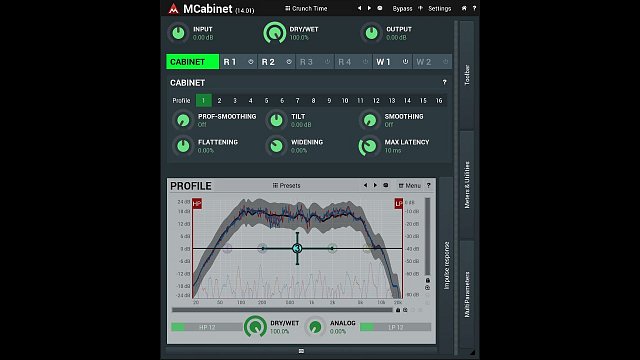
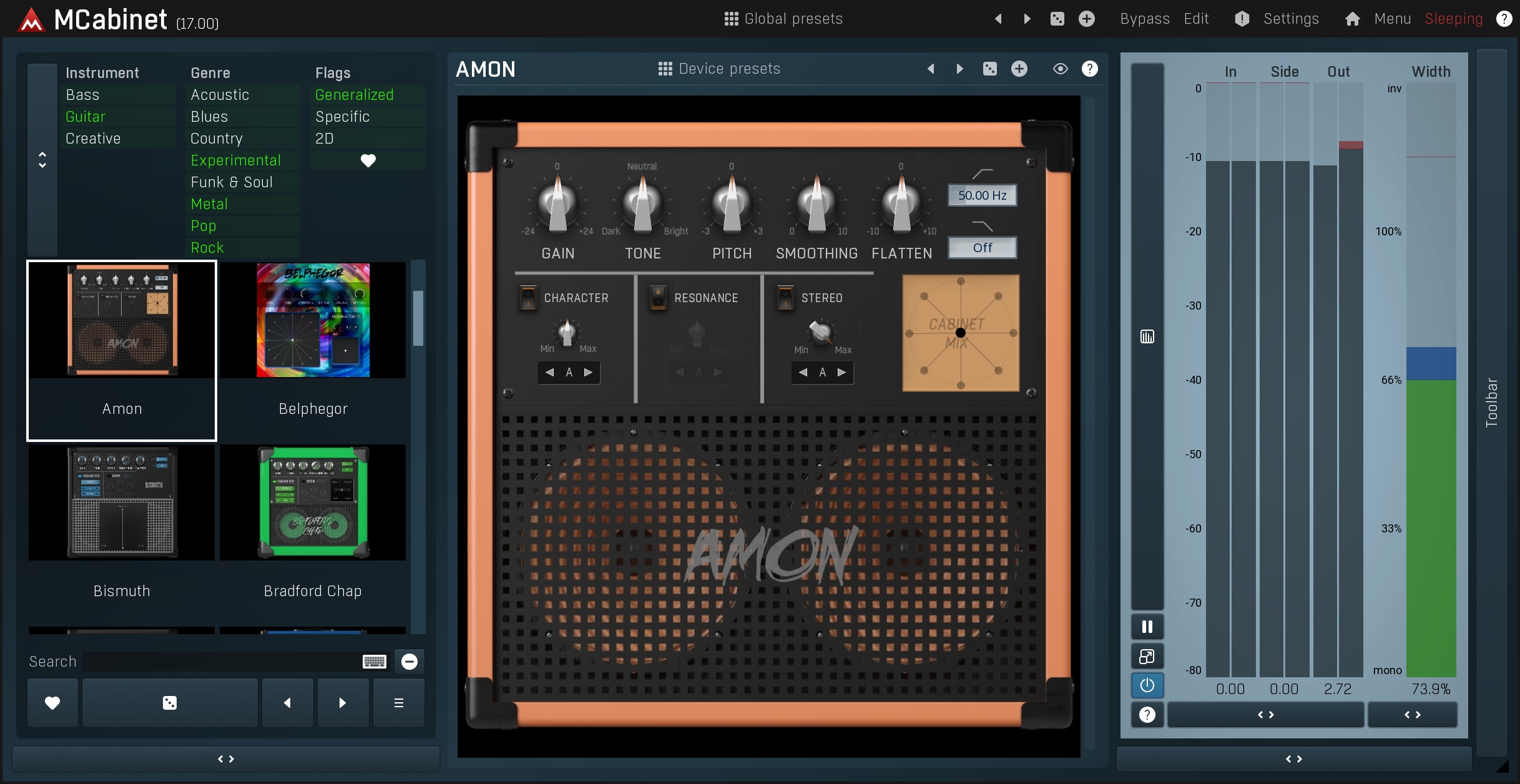
MCabinet is a cabinet simulator for shaping electric guitar and bass tones. It works with cabinet profiles made from impulse responses (IRs), so you can generate and adjust cabinet responses instead of choosing only among fixed IR files. MeldaProduction describes four resonators for changing tonal and resonant character, plus two wideners for creating stereo variation.
Profile controls include profile smoothing, tilt and flattening; a separate output-smoothing control also reduces resonances. A dynamic equalizer can further shape the result. You can start with the supplied profile presets or analyze your own IRs. The MCabinet guide explains how to analyze a single IR or a folder: a single file can be reshaped, while folder analysis builds a statistical profile from the shared characteristics and differences among the IRs.
A typical cabinet workflow
Choose a supplied profile, or analyze a cabinet IR or folder of IRs to create a starting profile.
Adjust the profile with tilt, profile smoothing or flattening. Add resonators to shape its response; depth controls how much they change the spectrum, while resonator smoothing shifts their character from sharper resonances toward broader tonal changes. Seed controls generate new variations.
For stereo processing, try a widener. Its frequency-dependent changes between left and right channels can add width; at low smoothing settings, the result can sound like a short reverberation.
Use the equalizer to refine the output. Automatic gain compensation helps keep the processed signal close in loudness to the input while you compare settings. MCabinet also provides A-H comparison slots and lets you morph between the first four slots with an X-Y pad.
Export the result as a WAV impulse response for a convolution plugin or hardware amp simulator that supports custom IRs.
Sound design beyond cabinets
MCabinet can also process other audio. A flat profile leaves the starting spectrum uncolored, so the resonators and wideners can be used to create new textures. You can also analyze non-cabinet samples or make a profile from the current output's first channel for further processing.
Compatibility, licensing and limits
MeldaProduction lists 64-bit support for Windows 10 and 11 with VST, VST3 or AAX hosts, and for macOS 10.14 or later with VST, VST3, AU or AAX hosts. Its requirements list Intel or AMD processors with SSE2 on Windows, and Intel, AMD or Apple Silicon processors on macOS. Linux is not directly supported, though MeldaProduction says the plugins may run through Wine if the .wine/drive_c/windows/Fonts/ directory contains Microsoft True Type Fonts. See the MCabinet support page for installation and host details.
MeldaProduction says its licenses are assigned to a person, who may use them on all of their computers as long as that person is the user. Activation uses a license file and does not require a dongle or internet access. The product page lists a trial option for checking the plugin in your setup.
Two workflow details may affect a session: modulating resonator or widener parameters can use substantial CPU, and the guide says live rendering in the DAW may be needed while processing structures recalculate. MCabinet also has a maximum-latency control; lowering it can reduce latency at the cost of audio accuracy. MCabinet handles cabinet processing and IR generation; include any amp processing you need elsewhere in your signal chain.