Purpose and fit
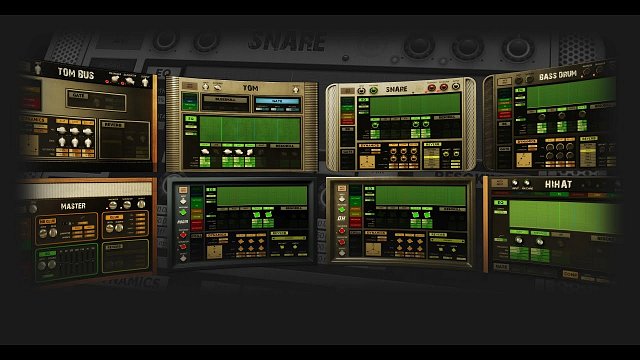
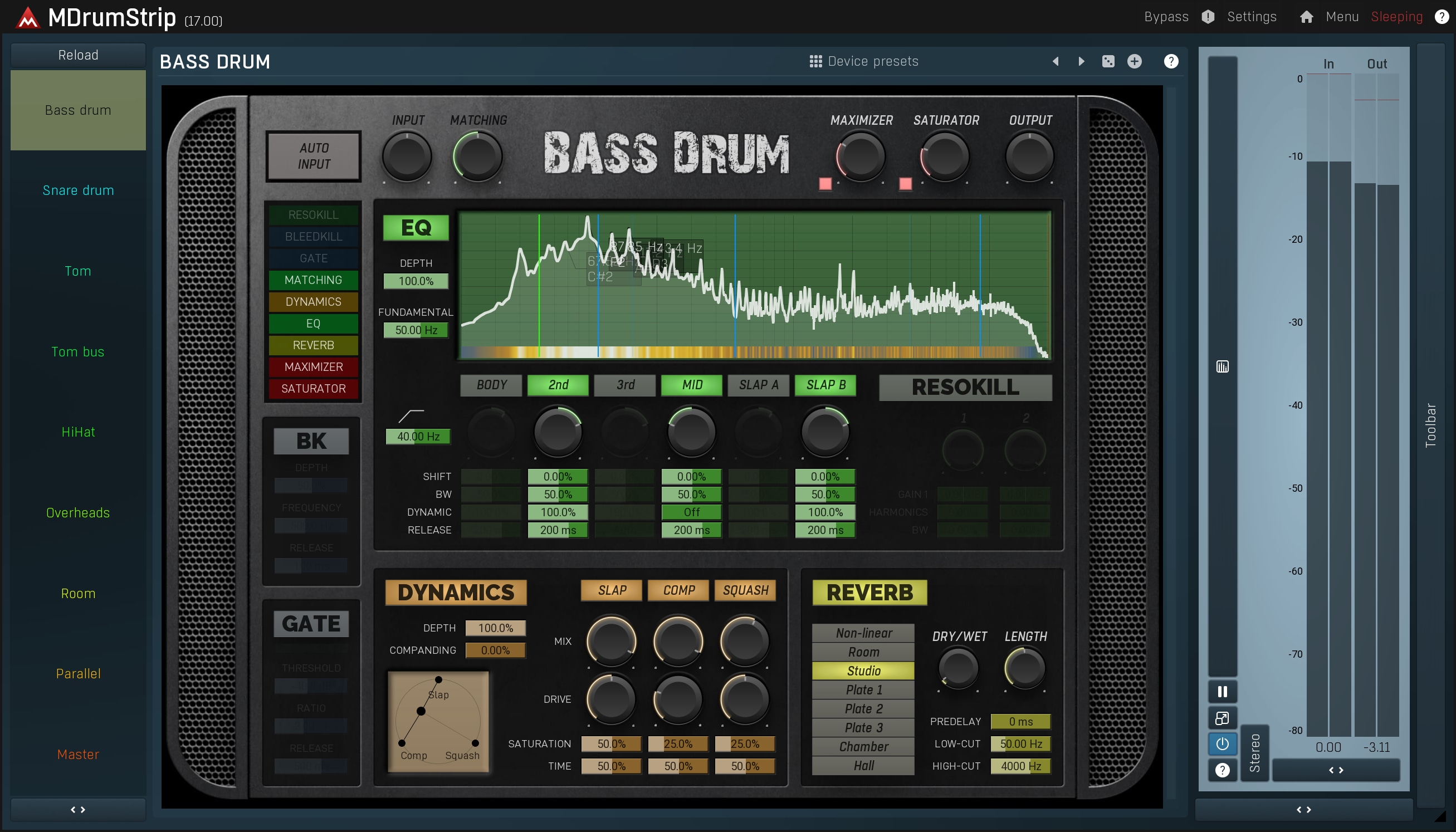
MDrumStrip is a multi-effects plug-in for mixing acoustic drums. Its device selector provides separate processing setups for kick, snare, toms, hi-hat, overheads, room mics, the drum master bus and a parallel bus. MeldaProduction describes it for modern rock and metal, while the manual covers recorded or sampled drums across pop, rock, metal and other genres and says it can also be used with electronic drums.
The device-specific approach suits sessions routed through separate drum tracks or buses. Each device has its own processing controls, so the available features depend on whether you select a close-mic, overhead, room or bus role.
A practical drum-mixing workflow
- Place the Master device on the drum bus and run Auto Input for a few seconds while the kit plays. This adjusts the plug-in's internal input gain and creates a spectrum profile for Matching on devices that include it.
- Add the suitable device to each drum track or group. For example, use the Bass drum device on the kick path, the Snare drum device on the snare path, and Tom on individual toms. The manual recommends sending processed toms to a separate bus with the Tom bus device.
- Run Auto Input on each device. Where the analyzer and Fundamental control are available, set the fundamental to the lowest prominent peak, then adjust or switch EQ bands while listening in the mix.
- Use the Dynamics XY pad to balance the device's processing character. On kick and snare devices, the available dynamics include transient-focused and compression options, with a more heavily compressed sound for added sustain.
- Use the Parallel device on a separate bus if you want an additional heavily processed drum signal, then blend that bus into the kit. Reanalyze the Master device after the drum sound has changed.
Processing options and limits
The specialized EQ can shape each drum dynamically, and ResoKill provides narrow filters for reducing unwanted resonances. BleedKill uses dynamic filtering to attenuate cymbal spill between hits on close mics. Gate is a downward expander that can reduce spill or shorten sustain. Overhead and Room devices include CymbalKill for reducing cymbal level when it masks the drums.
Role-specific reverb is available for adding some space to individual drum sounds. The manual treats room and overhead microphones as the main source of kit ambience. Maximizer and saturation can change output level, but may soften transients, so judge them with the full kit playing.
You can disable modules and change their order, but the manual says MDrumStrip does not expose an Edit screen for rebuilding its internal processing. That limits how far you can redesign the signal chain inside the plug-in.
Compatibility and access
- Windows: 64-bit Windows 10 or 11, an Intel or AMD processor with SSE2, and a 64-bit VST, VST3 or AAX host.
- macOS: 64-bit macOS 10.14 Mojave or later, with VST, VST3, AU or AAX hosts. The listed processor types are Intel, AMD or Apple Silicon.
- Linux is not directly supported. MeldaProduction says running the plug-ins through Wine may be possible, but the ~/.wine/drive_c/windows/Fonts/ directory must contain Microsoft TrueType fonts before installation.
Check the MDrumStrip support page for system requirements and supported-host details. The MDrumStrip manual and quick start guide describe the device workflows. The official product page links to a free trial through MeldaProduction's downloads.