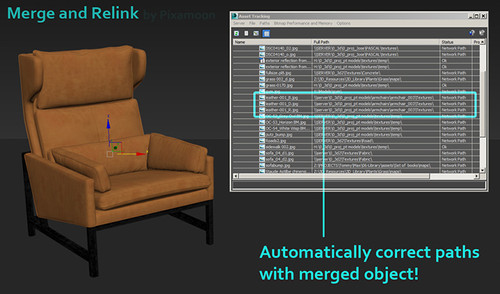
Merge / Relink is a Pixamoon script for 3ds Max that searches for assets during the Merge process and relinks them in the background. It is designed for artists who bring files into a scene and keep their assets in predictable folders.
How it searches for assets
The script checks search locations in the order listed and continues until it finds all asset paths. It can look in folders near the merged file, in the same location, and one or more folders lower, including their subfolders. You can also specify folders directly or use a path with a maxFilename subfolder.
This ordered search lets you list likely asset locations first, followed by broader folders. Merge / Relink handles the search during the merge, so you do not need to relink each found asset separately.
Path patterns
Pixamoon documents .\\ for the folder containing the merged file and ..\\ for a folder one level lower. Repeating ..\\ searches deeper levels. In a path such as D:\\Models\\_textures\\$scene\\, $scene is replaced with the merged file's name, such as Bed0001. These patterns can help when project files follow a consistent folder structure.
Compatibility and license
The Pixamoon-authored ScriptSpot listing gives version 1.37 a 3ds Max 2010 and up requirement; it was updated October 29, 2021. Its changelog says v1.37 added Auto-Relink Settings for search paths and subfolder branches, plus details below the thumbnail on asset count and 3ds Max and Save As versions. Pixamoon's product page lists $5.00 and says each license can be activated on one PC; a listing on Pixamoon's Gumroad storefront shows $7. The listings do not explain the price difference. Pixamoon sends activation details by automated email a few minutes after purchase. Check the Pixamoon product page for current price and license details.