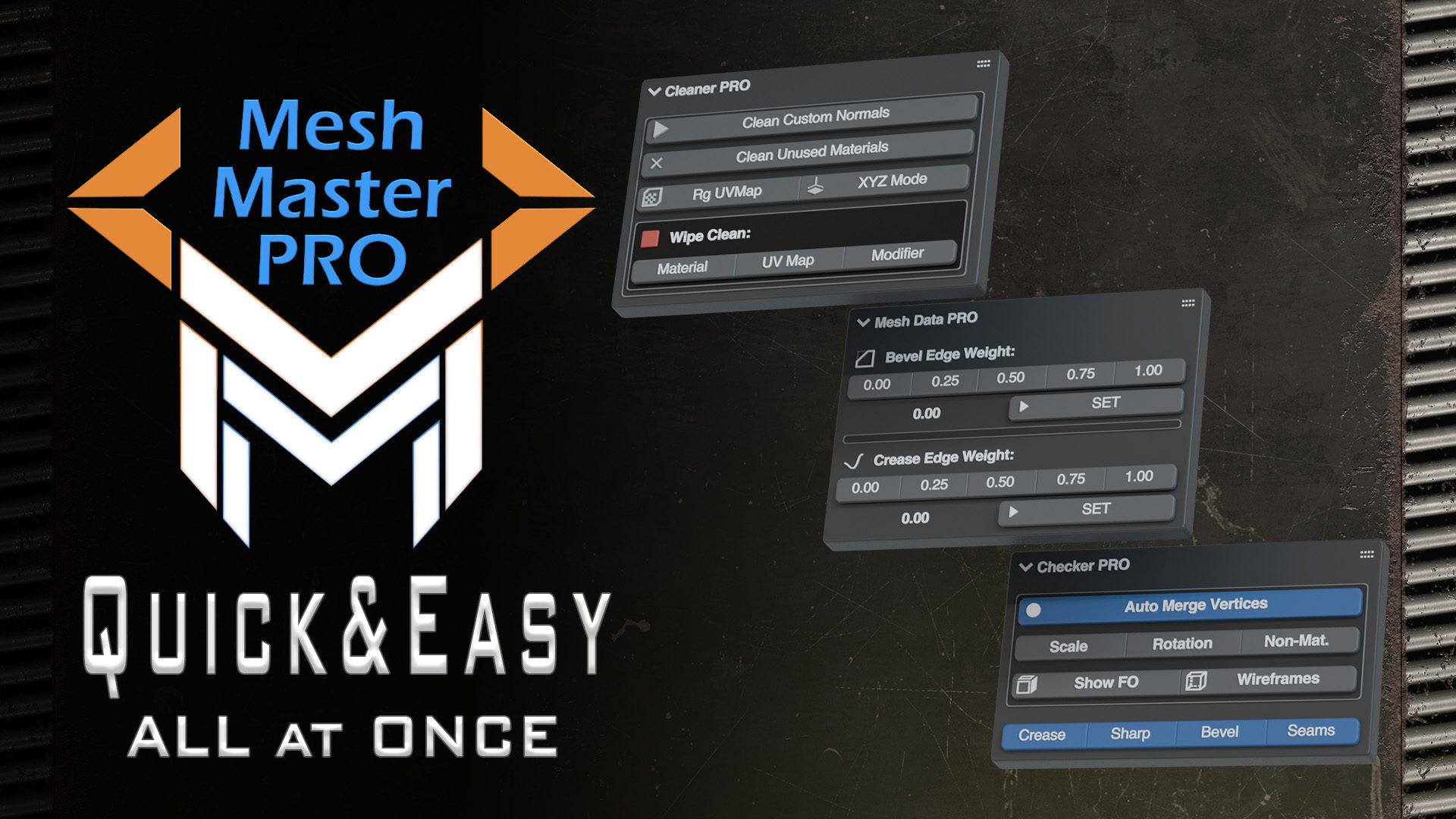
Mesh Master Pro is a Blender add-on for multi-object cleanup, UV management, edge-weight editing and pre-export checks; it includes one-click operations. The Superhive product listing identifies DracoMyth as the creator and Blender 3.6, 4.0 and 4.1 as supported versions; its changelog includes a v1.0 entry.
Cleanup and naming tools
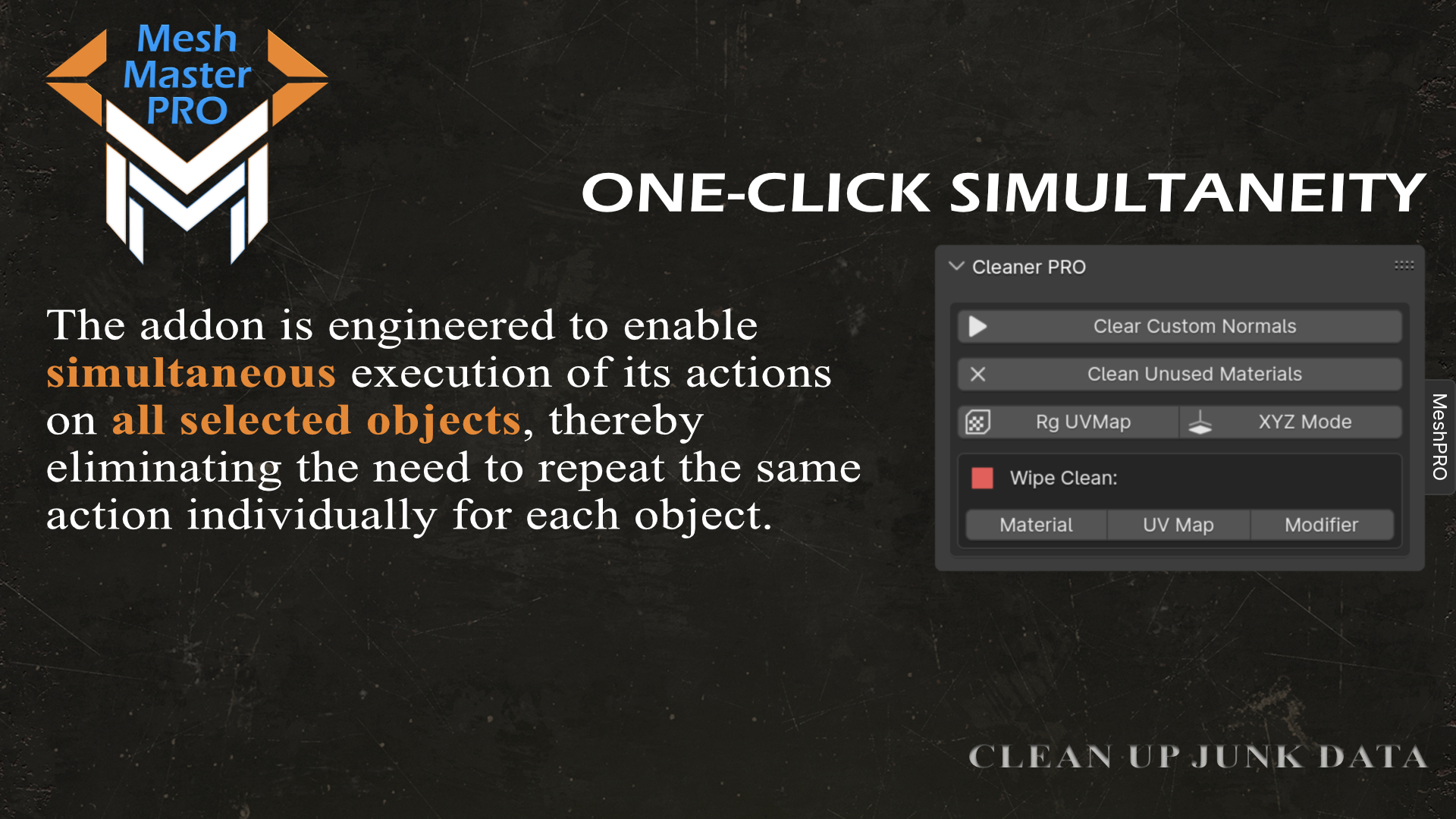
Cleaner PRO can clear imported custom normals and remove unused or unassigned materials from selected objects. It also reorganizes UV channels under a unified “UVMap” name while preserving the active UV structure and includes an option to change rotation order to XYZ. Wipe Clean clears selected objects according to the functions chosen.
Revamp handles UV and material names across a selection. It includes preset UV names, a custom-name option and a rename command for applying a chosen name to UV channels.
Mesh data and object operations
Mesh Data PRO assigns bevel and crease weights without accumulating values from repeated adjustments. You can set a manual factor for selected edges; bevel weights are used by the Bevel modifier, while crease weights are used by the Subdivision Surface modifier.
Connectivity Tools include a multi-user fix, linking objects that share geometry to the active object, and selecting linked objects. Transfer Pro Kit links or transfers materials or modifiers from the active object. These tools are aimed at applying the same operation across a selection rather than repeating it object by object.
Triangulation and pre-export checks
The Triangulator Kit adds or updates a triangulation modifier and provides settings before applying the change. Checker PRO monitors enabled overlays and Auto Merge in real time, with one-click controls for wireframe and face-orientation views. It checks selected objects for default scale (XYZ 1.00), default rotation (XYZ 0.00) and missing material assignments before export. It also provides quick access to crease, sharp, bevel and seam overlays.
Mesh Master Pro may suit Blender users who regularly clean up groups of objects, standardize UV names or weights, and check selected objects’ scale, rotation and material assignments before export. The listed Blender support ends at version 4.1, so confirm compatibility with the creator before relying on it in a later release. The Superhive listing identifies the license as GPL; consult that page for current licensing and download details.