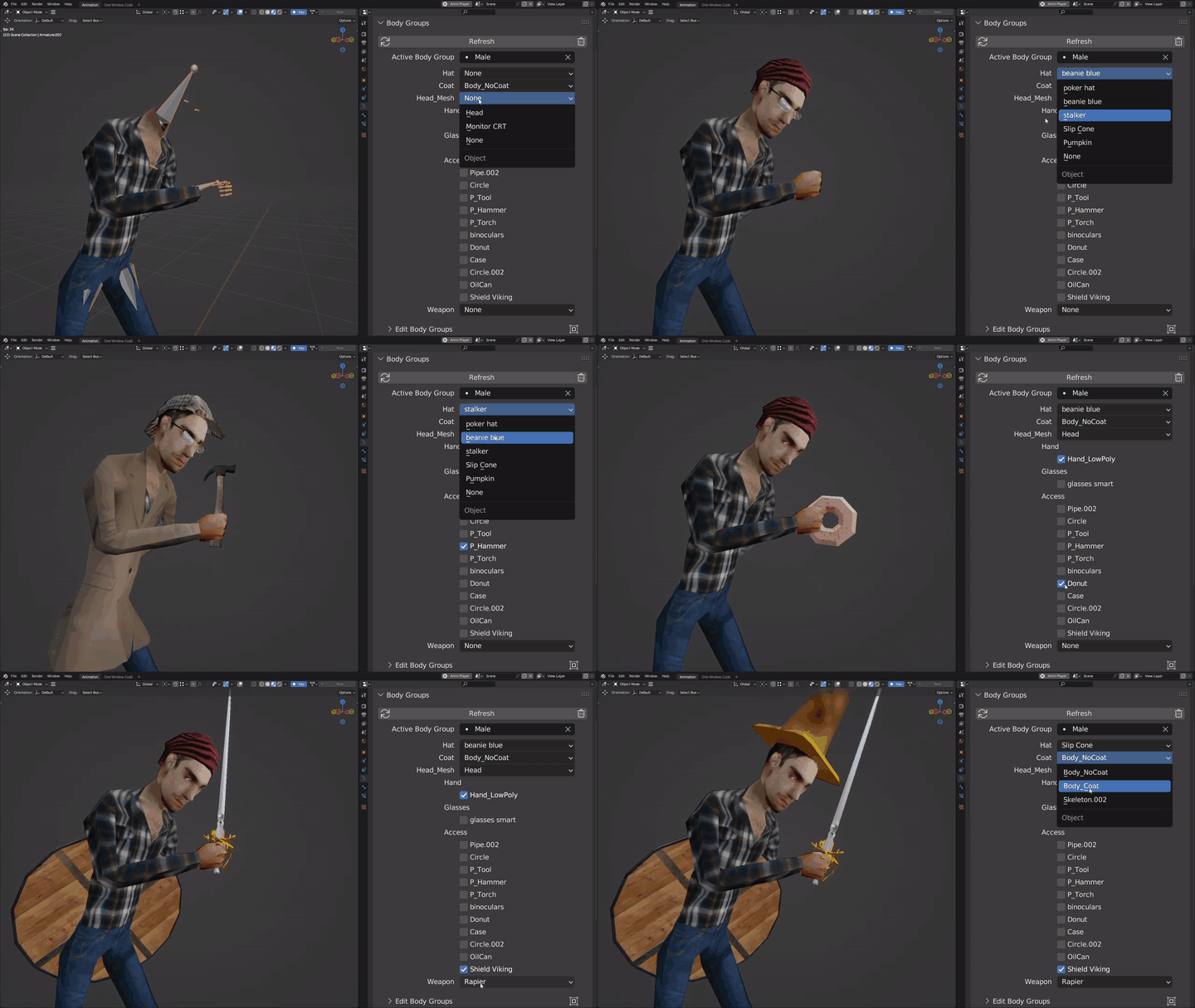
Modular Body Groups is a Blender add-on for organizing objects into groups that can be switched through a UI. This lets artists create variations on a selected object, such as alternate heads, clothing, or body types. The same approach can be used for vehicle parts, building details, character attachments, destruction states, randomized variations, and LOD setups. The product listing describes these uses and the available tiers.
Choose how each group selects objects
Each body group has a spawn type that controls which referenced objects appear. The documentation describes four options:
- Exclusive: Choose one active object from a dropdown.
- Inclusive: Use checkboxes to turn multiple objects on or off.
- Dependent: Choose objects based on a target body group. Place the target above its dependent group in the list.
- Random: Randomize the selection when you refresh the body group.
Random groups have no selection control in Spawn Settings. The Freeze option prevents them from being randomized again during refresh, and appears only when a Random element is present.
Work with body group sets and armatures
A body group set contains the groups and settings that define the available object choices. Sets are shared across scene objects: objects using the same set use the same body groups and settings. Each armature can target one set at a time. The panel is located at Object Data > Body Groups for an armature.
The documentation describes Refresh and Clear as separate actions. Refresh resets all objects set to be created by the body group and rerandomizes Random elements. Clear removes objects created by that armature's body group. Make Real removes a mesh from the group that created it, so a later refresh does not reload it.
Compare the tiers
The versions set different body group limits. Trial allows one body group and does not include Dependent or Freeze. Light allows three groups per object, Mid allows ten per object, and Max allows one hundred per object. Pro includes Max functionality and adds the ability to animate body groups and turn them into active animatable objects.
For Pro workflows, the listing describes separating and making a body group real so it can be animated or modified while retaining the switching mechanism. Its examples include gibbing, dismemberment, and damage effects. Check the product listing for current tier details.
Compatibility and license
The listing identifies Blender versions 2.83 through 4.5 and a GPL license. Compatibility and licensing details can change, so confirm them on the product page before choosing a version.