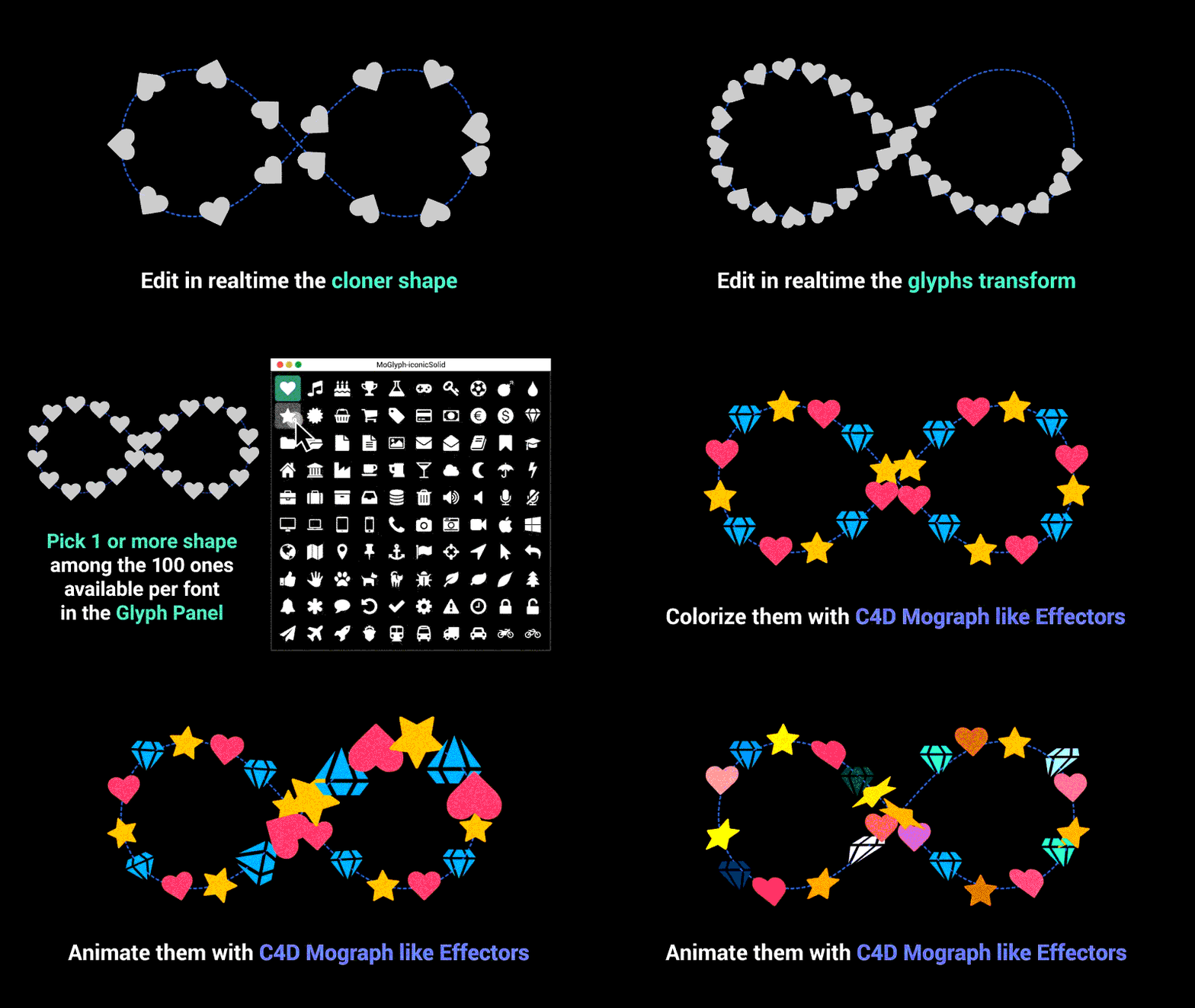
Moglyph FX 4 is an After Effects toolset for arranging and animating glyph shapes or editable text procedurally. Its cloners and effectors are built from regular text layers, so you can adjust text animator properties and expressions while keeping the main setup in the timeline manageable. The approach is inspired by Cinema 4D’s Mograph tools.
Arrange glyphs and text
The six cloner types arrange elements along a selected Shape Layer’s Bezier path or its points (Spline), in a line, around a circle or concentric rings (Radial), along a spiral, in a grid, or in alternating rows with the Brick Cloner. Version 4.5 adds ratio, rotation and tangent controls to the Radial Cloner, so its layout can extend beyond circles. The MoText modes use installed system fonts: Distributed Letters lays out characters of editable text, while Duplicated Words repeats the text as a unit. Hash mode fills a cloner with random characters from ranges such as digits, the alphabet or Unicode.
The toolset includes 25 thematic MoGlyph fonts with 100 glyph shapes each, and an assistant for creating custom fonts. Version 4.5 adds three animated sprite fonts, each with 10 sequences of 10 poses, plus 15 demo projects. The demos can be imported into a project to inspect and adapt their setups.
Animate with effectors
Effectors change clone properties such as position, scale, rotation, color or visibility. Plain, Delay, Formula, Random, Sound, Step, Time, Mask and Shader effectors provide different ways to drive those changes. The Sound Effector can drive glyph animation from an audio layer, while TextStyle changes font and character styling on a regular text layer. Falloff uses text range controls such as Start, End and Offset, with glyph, word or line selection on compatible effectors and index-based or randomized ordering; Plain, Mask and Shader are limited to glyph-based selection.
The Mask Effector changes clones according to whether they fall inside or outside a mask. The Shader Effector samples another layer’s luminance or color channels. That sampling uses After Effects’ sampleImage() expression method, which can slow a composition when a setup contains many clones.
Fit and limitations
Moglyph FX 4 fits projects that use repeated glyphs or text and benefit from changing their layout or animation through a compact text-layer setup. You can save setups as presets and apply third-party text scripts and presets to the cloners. The glyphs are one-color shapes in text layers, and Moglyph FX 4 does not use arbitrary footage or precomposed layers as clone sources; the developer points to the separate Boundary Fill plugin for adding textures such as footage or precomps to clones.
Its falloff controls work through text animator ranges and clone order. They do not provide the same spatial workflow as moving a separate effector through a field of clones. If a design depends on that kind of spatial control or on layer-based clones, check the product’s approach before choosing it.
Compatibility and setup
The developer lists compatibility with After Effects 2020 through 2026. Use the JavaScript expression engine; the Legacy ExtendScript engine is not supported. The TextStyle Effector requires After Effects CC 2025 or later. Mask, Shader, Connect Glyphs and Target Glyph use a fractional-time expression technique that the developer says does not work as expected in compositions with fractional frame rates such as 29.97 or 23.976 fps.
To install Moglyph FX 4, enable “Allow Scripts To Write Files and Access Network” in After Effects Preferences under General, install the MoGlyph fonts, and then install the panel through the aescripts + aeplugins Manager app or by copying MoglyphFX.jsxbin and the entire MoglyphAssets folder into the current After Effects version’s ScriptUI Panels folder. Restart After Effects, then launch MoglyphFX.jsxbin from the Window menu and enter the license code. See the official Moglyph FX 4 page for current compatibility and setup details, and the version 4 overview for a feature walkthrough.