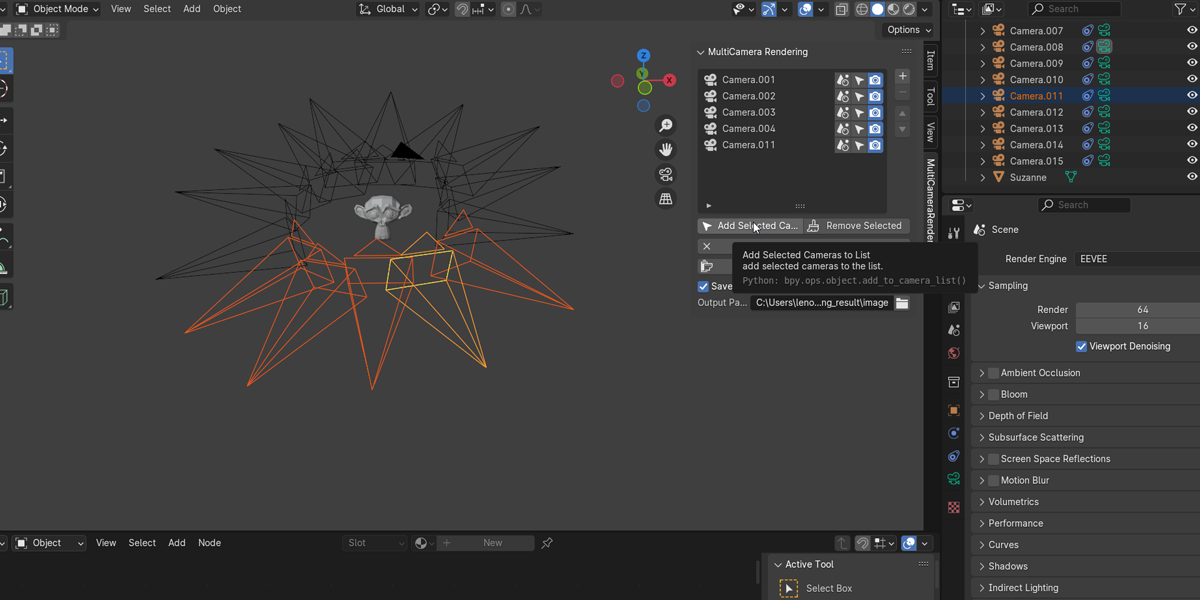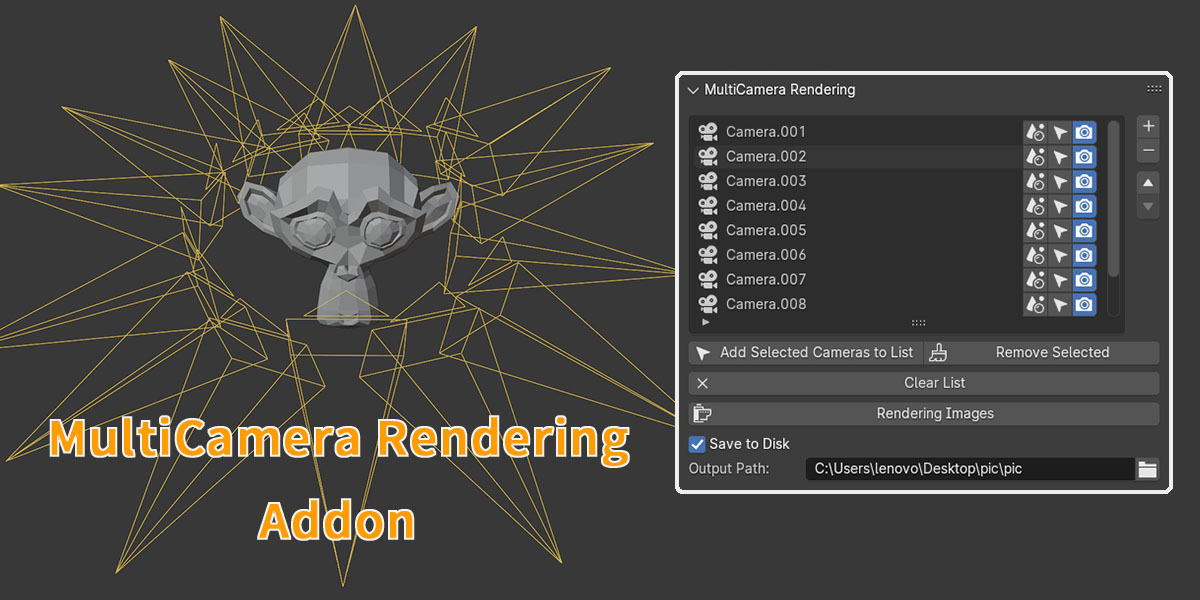
Multi Camera Rendering Addon is a Blender add-on for rendering a scene through multiple cameras from different angles in one operation. The camera list lets you exclude individual cameras, choose whether to save results to disk, and set a listed camera as the scene camera or active object.
Render from a camera list
For a scene with several camera views, run the add-on's multi-camera operation to render them together. Disable any cameras to leave out beforehand; alternate views remain in the scene but are excluded from that run.
Control the active camera
You can choose a camera in the list and make it the scene camera or active object. These controls are separate from excluding a camera: one changes which camera Blender treats as current for the scene, while disabling a camera keeps it out of the multi-camera render.
Choose how renders are saved
Saving to disk is optional. When enabled, each saved result receives an automatically appended suffix, which helps distinguish outputs from different cameras. The product page does not define the suffix pattern or where files are written, so check its current documentation or ask the developer if you require a specific naming or folder setup.
Compatibility and license
Superhive lists Blender versions 3.6 through 5.0, the Cycles and Eevee render engines, Blender Extension compatibility, and a GPL license. This is the listed version range; check the current product page if you use a Blender release outside it or need details about extension installation. The listing does not provide a specific add-on build number. Its changelog records a minor bug fix on February 18, 2025, and a crash fix on November 28, 2025. Those entries describe maintenance updates and do not establish compatibility with later Blender versions.
Check the documented scope
The available product details do not describe animated-frame batching, custom suffix formats, render-resolution overrides, or a render-farm workflow. If your setup depends on any of those behaviors, confirm them with the developer before choosing the add-on. See the Multi Camera Rendering Addon listing on Superhive for product details and version information.