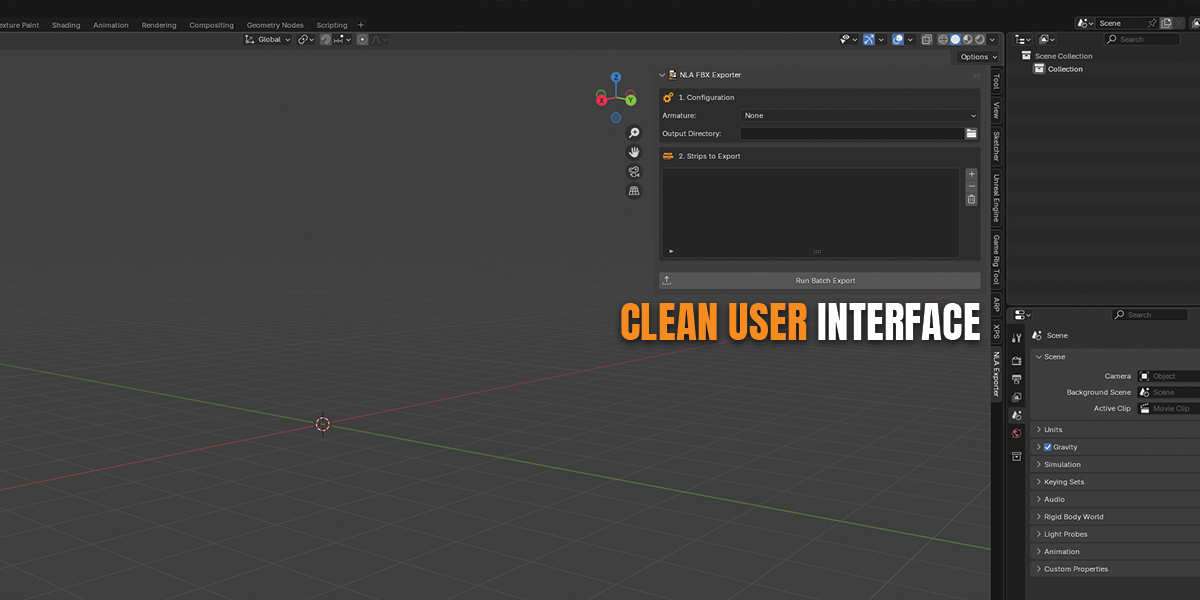
Batch export Blender NLA animations
Nla Batch Exporter is a Blender add-on by Arthzuul that exports selected NLA strips as individual animation files. It is useful for preparing a character's animation library for a game engine, or organizing clips for an animation pack, without exporting each strip by hand.
Each file contains the frames for its strip, and other NLA strips are switched off during export to keep their motion out of that clip. The add-on can export from one armature, every armature in a collection, or the whole scene. If an animation is still an action rather than an NLA strip, Push Actions to NLA creates strips for it.
Set up and export a batch
Install the downloaded ZIP without extracting it. In Blender, choose Edit > Preferences > Get Extensions, then use the menu in the upper-right corner to select Install from Disk. After installation, press N in the 3D Viewport and open the NLA Exporter tab. The product documentation covers the panel and its settings.
- Choose an armature, collection, or scene as the export source, then set an output folder.
- Choose an engine preset, which sets its format, or select Custom and set the format and frame rate.
- Use Add All for every strip or Add Selected for strips selected in the NLA Editor. Untick any clips to leave out.
- Choose Export Animations. The add-on reports how many strips were exported or skipped, and the Log lists each skipped strip's reason; a button opens the output folder.
The default frame range follows each strip, including its trimmed start and end. You can instead use the full action range or the scene range. The frame-rate setting controls the rate written to the files; it does not retime keyframes, so set the animation's frame rate to the one you plan to export.
Formats, naming, and motion settings
Presets are available for Unreal Engine 5 and Unity, plus a Godot preset that uses binary glTF (.glb). The selected engine preset sets the file format and axis and scale options. For FBX, custom settings include axes, scale, smoothing, leaf bones, and deform-bones-only export.
File names can use the action or strip name, prefixes and suffixes, or tokens such as the armature and track names. A slash in the pattern creates a subfolder. Per-strip settings can override the name, frame range, frame rate, and loop setting. Loop detection can drop a duplicate last frame, and Simplify Keys is available for smaller files; leaving it off keeps every frame as animated.
For root motion, choose As Animated to export the root bone exactly as animated, or In Place to remove its movement; with In Place, select a root bone and choose whether to keep vertical movement. Optional shape key animation supports facial clips. The add-on exports a copy of the animation and does not modify the original actions.
Checks and compatibility
Check for Problems flags issues such as unapplied scale, multiple root bones, and duplicate file names. If an export skips a strip, the Log lists the reason. Before exporting, use Object Mode and leave NLA tweak mode. The add-on restores settings such as frame range, active action, and selection after each export, including when an export fails.
The developer's documentation requires Blender 4.5 LTS or newer and lists Blender 4.5 LTS, 5.1, and 5.2 LTS as tested releases. Check the product page for current compatibility details.