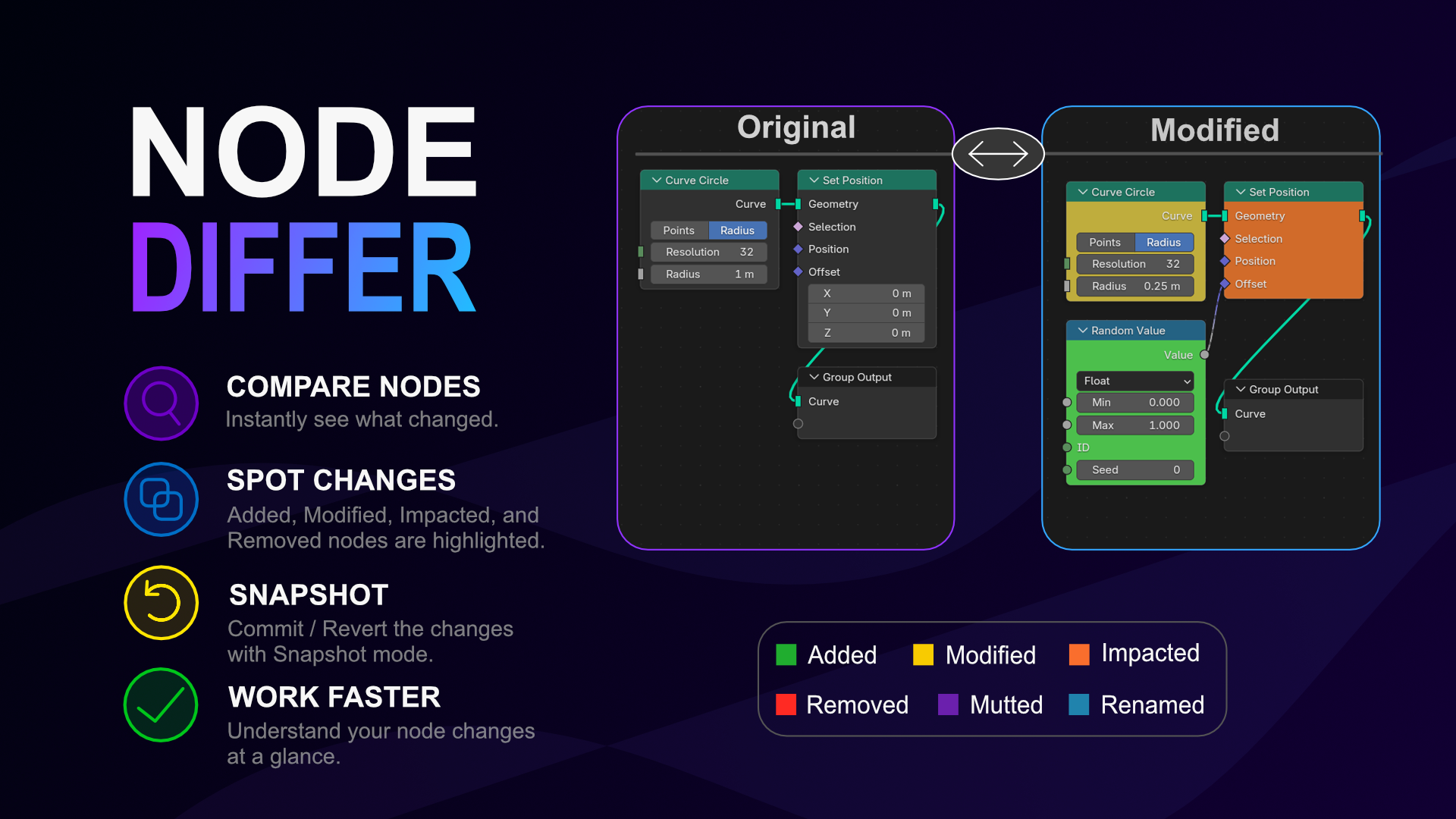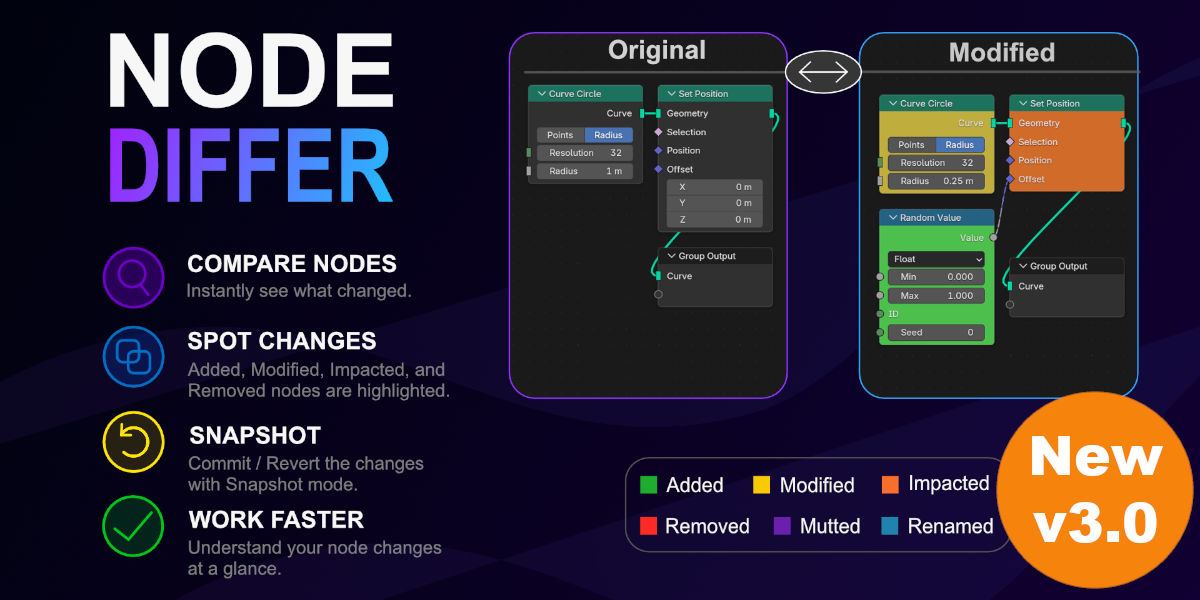
Node Differ is a Blender add-on for comparing an active node group with a reference. The reference can come from a saved snapshot, an earlier project file, or another .blend file. It compares nodes, properties, and connections, and works with Geometry Nodes, Shader Nodes, and Compositor Nodes. The product listing gives compatibility as Blender 4.5–5.2.
Choose a comparison mode
Snapshot mode keeps named checkpoints in project history, so you can compare the active group with an earlier committed state. Version mode looks for earlier saved project files, such as files ending in _v01 or _v02. Manual mode lets you browse to an external .blend file and choose a reference node group.
After you select the reference and run Compare Nodes, the editor highlights added, modified, impacted, muted, removed, and renamed nodes. Ghost markers show where removed nodes were located in the reference, with their old connections available for review. The Node Differ panel also lists changes to inputs, outputs, properties, and connections. Its tracking covers details such as float curves, vector mapping, color ramps, and interpolation modes.
Keep node group checkpoints
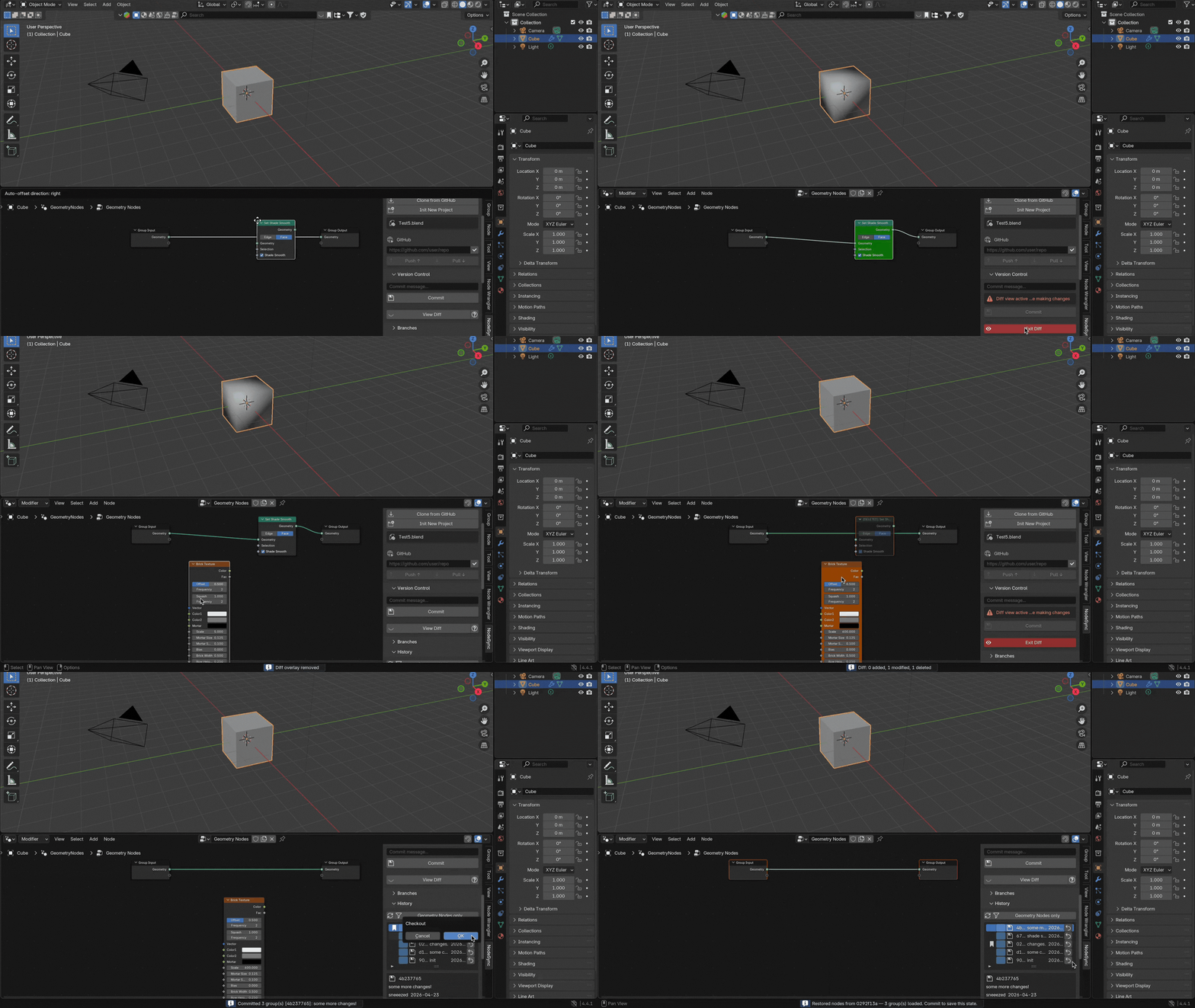
Snapshot mode adds version history to the project. In Blender’s Node Editor, open the sidebar with the N key and select the Node Differ tab. If no history repository exists, initialize one in the current folder. The add-on creates a hidden .nd_history folder there. You can commit a node group with a message, then select an earlier commit to revert to it or delete it.
Version 3.0 uses hidden UUIDs to keep snapshots linked when node groups are renamed. It also detects internal node name changes. Reverting overwrites the active node group after a confirmation step; deleting a snapshot permanently removes its history file and log entry.
Install and run Node Differ
- In Blender, open Edit, then Preferences, then Add-ons, and choose Install.
- Select the downloaded ZIP file and enable Node Differ.
- Open the Node Editor sidebar, choose a comparison mode, and select or create a reference.
- Select the active node group and click Compare Nodes to review the results.
For Snapshot mode, the Node Differ v3.0 user guide explains repository setup, including how to use a parent repository or choose a custom path. The product listing identifies the license as GPL and says the add-on may be used in commercial and noncommercial projects, while prohibiting redistribution of the geometry node group itself.