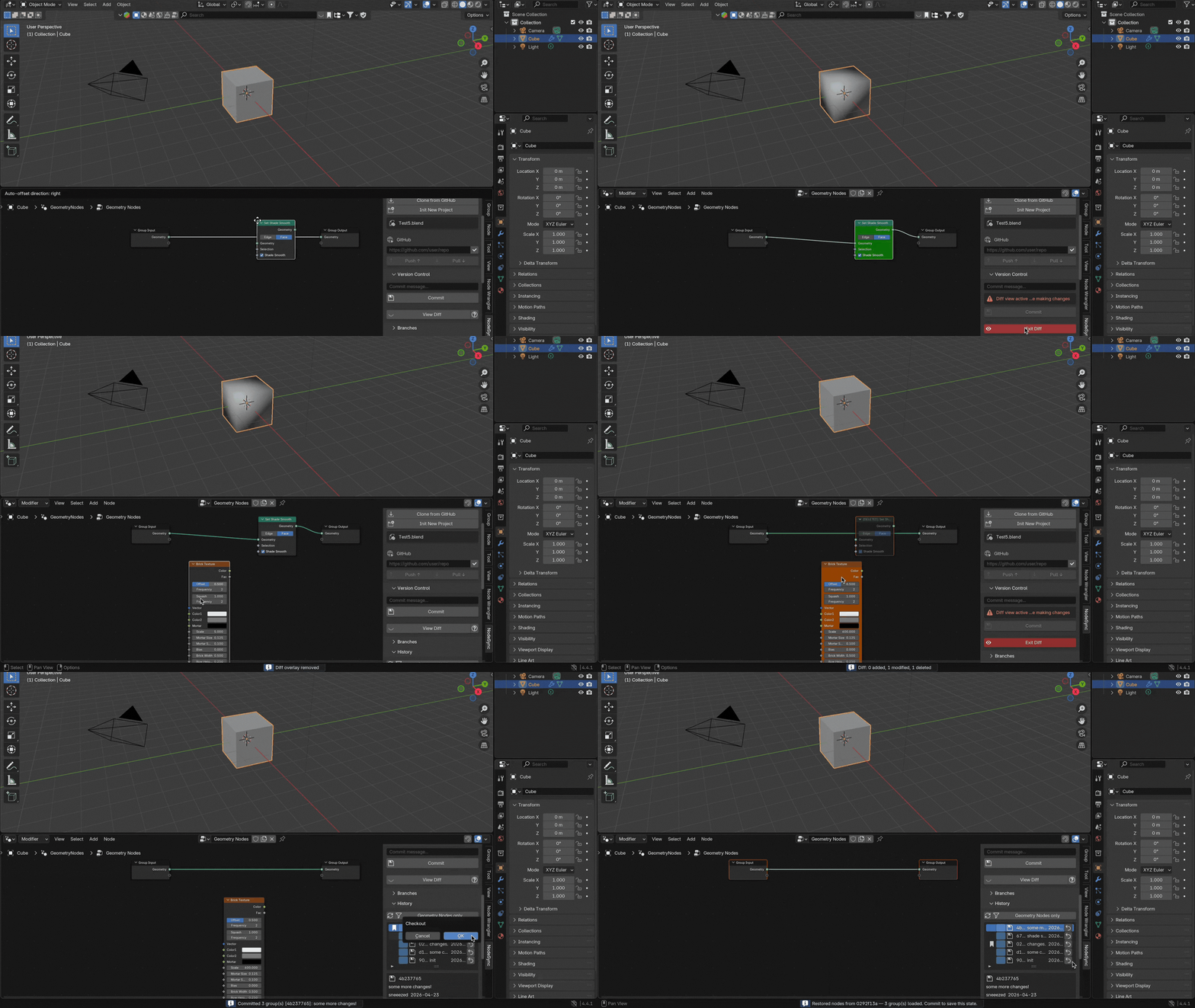
NodeSync brings Git-based version control to Blender Geometry Nodes and Shader trees. The current Blender Extensions listing identifies version 1.3.4 and a minimum Blender version of 4.2.0. NodeSync saves node trees as JSON files in a local Git repository, where you can commit changes, create branches, compare versions and restore earlier work. Its project README says Git must be installed and available on your system path. Check the Blender Extensions listing and project README for current details.
Commit, branch and compare node work
Use commits to save a point in a node tree's history, then branch when you want to try a different setup. NodeSync can restore an earlier commit and show a visual diff against a selected base. Added, modified and deleted nodes receive different colors in the overlay. You can filter history by the open tree or by Geometry and Shader nodes. Auto-push is available when a remote is configured, and the pull workflow lets you choose which incoming groups to apply.
These controls help when a procedural setup changes over several iterations or when collaborators need to exchange node work through a shared Git remote. NodeSync also provides a panel in Blender's Geometry Node Editor and Shader Editor.
Track shader assets and scene assignments
NodeSync tracks Geometry Nodes and Shader trees, including material, world and light node trees. Its repository records which materials occupy object slots and which Geometry Nodes groups are assigned to modifiers. On revert, branch switch, pull or clone, NodeSync rebuilds node trees from JSON and reapplies recorded assignments only to empty object slots; existing assignments remain unchanged.
Shader image textures can be copied into the repository as an opt-in setting. This gives a remote project the referenced textures along with the node data, which can help keep a shader setup together when collaborators clone the repository.
Version 1.3.4 handles older project filenames
NodeSync sanitizes node-group names before using them as filenames, including trailing spaces and characters that some filesystems cannot handle. For projects created with an older naming scheme, its migration control previews the affected renames before applying them. The README advises committing or stashing first and having everyone on a shared repository upgrade to 1.3.4 before pushing the migration. A migration cannot recover a node group that an older version overwrote when two names differed only by an illegal character and mapped to the same file.
Requirements and remote access
You can keep a repository local; configure a Git remote when you want to push or pull node history. The Blender Extensions catalog record declares file access for writing node trees and managing a local Git repository, and network access for pushing and pulling node trees to a remote supplied by the user.