Select connected nodes from an active node
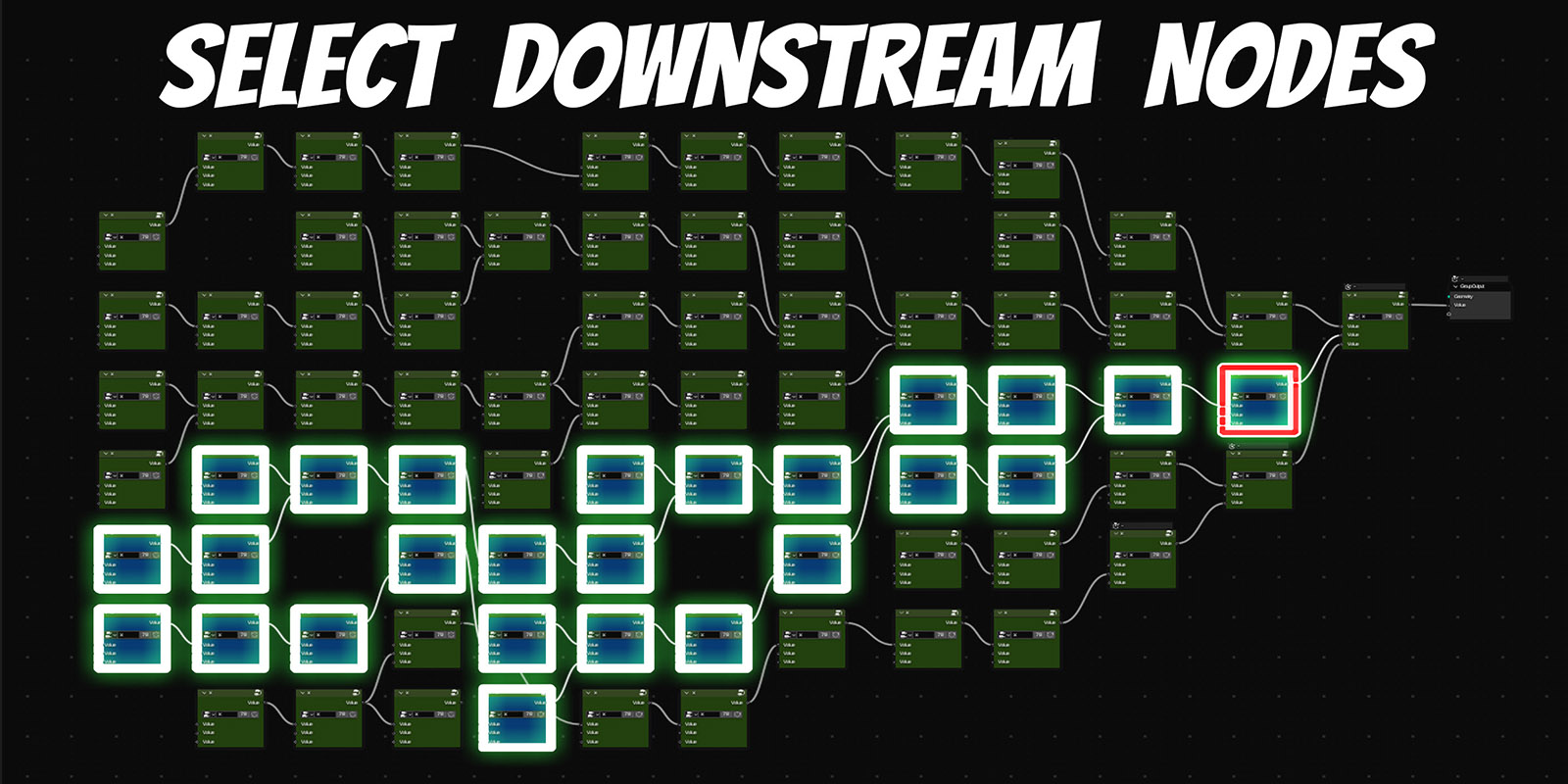
Node Downstreamer Add-On is a Blender add-on for selecting nodes connected to an active node. Its four operators let you choose the upstream or downstream direction, then select either all connected nodes or only those connected directly. This gives you a choice between selecting a broader linked branch and targeting its immediate neighbors.
Choose a direction and selection range
Select Downstreamselects all nodes connected downstream from the active node.Select Downstream One Stepselects nodes connected directly downstream.Select Upstreamselects all nodes connected upstream from the active node.Select Upstream One Stepselects nodes connected directly upstream.
Set shortcuts for each action
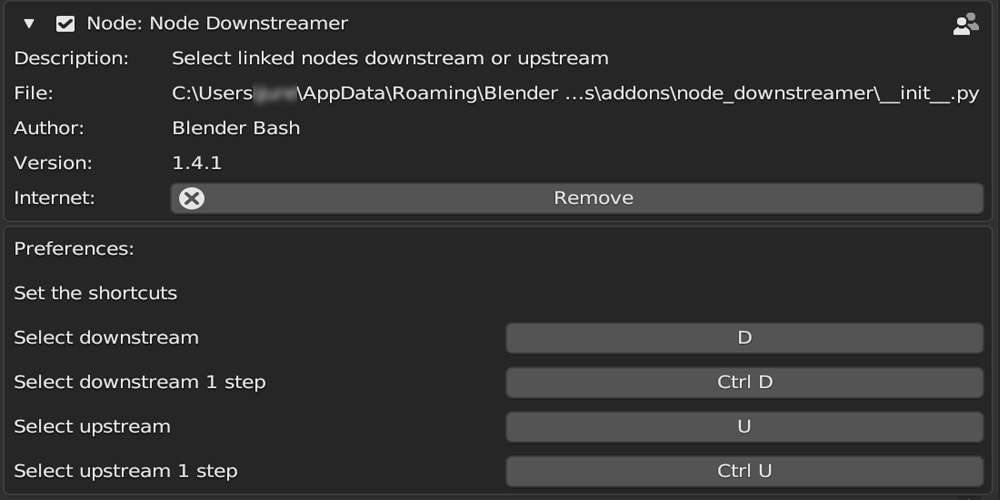
Each operator is activated with a shortcut, and you can assign a custom shortcut to each one under Preferences > Add-ons > Node Downstreamer. Once set, the four shortcuts let you select by direction and range from the node graph.
Version and license details
The Superhive product listing names Blender Bash as the creator, lists Blender 3.4, and shows a GPL license. That listing does not confirm compatibility with later Blender releases, so check the current product details before installing on a newer version.