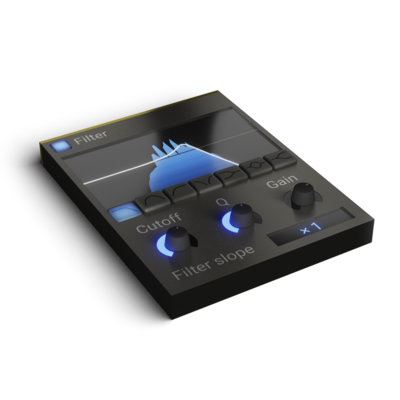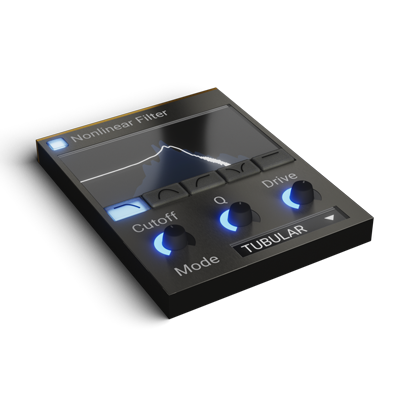
Kilohearts Nonlinear Filter shapes sound with several filter responses and can add distortion and tonal color. Its controls suit producers who want to move from straightforward filtering to a more resonant or distorted sound within the same effect.
How the controls shape a sound
Select all-pass, low-pass, band-pass, high-pass, or notch, then set Cutoff to choose the filter's operating frequency. Q controls resonance at the cutoff, with higher values producing more resonance. Drive overdrives the filter and makes its nonlinear behavior stronger. Mode selects the character: Clean does not color the signal, while the other modes distort and color it to varying degrees.
Use it on its own or in a Snapin Host
Load Nonlinear Filter as a regular plugin in a compatible DAW, or use it as a Snapin inside Kilohearts hosts such as Phase Plant, Multipass, and Snap Heap. Inside a host, Snapins can be combined and modulated, which suits a layered or changing effects patch. A regular plugin instance works for a direct filtering stage.
Account and system requirements
Kilohearts includes Nonlinear Filter in Kilohearts Essentials, a free collection available with an account. The published requirements specify a DAW that supports VST2, VST3, AAX, or Audio Unit, and an x86-64 processor with SSE3; macOS also supports Apple M processors. Kilohearts recommends current operating system versions and does not support versions their manufacturers no longer support. See the Nonlinear Filter manual and system requirements.
Standard Kilohearts installations require no licensing hardware. Versions installed through a Slate Digital installer use iLok licensing and require a valid Slate Digital license, through an iLok USB dongle or iLok Cloud.