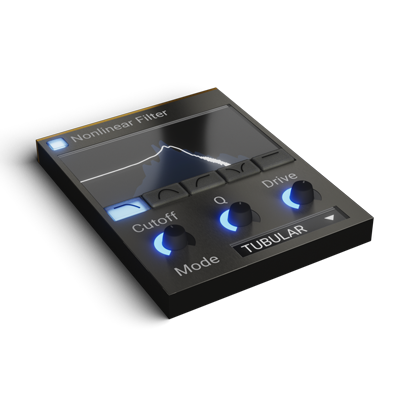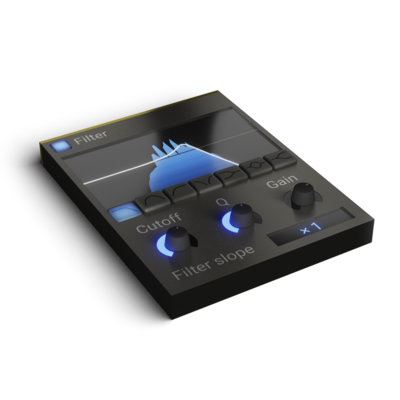
Kilohearts Filter is a resonant audio filter with seven modes: low-pass, band-pass, high-pass, notch, low shelf, peak and high shelf. You can use it as a regular DAW plug-in or load it as a Snapin in a Kilohearts host.
Modes and controls
Cutoff sets the filter's operating frequency. In low-pass mode, it marks the frequency where the signal is reduced by 3 dB. A higher Q setting adds resonance at the cutoff. The Gain control applies to low-shelf, peak and high-shelf modes.
For a focused adjustment, choose a filter mode, set its cutoff, then adjust Q if you want resonance at that frequency. Choose a shelf or peak mode when you need its Gain control for tonal shaping.
Using Filter in a session
Filter works as an individual plug-in in a compatible DAW. Inside Phase Plant, Multipass or Snap Heap, it can be combined with other Kilohearts Snapins and modulated as part of a larger patch. That host workflow suits sound designers who want to build an effect chain or change filter parameters over time; a single DAW instance covers straightforward filtering.
Compatibility and access
Kilohearts includes Filter in Kilohearts Essentials, an effects collection available free with an account. The system requirements list DAWs that support VST2, VST3, AAX or Audio Unit, and an x86 64-bit processor with SSE3 or, on macOS, Apple M processor architecture. Kilohearts does not support operating systems their manufacturers no longer support, and recommends trying its free trials on an outdated system before purchase. The standard requirements list no licensing hardware. Kilohearts notes that versions installed through Slate Digital use iLok licensing and require a valid Slate Digital license.